Websites for insurance agencies
Insurance agency websites that turn searches into quote requests
People shopping for insurance usually arrive with one job: a renewal that went up, a new car, a new business, a new home. They want to know whether you write that kind of policy, whether you are licensed and local, and how fast they can get a quote. A clear agency site answers those three questions and makes the quote request easy to send.
Start a projectWhat the site needs to do
Auto, home, renters, commercial, life and health each get their own page explaining who it suits and what you need to quote it.
Different fields for auto, home and business quotes, so your team has what it needs on the first reply instead of three follow up emails.
Agency and agent license numbers in the footer and on agent profiles, matching how you print them elsewhere.
A photo, languages spoken, lines of coverage and a direct phone number for each agent, because people buy insurance from people.
Your office address, hours and the cities you serve, set up so Google can match you to searches like "insurance agency near me".
Mistakes I see most
- One generic contact form for every kind of policy
- License numbers missing from the site entirely
- Carrier logos used without checking each carrier's rules
- Promising savings or coverage outcomes the agency cannot guarantee
Related work
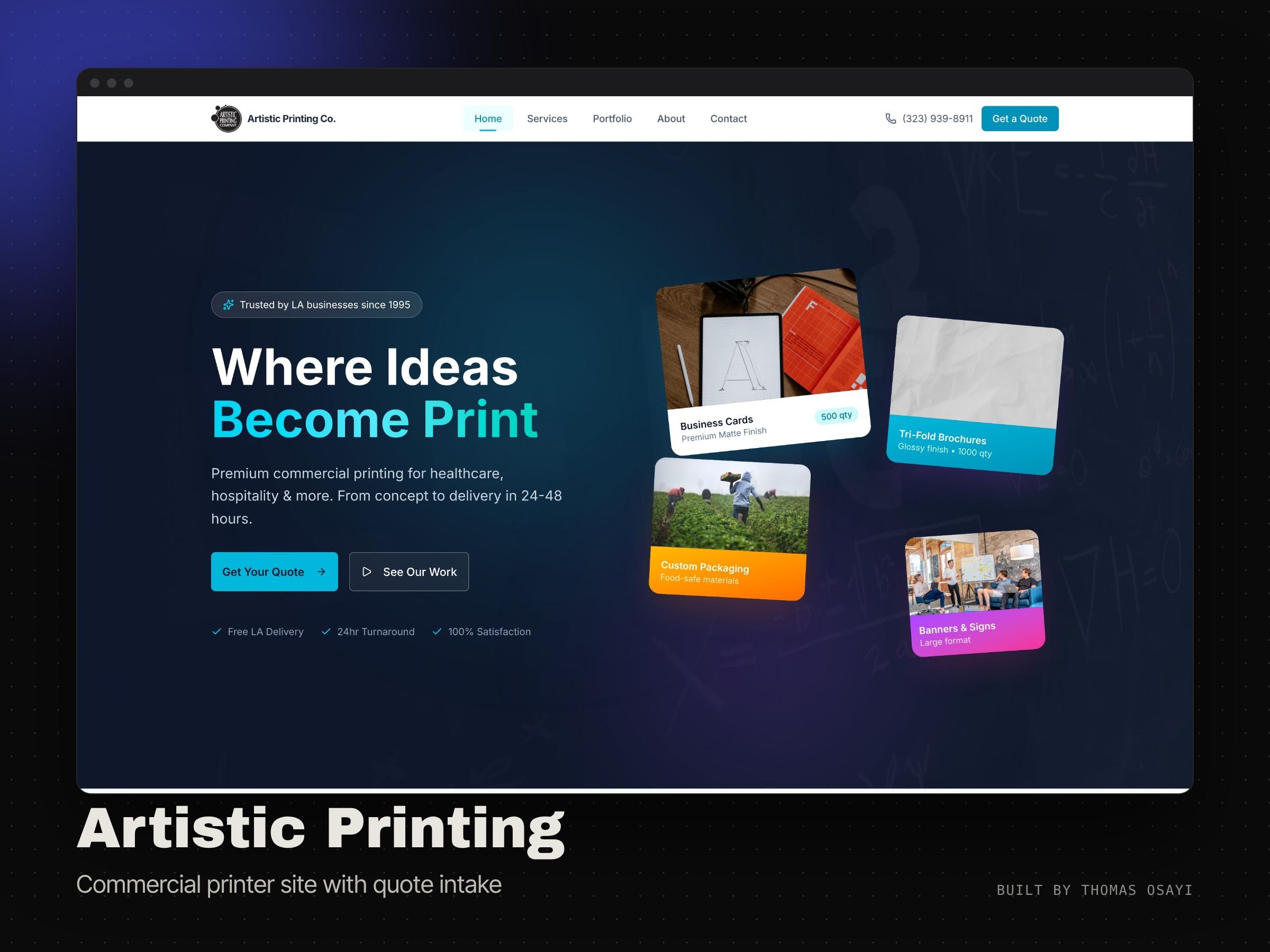
Artistic Printing
Website and quote management tool for a commercial printer, with structured client intake.

Guardian MindCare
A therapy practice platform that matches clients with in-network therapists, with role-based portals for therapists, supervisors, trainees, clients and admins.
Pricing
A single office with a few coverage lines fits the Business Site package. Several offices, many agent profiles or a client portal make it a Full Custom Build. See the Custom Next.js websites for businesses packages, or get a quick estimate with the website cost calculator.
What do people need to see on an insurance agency website?
They need to see, within a few seconds, that you write the kind of policy they need, that you are licensed and local, and how to ask for a quote.
Most visitors arrive with something specific in mind: a car they just bought, a renewal notice that jumped, a lease that requires renters coverage, a new business that needs general liability. The homepage should name your main lines of coverage plainly and send each visitor to the right page in one tap. Under that, show your office location, the languages your team speaks and a short line about how quotes work, such as "Send a request online and an agent will call you back."
A useful order for the homepage:
- A headline that says what you insure and where.
- Buttons for your main lines of coverage.
- A short "how it works" strip: request, review options, choose a policy.
- Agent photos and languages.
- Address, hours, phone and license numbers in the footer.
Should each type of insurance have its own page?
Yes, because people search for a specific policy, and one page per line of coverage gives each search a page that answers it.
A page titled "Auto insurance in Glendale" can explain who you write auto policies for, which carriers you can shop, what discounts people ask about and what information you need for a quote. The same page cannot also do justice to commercial property or life insurance. Separate pages also let you put a quote form on each one that asks only the questions that apply.
Keep these pages honest and practical. Explain what the coverage is for, what affects the price in general terms, and what the person should have ready. Avoid promising a specific saving or saying a policy "covers everything". Coverage depends on the policy wording, and your site should send people to an agent for the details.
How should an insurance quote form work?
A good quote form asks first what kind of insurance the person needs, then shows only the fields for that type, and routes the request to the right agent.
A single "name, email, message" form creates work. Your team replies asking for the vehicle, the address, the current carrier, the renewal date, and the lead goes cold while you wait. A branching form fixes that:
- Auto: vehicles, drivers in the household, current carrier and renewal date.
- Home or renters: address, year built, current coverage and any recent claims.
- Business: industry, number of employees, annual revenue range and the coverage they are asking about.
Each request can email the agent who handles that line and land in a shared inbox or your CRM.
On a site I built for Artistic Printing, a commercial printer, the quote form collects the details the team needs to price a job before anyone picks up the phone. Insurance quote requests work the same way: the better the first message, the faster the first real answer.
Do California insurance agencies have to show license numbers online?
California has written rules about where licensees print their license number, and the safest approach is to show it clearly on your site as well.
According to a notice from the California Department of Insurance, Insurance Code section 1725.5 requires certain licensees to print their license number on business cards, written price quotations for insurance products and print advertisements, in a type size no smaller than the largest street address, email address or phone number shown. Since January 1, 2023, licensees must also include it on emails that involve licensed activity, next to or on the line below the name. The same notice says a hyperlink to a website listing license numbers is not an acceptable substitute in an email.
The notice I read does not spell out a separate rule for websites. Many agencies show the agency license number in the footer and each agent's number on their profile anyway, sized to match the phone number, because a website quote page can look a lot like a written quote or an advertisement. Before launch, check the current guidance on the California Department of Insurance site or with your compliance contact. This is general information, not legal advice.
What should agent profiles include?
Each agent profile should include a real photo, the lines of coverage they handle, languages spoken, a direct phone number and their license number.
Insurance is a trust purchase, and people often choose an agency because a specific agent speaks their language or already insures a neighbor. A profile page gives that person a name to ask for. Keep the bio short and practical: how long they have worked in insurance, what they focus on and how to reach them. If an agent leaves, their page should come down the same week, so build profiles from a simple list your office can edit rather than hard coding them into the design.
Can we show carrier logos and reviews on the site?
Usually yes, but check each carrier's brand rules and follow the platform rules for reviews before you publish.
Carrier logos help visitors understand that you can shop several companies. Many carriers publish guidelines for how appointed agencies may use their names and logos, and some ask you not to imply a partnership you do not have. A simple line such as "We can quote with several carriers, including..." with the logos they permit is clear and safe.
For reviews, show real Google reviews or link to your profile. Do not edit them or pick quotes that suggest guaranteed savings. My post "How to get more Google reviews (without breaking Google's rules)" covers asking for reviews the right way.
How do we keep client information safe on the website?
Collect only what you need for a first quote, keep forms on HTTPS, and keep sensitive details out of plain email.
A quote request can include dates of birth, addresses and vehicle details. That is personal information, and it should be handled with care:
- Do not ask for full Social Security numbers or full driver license numbers on a public form unless you truly need them at that step.
- Send form notifications with a summary and keep the full record in a secure inbox, CRM or your agency management system.
- Limit who can log in to that system and remove access when staff leave.
- Add a privacy policy that explains what you collect and why.
If your carriers or your agency management system offer secure document upload, link to it for policy documents rather than accepting them through a basic website form. My post "Do I need a privacy policy and cookie banner on my website?" has more on the policy side.
The bottom line
An insurance agency site works when it does three things well: it shows each line of coverage on its own page, it asks the right questions in the quote form, and it shows license details clearly so visitors trust you before they call. Agent profiles, honest carrier and review sections and careful handling of personal information do the rest. A single office usually fits the Business Site package. Several offices, many agents or a client portal make it a Full Custom Build. You can price your version with the website cost calculator.
Questions
Should our license number be on the website?
It is good practice to show agency and agent license numbers clearly. California has specific rules for business cards, quotes, print ads and emails, so confirm current requirements with the California Department of Insurance.
Can the quote form change based on the type of insurance?
Yes. A visitor picks auto, home or business and the form shows only the fields that apply, then emails the right person on your team.
Can we show the carriers we work with?
Yes, as long as each carrier allows its name or logo on agency websites. Many have brand guidelines, so check before launch.
Is it safe to collect driver license numbers or dates of birth on a website form?
Collect only what you need for a first quote, send it over HTTPS and keep sensitive details out of plain email. Anything more sensitive is better handled inside your agency management system.
Can the site be in English and Spanish?
Yes. Each language gets its own pages so both rank in search and visitors can switch easily.
What does an insurance agency website cost?
Thomas Osayi builds agency sites on the Business Site package from $450, or a Full Custom Build from $1,200 for multiple offices or client tools.
Building a site for your agency?
Six quick questions, then an intro call if you want one.
Start a projectOther industries
Restaurants · Therapy practices · Medical clinics · Salons and spas · Startups · Local service businesses · Dental practices · Law firms · Real estate agents · Gyms and fitness studios · Ecommerce brands · Print shops and manufacturers · Nonprofits · Coaches and consultants · Med spas · Physical therapy and chiropractic clinics · Event venues · Car washes and auto detailing · Accountants and bookkeepers · Tutoring and education businesses · Photographers · Architects and interior designers · Plumbers and HVAC companies · Roofers and general contractors · Cleaning services · Landscapers and lawn care companies · Moving companies · Pet groomers and veterinary clinics · Food trucks · Bakeries and cafes · Wedding planners and event pros · Home care agencies · Tattoo studios · Churches and faith organizations · Auto repair shops · Property management companies · Florists · Daycare and childcare centers · Breweries and wineries · Funeral homes