Healthcare platform
Guardian MindCare
A therapy practice platform that matches clients with in-network therapists, with role-based portals for therapists, supervisors, trainees, clients and admins.
- Next.js
- TypeScript
- Firebase
- Role-based access

Live: guardianmindcare.com
The problem
Clients struggle to find a therapist who takes their insurance, and practices juggle supervisors, associates and trainees across scattered tools.
Those are two different problems that share one set of people. Someone looking for a therapist usually has two questions before anything else: will this person understand what I am dealing with, and do they take my insurance. Many practice websites hide the second answer until the first phone call. Inside the practice, the same therapists sit in a supervision structure, with licensed therapists, supervised associates and trainees, and each of those people needs a different view of the work.
What the practice needed
- A public site where a client can search for a therapist by insurance
- A way to match clients with both licensed therapists and supervised associates who take their plan
- Plain answers about coverage, out-of-network care and paying without insurance, before anyone books
- A separate, private portal for each role: therapists, supervisors, trainees, clients and admins
- Permissions strict enough that each role sees only what it should
- A way for licensed clinicians, associates and students to join without creating accounts the practice has not approved
How I approached it
Start from the roles, not the screens. With five kinds of user, the question that decides everything else is who can see what. Once each role has a list of what it may read and what it may change, the screens follow from that list fairly directly, and so do the access rules.
The public search comes from the same thinking applied to the client. Insurance is the first filter because it is the first question a client has.
The third principle was to say the uncomfortable things early. What will I pay, what if my plan is not listed, what if the first therapist is not a fit: those questions decide whether someone reaches out at all, so the site answers them in writing instead of leaving them for a phone call.
What I built
Insurance-aware therapist matching
The public site leads with a therapist search by insurance. The homepage message is "Real therapy, in network with your plan", and the search sits with it. The platform matches clients with licensed therapists and supervised associates who take their insurance, so the first thing a visitor learns is whether the practice can see them at all.

The search takes three inputs: the type of care, the client's insurance and how they want to meet. Below it, therapist cards show each clinician's credential, such as LCSW, AMFT or APCC, their focus areas and whether they are accepting new clients. Licensed therapists and associates appear in the same results, with associates working under licensed clinicians, which widens the set of people a client can actually book.
Get matched
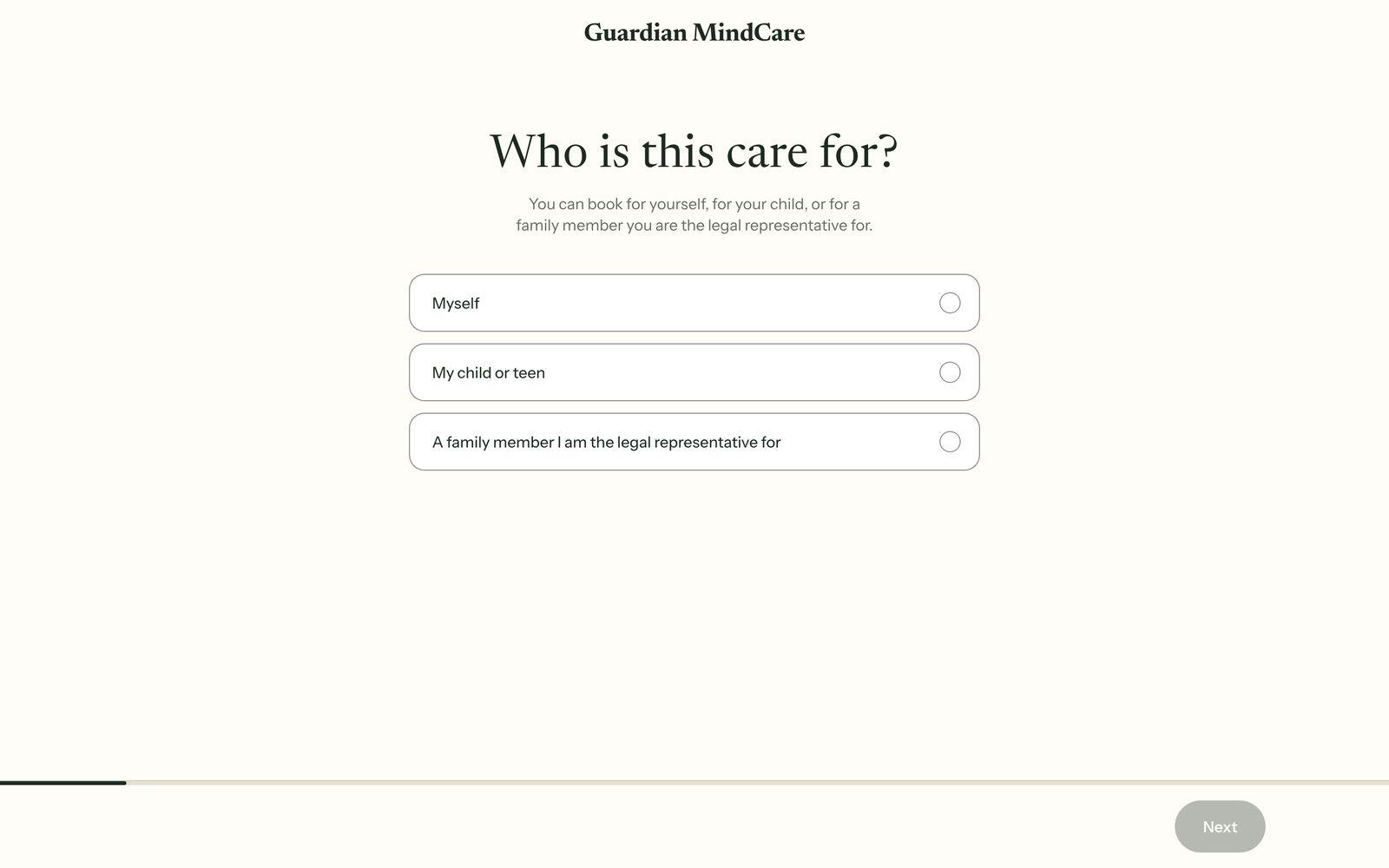
Clients who would rather not browse can ask to be matched. The intake opens with one question, who the care is for: myself, my child or teen, or a family member I am the legal representative for. The rest covers goals, preferences and insurance. The site says a real person reviews every intake and pairs the client with a clinician, usually within 48 hours, and that switching clinicians later costs nothing.
Insurance and coverage
The coverage page lists the plans the practice is in network with, including Aetna, Anthem Blue Cross, Blue Shield of California, Cigna, UnitedHealthcare and Optum, Kaiser Permanente in Northern and Southern California and several Medi-Cal plans, along with employee assistance programs.
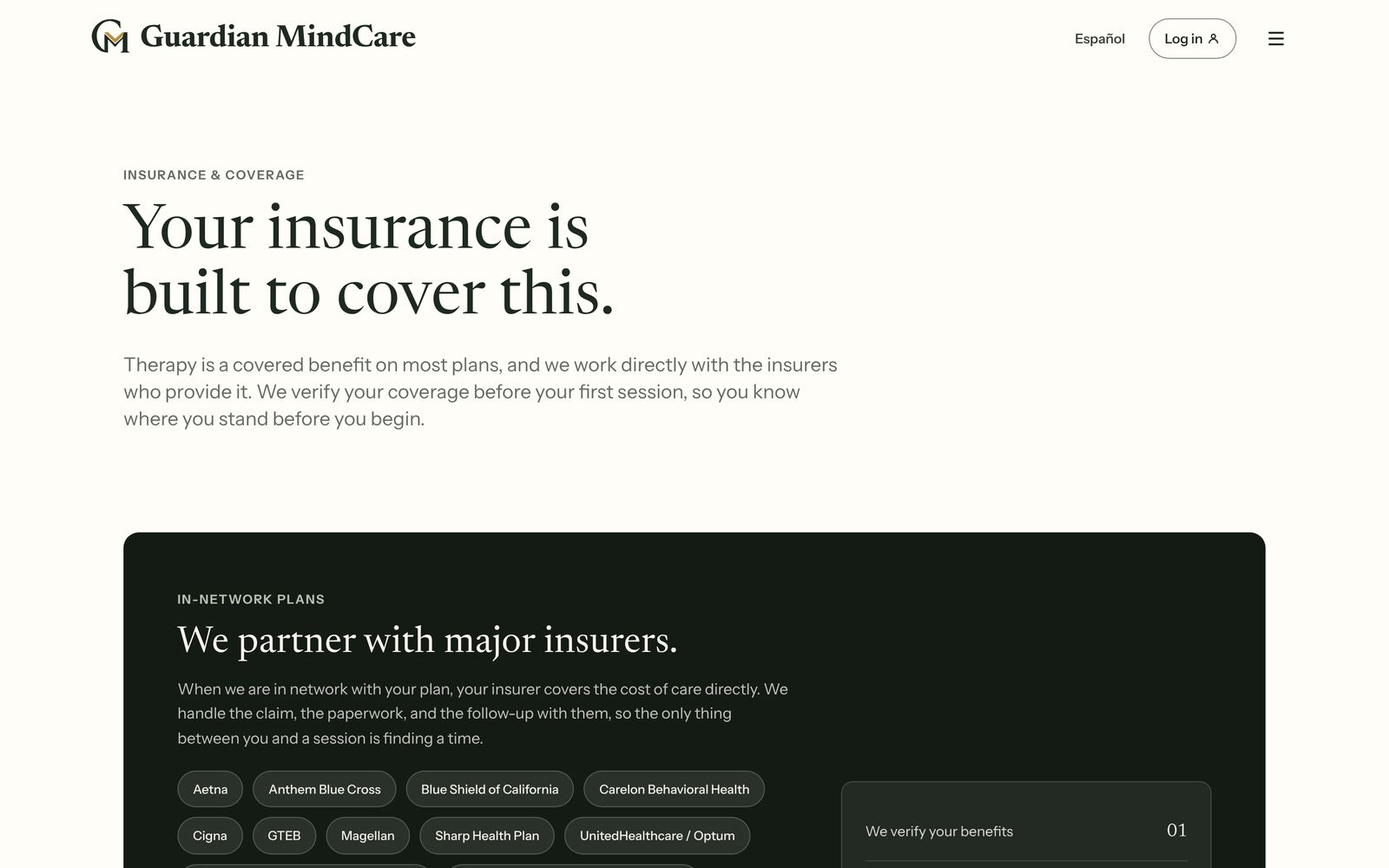
It also covers the cases a plan list does not. Out-of-network clients get a monthly superbill they can submit for reimbursement. A limited number of reduced-fee places are held for people whose coverage does not reach. Anyone paying out of pocket can request a written Good Faith Estimate. And for clients using insurance, the practice verifies benefits with the insurer and tells the client what they will pay, in writing, before the first session is booked.
Services
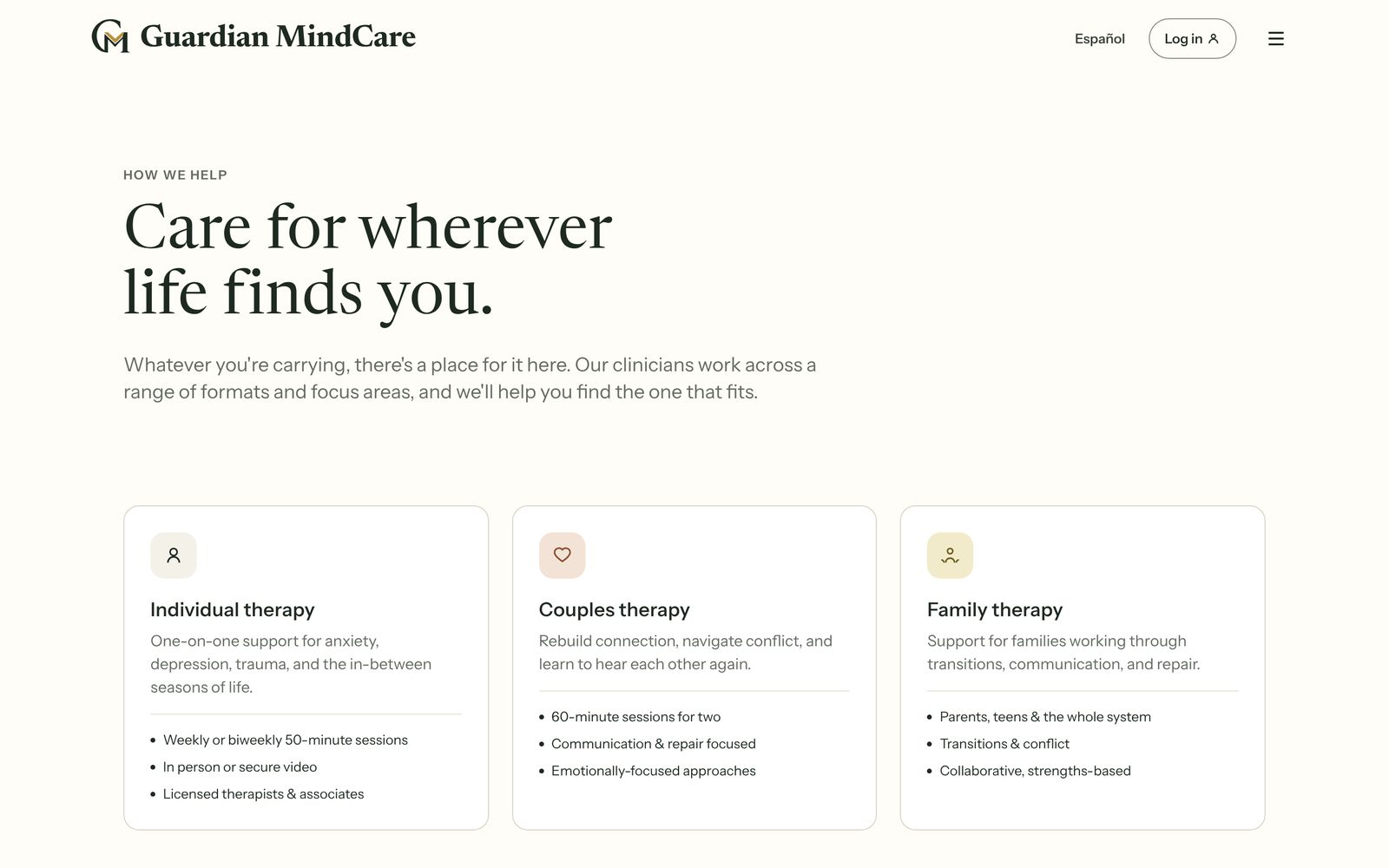
The services page sets out the formats in plain terms: individual therapy in 50-minute sessions, couples therapy in 60-minute sessions, family and group therapy, teletherapy across California, specialized care for trauma, identity and grief, and medication management coordinated with the client's therapist. A separate section explains placements for practicum students and associates and how university programs can request one.
A portal for each role
Guardian MindCare has five user roles, and each has its own portal:
- Therapists
- Supervisors
- Trainees
- Clients
- Admins
The practice's internal workflow runs in these portals, on the same platform as the public site, in place of the scattered tools it would otherwise need.
Permissions
Each role sees only what it should. That is the feature a visitor never notices and the one the rest of the platform depends on. A practice has people at different stages of training working under supervision, and what a trainee should see is not what a supervisor or an admin should see.
Bringing clinicians in
The careers page offers a path for each kind of clinician: licensed clinicians, prescribers, associates working toward licensure, practicum students, and university programs requesting a placement. An applicant describes their license or training, uploads documents and shares the work they hope to focus on.
The order of what happens next is the part I care about most. The team checks each license against the issuing board's registry by hand before any account is created. Only once a license verifies does the clinician receive an invitation to set a password and build a public profile. An account never exists before the practice has decided the person should have one.

Associates are supported on three supervision tracks, ASW, AMFT and APCC, and the placement side describes BBS-aligned hour tracking, documented competency sign-offs and formal evaluation cycles.
Help for every audience
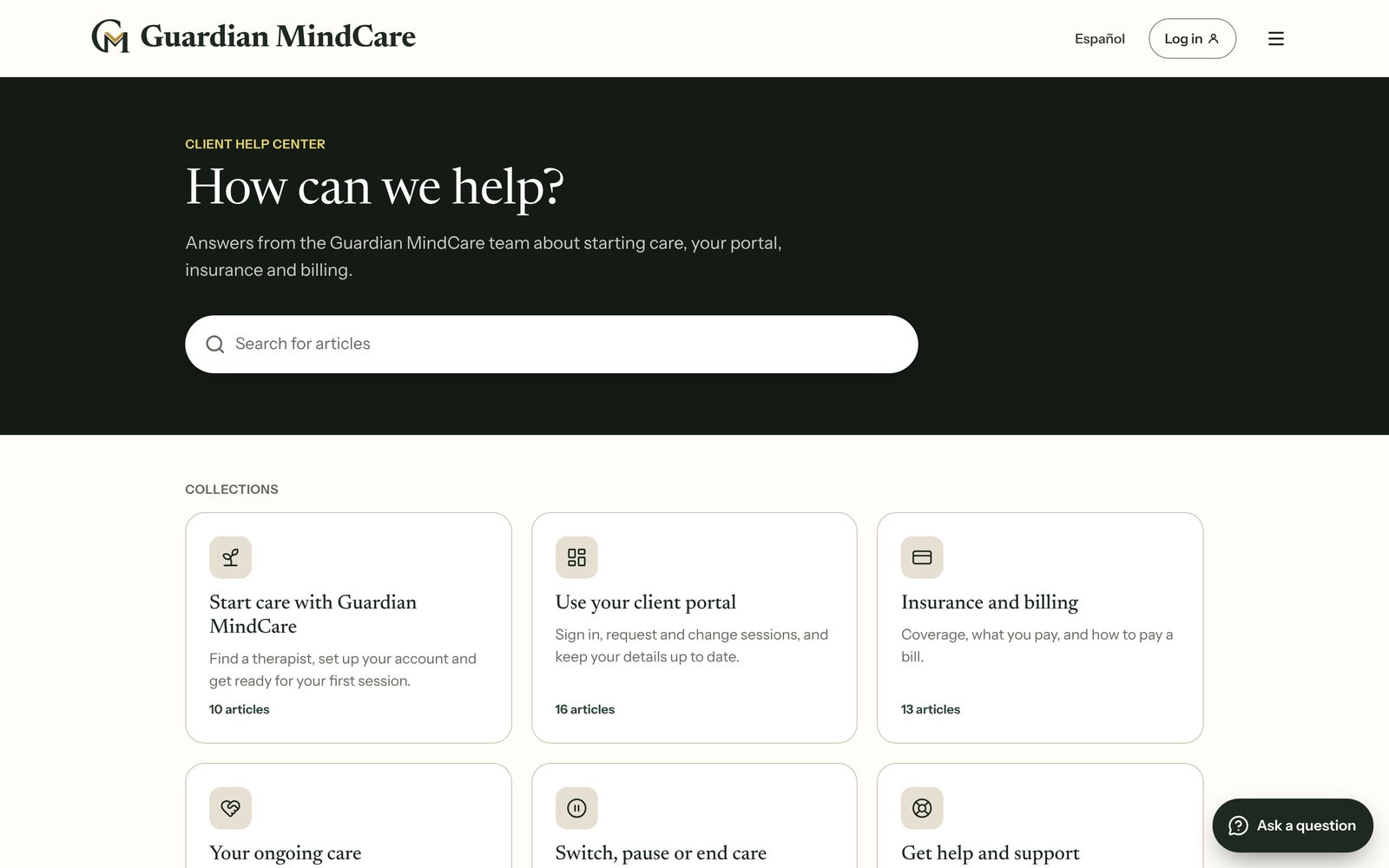
Clients have a help center with article collections on starting care, using the client portal to sign in and request or change sessions, insurance and billing, ongoing care, switching or pausing care, and getting support. Clinicians and trainees have their own provider help center. The site is available in English and Spanish, and every page carries crisis information: call or text 988.
Technical decisions and why
- Next.js and TypeScript. The public pages have to load fast and be readable by search engines, because search is how new clients arrive. The portals have to be a real application. Next.js does both in one project. TypeScript lets a role be defined as a type, so the compiler complains when a screen forgets to handle one of the five.
- Firebase. Sign-in, the database and the access rules come from one platform. That keeps the system small, with no separate server to run and patch.
- Role-based access. The general rule with roles is that the check has to happen on the server or in the database rules, never only in the interface. In a Firebase project the usual pattern is to attach the role to the signed-in user, for example as a custom claim on the auth token, and then write security rules that compare that role and the user's ID against each record. Hiding a menu item protects nothing if the data behind it can still be requested directly.
- Invitation-only accounts for clinicians. Creating a clinician's account only after their license is verified means there is never a moment when an unverified person holds a provider role. That is simpler and safer than creating the account first and trying to restrict it until someone checks.
- Privacy by design. In healthcare work generally, the safest data is the data you never collect. A practice website should ask only for what is needed to schedule a consultation. Clinical detail belongs in the practice's clinical records system, not in a website form. The mental health self-check tools on the site follow the same rule: the page says answers stay on the page and are never saved or sent.
Result
One platform runs both the client-facing search and the practice's internal workflow. Clients can search for a therapist by insurance from the homepage or ask to be matched, read exactly how their coverage works before they book, and find help in English or Spanish. Therapists, supervisors, trainees, clients and admins each have a portal built for their role, and new clinicians reach those portals only after their license has been checked.
What I would tell someone planning a similar build
Write the permissions table before the first screen. List every role down one side and every kind of record across the top, then fill in read, write or nothing. It takes an afternoon and settles most of the arguments that would otherwise come up halfway through the build.
Test as every role. Create one account per role and try to open the other roles' pages and records. With five roles that is a lot of combinations, and the bugs hide in the ones nobody tried.
Put the insurance answer up front. Hiding which plans are accepted until a phone call loses the clients who needed that answer first.
Give every therapist their own page with a photo, their approach and their specialties. Those pages are what clients actually read before reaching out, and a practice without them gives up search visibility too.
Keep the intake short and calm. A person reaching out to a therapist for the first time should not be met with a long form.
Keep the website and the clinical record separate, and be clear from the start about which system holds what.
Need something like this?
I build SaaS MVPs and full-stack web apps in Next.js, TypeScript and Firebase or Postgres: auth, dashboards, payments, roles and admin tools. Founder of SQWAD.
SaaS MVP and full-stack web app development