Websites for plumbers and hvac companies
Websites for plumbers and HVAC companies that turn emergencies into booked jobs
Nobody browses plumbing websites for fun. People land on yours with water on the floor, a dead furnace or an air conditioner that quit in August, and they decide in seconds whether to call you or the next result. Replacement jobs are different: a new water heater or HVAC system is a considered purchase where the homeowner compares several companies. A good site handles both, with one tap to call for the emergency and a proper estimate path for the big ticket job.
Start a projectWhat the site needs to do
A sticky call button on phones, your real hours or 24/7 status next to it, and a clear line about what after hours calls cost or how they work.
California contractors must include their CSLB license number in advertising, and a website counts. Put it in the header or footer of every page.
Drain cleaning, water heaters, leak detection, AC repair, furnace replacement. Each page answers the questions people actually ask and ranks for its own searches.
System age, home size, photos of the unit or nameplate, and preferred visit times, so the estimate visit starts informed.
If you offer financing or a maintenance membership, give each its own clear section with the terms your provider approves.
Mistakes I see most
- A phone number that is plain text on mobile instead of a tap to call link
- Fifty near identical city pages with only the town name changed
- No license number anywhere on the site, or one that does not match the CSLB record
- Advertising emergency service on a site that sends after hours calls to voicemail
Related work
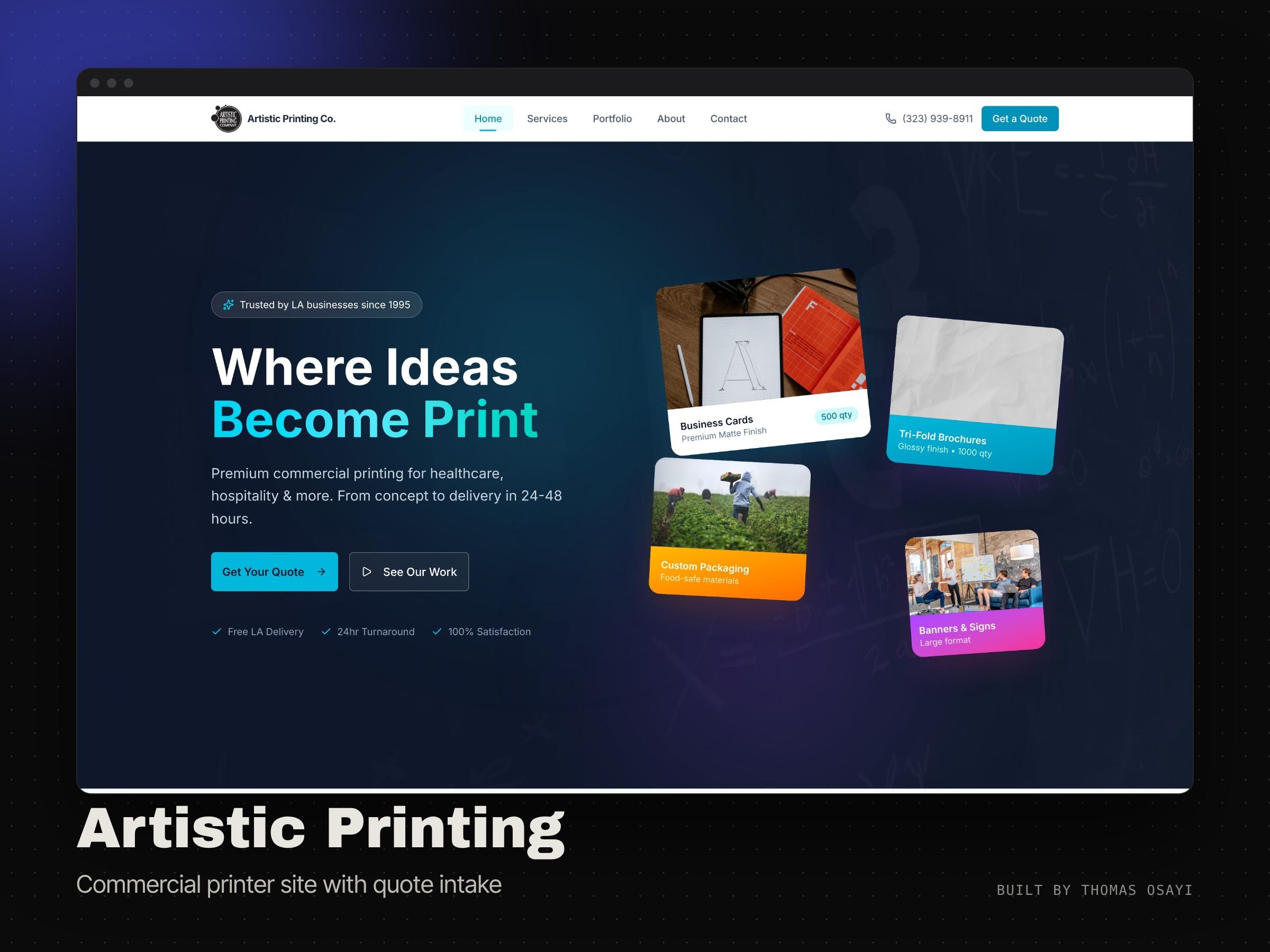
Artistic Printing
Website and quote management tool for a commercial printer, with structured client intake.
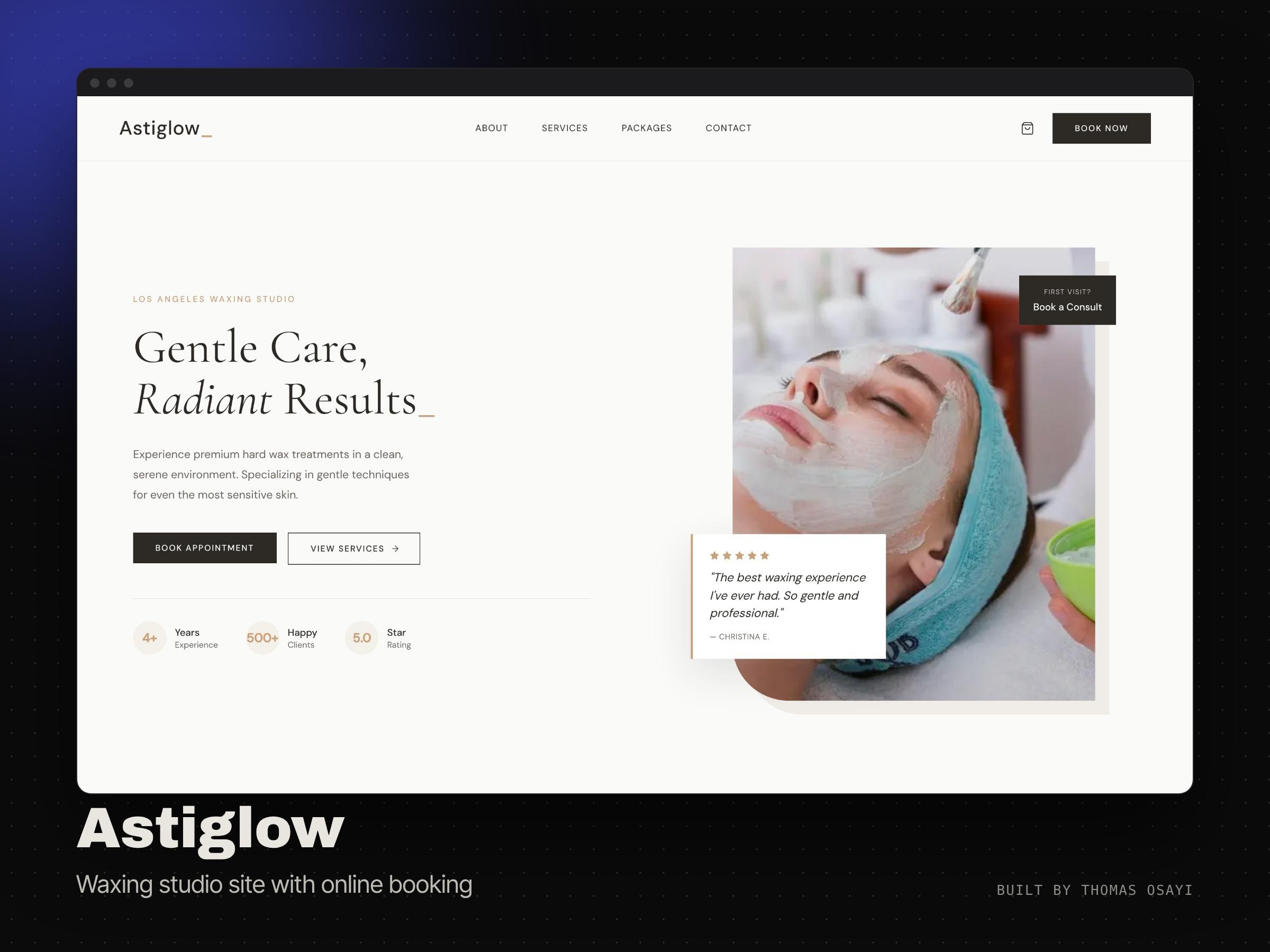
Astiglow
Website for a waxing studio with online booking and service packages.
Pricing
Most plumbing and HVAC companies fit the Business Site package. Many service and area pages, a maintenance plan sign up or a quote dashboard make it a Full Custom Build. See the Custom Next.js websites for businesses packages, or get a quick estimate with the website cost calculator.
What should a plumbing or HVAC site show in the first five seconds?
The phone number, whether you can come today, the area you serve and your license number, in that order.
Most visitors arrive on a phone, often from a "near me" search, with a problem that is getting worse while they read. They are not going to scroll past a slideshow to find out if you work in their city. The top of the homepage should carry a short headline that names what you fix, a tap to call button, a line such as "Serving the San Fernando Valley and Burbank" and a second button for non urgent requests.
Below that, the order I use is simple: the services you do most, proof (reviews, years in business, real photos of your trucks and team), how pricing works, and then the estimate form. Everything else, including the company story, goes lower. The story matters for replacement jobs, but nobody with a burst pipe needs it first.
Your hours belong in the header too. If you answer calls around the clock, say so. If you do not, say when you open, because a homepage that hides its hours makes people assume the worst and keep scrolling the search results.
How should the emergency call button actually work?
It should be a real tel: link, stay fixed at the bottom of the screen on phones, and connect to a person or a clearly explained after hours line.
The button itself is easy. What breaks it is everything around it. I see sites where the number is an image, so it cannot be tapped. I see sites where the header number and the footer number differ because one is an old tracking line. And I see emergency claims on sites whose phones go to voicemail at six.
A few details that matter:
- Use one primary number everywhere, and keep it identical to your Google Business Profile.
- If you use call tracking, set it up so the number swaps consistently and your real number stays in the structured data.
- Put a short line under the button about after hours calls: whether there is a trip fee, and roughly how fast someone calls back.
- Track button taps as conversions in analytics, so you know which pages produce calls.
For HVAC companies in hot or cold seasons, a small banner can carry the seasonal message ("AC repair appointments available this week") without rebuilding the page each time.
Do I have to show my license number on my website?
In California, yes: CSLB requires licensed contractors to include their license number in all forms of advertising, and its guidance lists websites as advertising.
This applies to plumbing (the C-36 classification) and HVAC (the C-20 classification) contractors just as it does to general builders. CSLB's advertising guidelines also say two other things that affect website copy. You can only advertise for work within the classifications you hold, so a plumbing contractor should not advertise electrical panel upgrades without the matching license. And contractors are not allowed to state in advertising that they are bonded, because consumers may read more protection into it than the bond provides.
In practice I put the license number in the site footer on every page, add it to the about page with the classification spelled out, and include it on the estimate confirmation email. Customers can look a number up on the CSLB website, so a visible, correct number is also a trust signal. Other states have their own rules, so check with your state board. This is general information, not legal advice.
Should I publish prices or keep them for the phone call?
Publish how you price, and publish ranges or starting prices where your work is predictable.
Many plumbing and HVAC companies use flat rate pricing presented on site after diagnosis. You can explain that on the website without listing every job: what the diagnostic or trip fee is, whether it is credited toward the repair, and that you give the price before work starts. That alone removes a common fear.
For replacements, a starting price or a typical range for a standard water heater or a system tune up helps people self qualify. You do not have to quote a full system replacement online, and you should not. Say what drives the price instead: system size, ductwork condition, efficiency rating, access, permits.
Avoid prices you will not honor. A homepage coupon that the office refuses to apply costs more trust than it earns. If you run seasonal offers, give them an end date and remove them when they expire.
How do I build service area pages without making doorway pages?
Write a page only for an area where you have something specific and useful to say, and link it into the site like any other page.
Google's spam policies describe doorway abuse with examples that fit trade websites closely, including pages targeted at specific regions or cities that funnel users to one page, and substantially similar pages that are closer to search results than a browseable hierarchy. Fifty city pages with the town name swapped are exactly that.
A real area page has content you could not paste into the next town's page:
- The common problems in that area: older galvanized pipes in certain neighborhoods, hard water, slab leaks, attic installs in hot inland valleys.
- Recent jobs there, with photos and a sentence on what you did.
- Response times and any area specific fees.
- Reviews from customers in that area, if you have them.
If you cannot write that for a town, list it on a single "areas we serve" page instead. That page is honest, it still helps people, and it does not put the rest of your site at risk.
What belongs on the estimate form for a replacement job?
Ask for what your estimator would ask on the phone, and let people attach photos.
A replacement estimate form for a plumbing or HVAC company usually needs name, phone, address or ZIP, the service (water heater, AC, furnace, heat pump, repipe), the age of the current system if known, home size, any symptoms, preferred visit windows and an upload for photos. A photo of the water heater label or the outdoor unit nameplate tells you the brand, capacity and age before you drive out.
Keep required fields to the minimum: name, phone, ZIP and service. Everything else is optional but encouraged. Use choices instead of free text wherever you can, because tapping a button is faster than typing on a phone.
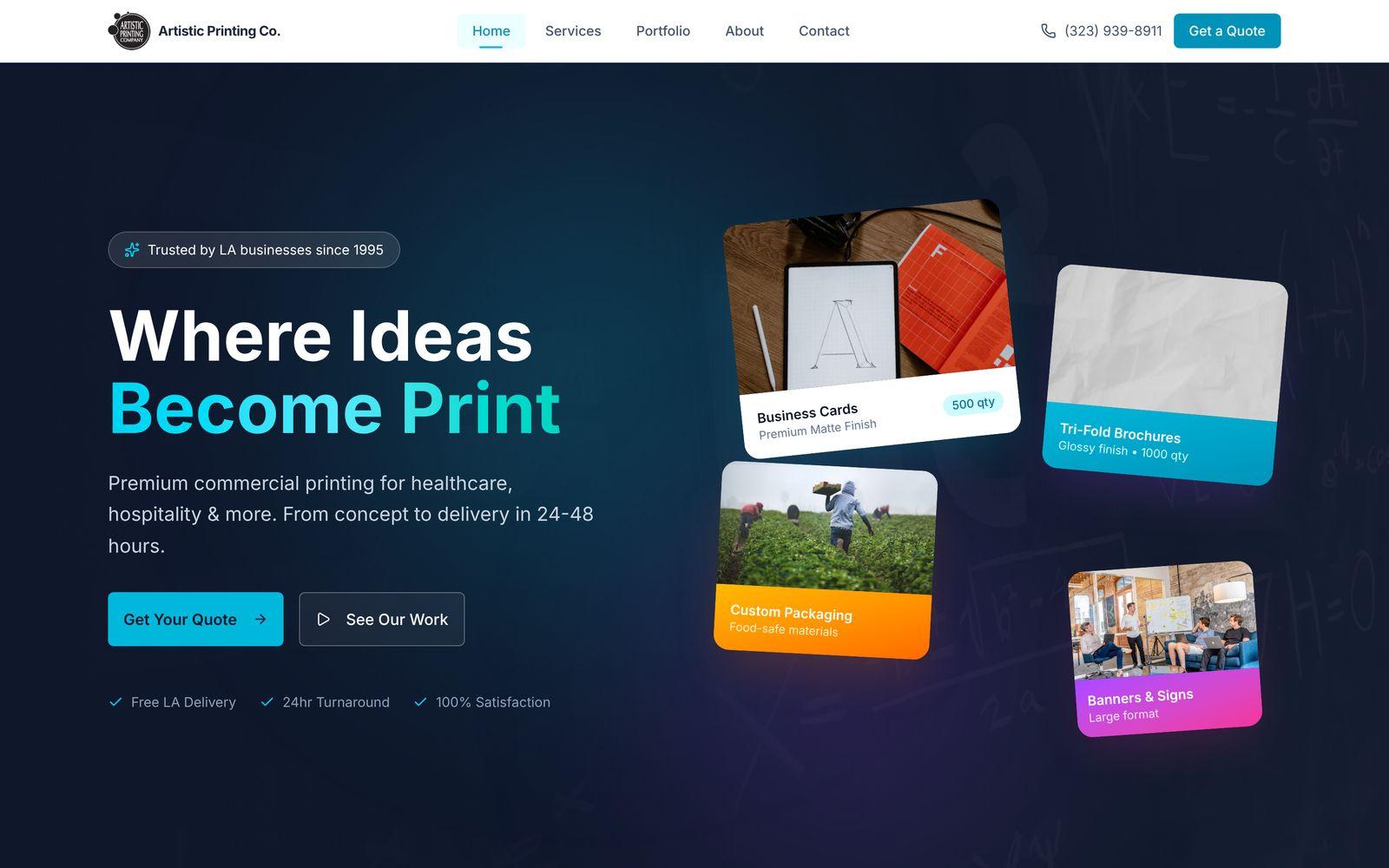
Structured quote intake is the core of the commercial printer site I built for Artistic Printing. The trade is different, but the principle carries straight over: when the form collects the specs up front, every request arrives ready to price. The quote request forms post on this site covers fields, uploads and routing in more depth.
After submit, send a confirmation that says what happens next and when, and route the request to whoever schedules estimates, by email or into your field software.
How should financing and maintenance plans appear on the site?
Give each its own short section with plain terms, and use the wording your financing provider gives you.
Financing matters for big replacements, and many homeowners look for it before they call. A financing section should say who the lender is, that approval is subject to credit, and how to apply, usually through the provider's own link. If you want to advertise specific monthly payments or rates, lending disclosure rules can apply, so take the approved language from your provider rather than writing your own numbers.
Maintenance memberships work best with a simple table: what is included, how many visits a year, any repair discount and the price. If you want people to join online, that is a small payments feature, which moves a build from the Business Site package to a Full Custom Build.
The bottom line
A plumbing or HVAC website wins on speed and honesty: a call button that works, hours that are true, a license number that checks out, real pages for real service areas and an estimate form that gets the details the first time. Start with the homepage, a page per main service, a handful of genuine area pages and the estimate form. Add memberships, online booking or a quote dashboard once the basics are bringing in calls.
Questions
Do I need my contractor license number on my website?
In California, licensed contractors must include their CSLB license number in all forms of advertising, and CSLB counts websites as advertising. This is general information, not legal advice.
Should the site say we offer 24/7 emergency service?
Only if someone actually answers. If after hours calls go to an answering service or an on call tech, say so plainly and explain any after hours fee.
How many service area pages should we have?
One for each area where you can say something specific, such as jobs done there, local housing stock or response times. A handful of real pages beats dozens of copies.
Can customers book a maintenance visit online?
Yes. I can connect the scheduling tool you already use or build a simple request flow that sends the job to your dispatcher.
Can the estimate form accept photos?
Yes. Photos of a water heater label or an HVAC nameplate tell you the model and age before anyone drives out.
What does a plumbing or HVAC website cost with Thomas Osayi?
Most fit the Business Site package from $450, and larger builds with plan sign ups or internal tools start at $1,200 as a Full Custom Build.
Building a site for your plumbing or HVAC business?
Six quick questions, then an intro call if you want one.
Start a projectOther industries
Restaurants · Therapy practices · Medical clinics · Salons and spas · Startups · Local service businesses · Dental practices · Law firms · Real estate agents · Gyms and fitness studios · Ecommerce brands · Print shops and manufacturers · Nonprofits · Coaches and consultants · Med spas · Physical therapy and chiropractic clinics · Event venues · Car washes and auto detailing · Accountants and bookkeepers · Tutoring and education businesses · Photographers · Architects and interior designers · Roofers and general contractors · Cleaning services · Landscapers and lawn care companies · Moving companies · Pet groomers and veterinary clinics · Food trucks · Bakeries and cafes · Wedding planners and event pros · Insurance agencies · Home care agencies · Tattoo studios · Churches and faith organizations · Auto repair shops · Property management companies · Florists · Daycare and childcare centers · Breweries and wineries · Funeral homes