November 16, 2026 · Updated November 22, 2026 · 10 min read · Thomas Osayi
Next.js vs WordPress for a small business website in 2026
A plain comparison of speed, cost, SEO and maintenance for owners deciding how to build their next website.
Most small business owners are told to use WordPress. It is a fine tool, but it is not the only choice, and for many businesses it is no longer the best one.
I build small business sites in Next.js, so I have a side in this. I will still tell you where WordPress wins, because picking the wrong tool costs more than picking the less familiar one. This is a plain comparison of speed, cost, SEO, maintenance and editing, written for an owner and not for a developer.
What is the actual difference between Next.js and WordPress?
WordPress is a content management system you install and extend with themes and plugins, and Next.js is a framework a developer uses to build a site from code. That one difference explains almost everything else in this comparison.
With WordPress, a page is assembled when someone visits. PHP runs on the server, asks a database for the content, passes it through the theme and every active plugin, and sends back the result. You manage it all from a dashboard, and almost any feature you can think of exists as a plugin.
With Next.js, most pages of a small business site are built once, ahead of time, into finished HTML. Those files are copied to servers around the world and handed straight to visitors. There is no dashboard unless one is built or connected, and features are written or integrated by the developer.
So the trade is this:
- WordPress gives you a ready-made editor and a plugin for everything, at the cost of more moving parts.
- Next.js gives you a faster, simpler site in production, at the cost of needing a developer for structural changes.
Which one is faster?
Next.js, in most real comparisons, because the work is done before the visitor arrives. A Next.js site is pre-built into fast static pages and served from a global network. A typical WordPress site runs PHP, a database and a stack of plugins on every visit.
Why WordPress sites get slow
WordPress itself is not the problem. What slows a site down is what gets added to it: a page builder that sends its whole stylesheet to every page, a slider, a form plugin, a chat widget and analytics, each loading its own scripts whether the page uses them or not.
What Next.js does by default
- Pages are pre-rendered, so the browser receives complete HTML straight away.
- The image component resizes photos for each screen, serves modern formats and lazy loads anything below the fold.
- Fonts load through next/font, which hosts them with the site and stops text from jumping as it loads.
- Each page loads only the JavaScript it needs.
Why speed matters to a business
Page speed affects both Google rankings and how many visitors stay. Most people looking for a local business are on a phone, often on a mobile connection, and someone choosing between three businesses will not wait for the slow one.
What does each one really cost?
The build can cost about the same, and the difference shows up in the yearly bills. WordPress itself is free, but premium themes, plugins and managed hosting add up every year. A Next.js site on Vercel usually costs nothing to host at small business traffic levels.
WordPress running costs
- Hosting. Cheap shared hosting costs a few dollars a month and is often slow. Managed WordPress hosting, which handles updates, backups and caching for you, typically costs tens of dollars a month.
- A premium theme or page builder licence, often renewed yearly.
- Premium plugins for forms, booking, SEO, backups and security. Many are yearly subscriptions, and several of them together can reach a few hundred dollars a year.
- Someone's time to apply updates and fix what they break.
Next.js running costs
- Hosting on Vercel, which is free or close to it for most small business sites.
- The domain name, which you pay for on either platform.
- Developer time when you want something structural changed.
Build cost
For reference, my own packages are a Starter Site from $150 in 7 days (a polished one-page site with a contact form and SEO basics), a Business Site from $450 in 14 days (up to 5 pages, a booking or quote form and local SEO setup), and a Full Custom Build from $1,200 in 21 days (a multi-page site with custom features, a CMS or admin tools).
The fair summary is that WordPress is cheaper on day one if you set it up yourself with a free theme. Over several years, a lean Next.js site with no licences to renew is usually the cheaper one to own.
Which one is better for SEO?
Both can rank well when the content is good, and Next.js makes the technical side easier to get right. Google ranks pages, not platforms. It looks at whether the page answers the search, whether it loads fast and whether its content is easy to read.
Where Next.js helps
- Core Web Vitals. Google's three page experience measures are Largest Contentful Paint (how soon the main content appears), Interaction to Next Paint (how quickly the page responds to a tap) and Cumulative Layout Shift (how much things jump around while loading). Lean, pre-built pages tend to pass these without special effort.
- Clean HTML. The page contains the content and little else, so there is less for a crawler to wade through.
- Metadata in code. Titles, descriptions, the sitemap, robots rules and schema markup are written once and generated for every page, so none get forgotten.
Where WordPress helps
Plugins such as Yoast SEO and Rank Math put titles, descriptions and sitemaps in front of a non-technical owner, and publishing a new article takes minutes. If your plan is to publish a lot of content yourself, that convenience is real.
What matters on both
For a local business, the platform is a small part of the result. Your Google Business Profile, your reviews, accurate hours and address, a page for each service and honest pages for the areas you serve do more than any framework. On the site itself, LocalBusiness schema lets Google read the name, address, phone number and opening hours directly, and they should match the Business Profile exactly.
Which one is safer and easier to maintain?
Next.js, because there is far less to attack and far less to update. WordPress needs regular core, theme and plugin updates, and outdated plugins are the most common way small business sites get hacked. A Next.js site has no plugins to patch.
A WordPress site has a public login page at /wp-login.php, a database, and code from many different authors running on your server. Each of those is a door. Keeping them shut means applying updates promptly, and updates sometimes conflict. A plugin update that disagrees with the theme can take the site down until someone rolls it back.
Sensible WordPress upkeep looks like this:
- Automatic updates for core and for the plugins you trust.
- Regular off-site backups and a tested way to restore them.
- A security plugin or a firewall from the host, and two-factor login for every admin.
- Deleting plugins you no longer use instead of only deactivating them.
A pre-built Next.js site has no public login page and no database of its own exposed to the internet. Maintenance is updating the project's dependencies now and then. If the site has forms or an admin area, those parts need the same care as any application, but the surface is small and you know exactly what is there.
Can I edit a Next.js website myself?
Yes, if the site is built for it, though this is where WordPress wins: a built-in editor. A Next.js site can match it with a simple CMS or admin panel, which I add on larger builds.
There are three levels, and the right one depends on how often things change:
- Copy in one place. On smaller sites all the text lives in one file. A change is quick for me or for anyone comfortable editing text, and it goes live within minutes.
- A simple admin page. For the things that change often, such as menu items, prices, hours or services, a small password-protected page lets you edit them without touching code.
- A headless CMS. Tools such as Sanity or Contentful give you a full editing dashboard for pages and articles while the site itself stays in Next.js.
What you do not get is drag-and-drop control over layout. In WordPress with a page builder you can move a section, add a column or redesign a page on a Tuesday afternoon. In Next.js the layout is designed once and kept in code. Many owners find that a relief, because the site cannot be broken by accident.
What about bookings, reservations and quote forms?
Both platforms can do them, and this is where a custom build tends to feel better to the customer. On WordPress you install a booking or form plugin and style it as far as it allows. On Next.js the form is built for the business, so it asks exactly what you need and looks like the rest of the site.
A restaurant is a good example. The visitor is on a phone and wants the menu, then a table or a pickup order. New York Nook, a Russian restaurant in Hollywood, is a site I built this way, with the menu, reservation requests and pickup ordering all on the restaurant's own site.

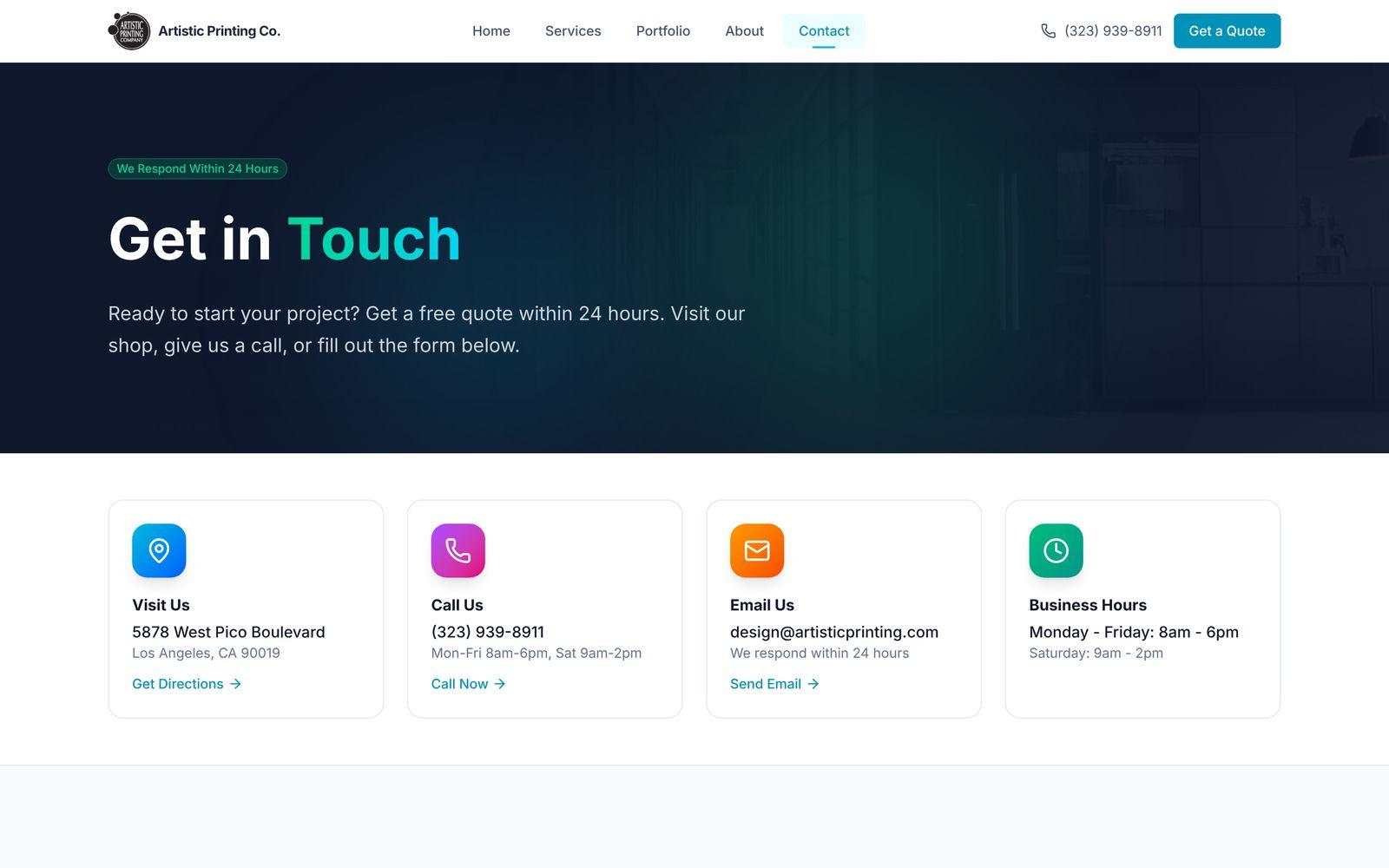
A service business has a different problem: requests that arrive without the details needed to price them. For Artistic Printing, a commercial printer, I built the website together with a quote intake and management tool, so requests arrive structured and complete and not as a vague email.
If you already use a booking system such as OpenTable, Square or Vagaro, it can be linked or embedded on either platform. The custom route earns its place when the existing tools force an awkward flow on your customers.
When is WordPress still the right choice?
When you want to change layouts yourself every week, or when publishing is the business. I would not talk anyone out of WordPress in these cases:
- You or a staff member enjoy building pages and want to keep doing it without a developer.
- The site is mainly a blog or news site with several authors who need drafts, roles and scheduling.
- The business already runs on a specific plugin, such as a membership or course system.
- You have a WordPress site that works, loads reasonably fast and is kept up to date. Rebuilding something that is not broken is rarely the best use of money.
Next.js is the better fit when:
- The site has a clear job, such as taking bookings, reservations, orders or quote requests.
- You want it fast on phones and do not want to think about updates.
- A plugin update or a hack has taken your site down before and you do not want a repeat.
- You expect to add custom features later, such as a client portal or an admin tool, and want them on the same stack.
How do I move from WordPress to Next.js without losing rankings?
By keeping your URLs, or redirecting every old one to its new home, before the new site goes live. Rankings belong to pages at specific addresses. If /services/window-tinting becomes /tinting with no redirect, Google treats the new address as a new page and the old one as gone.
The steps for a rebuild:
- Export a list of every existing URL from the old sitemap and from Google Search Console, including pages you forgot were getting traffic.
- Keep the same paths where possible. Where a path changes, add a permanent redirect in the redirects section of the Next.js config file. Next.js sends it as a 308, which Google treats like a 301.
- Carry over the page titles, descriptions and content that already rank. Improve them, but do not delete them.
- Move the images along with their alt text.
- Launch, submit the new sitemap in Search Console, and watch the Pages report for 404 errors over the following weeks.
A careful move should hold its rankings, and the faster pages give them room to improve.
The bottom line
If you want to change layouts yourself every week, WordPress is reasonable. If you want a fast, custom site that ranks well and does not need babysitting, Next.js is the better fit. For a small business whose site has one clear job, that usually means Next.js, with a simple way to edit the parts that change.
Questions, answered in one line
Is Next.js better than WordPress for SEO?
Next.js sites are usually faster and ship cleaner HTML, and page speed is a ranking factor. Both can rank well when the content is good.
Is a Next.js website more expensive?
The build can cost about the same, and hosting on Vercel is often free at small business traffic, while WordPress adds yearly costs for premium themes, plugins and managed hosting.
Can I edit a Next.js website myself?
Yes, when a simple CMS or admin panel is added. Thomas Osayi includes one on larger builds.
Is WordPress less secure than Next.js?
A WordPress site has more to attack: a public login page, a database and plugins from many authors that all need updates. A pre-built Next.js site has no plugins to patch and far less exposed.
Can I move my WordPress site to Next.js without losing my Google rankings?
Yes, if every existing URL is kept or given a permanent 301 redirect to its new address, and the titles and content that rank are carried over.
How much does a Next.js small business website cost?
Thomas Osayi builds a one-page Starter Site from $150, a Business Site of up to 5 pages from $450, and a Full Custom Build from $1,200.
Sources
- Web Vitals web.dev (Google)
- Site moves with URL changes Google Search Central
- redirects (next.config.js) Next.js Docs
- Hardening WordPress WordPress Developer Resources
Related articles
- How much does a restaurant website cost in 2026?
- How to take restaurant orders online without third-party fees
- Toast vs Squarespace vs a custom website for restaurants
- Google Business Profile vs website: do you need both?
Custom Next.js websites for businesses
Custom Next.js websites for small businesses, clinics, restaurants and startups. Fast, SEO-ready, built from scratch with booking, ordering or quote tools. Based in Los Angeles.
See the service