Rork developer
Fix and publish the mobile app you built with Rork
Built a mobile app with Rork and stuck on bugs, backend, App Store review or exporting the code? I fix your React Native and Expo app and get it ready to ship.
Get it fixedWhat Rork builds
Rork is an AI mobile app builder. Older projects are React Native apps built on Expo; newer ones can be native SwiftUI for iOS, Kotlin with Jetpack Compose for Android, or React web apps. It offers Rork Backend serverless functions or Supabase and Firebase, two-way GitHub sync on paid plans, and built-in App Store submission.
Where Rork apps usually break
Camera, photo library, location and notifications behave differently on a physical phone. Missing permission strings and native modules cause crashes or instant rejections.
Supabase or Firebase wired up for the demo flow only, with open database rules, no row ownership and uploads anyone can read.
Missing account deletion, vague permission prompts, placeholder content and broken sign-in for the reviewer are common reasons builds come back.
Rork generates an Android App Bundle, but you upload it to Play Console yourself, and the Android build often has layout and keyboard issues nobody tested.
Export needs a paid plan and GitHub sync. Until the code is in your repository, no developer can run, test or fix it properly.
How I fix it
- Sync the Rork project to a GitHub repository you own
- Run it on real iOS and Android devices and list every issue
- Secure the backend and fix crashes, permissions and auth
- Prepare store listings, privacy details and builds for review
- Hand over notes so you can keep building in Rork
Packages
One bug or error in an app that otherwise works, fixed and explained.
Up to three fixes plus one small feature or integration.
For apps whose core features already work: fix what blocks launch and ship it to production.
Apps I have shipped
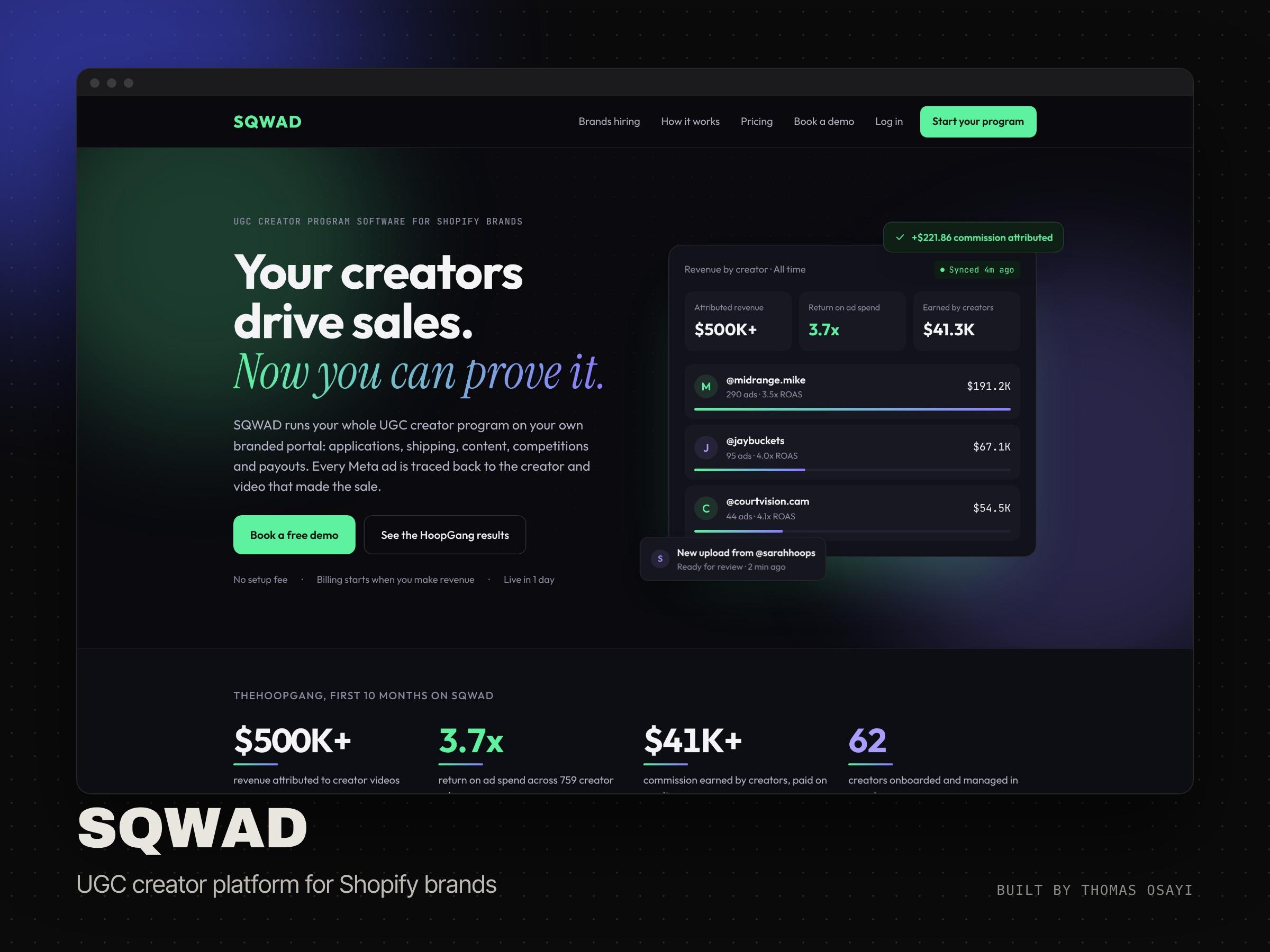
SQWAD
How I designed and built SQWAD, a SaaS platform Shopify brands use to run UGC creator programs, from applications to payouts.

Guardian MindCare
A therapy practice platform that matches clients with in-network therapists, with role-based portals for therapists, supervisors, trainees, clients and admins.
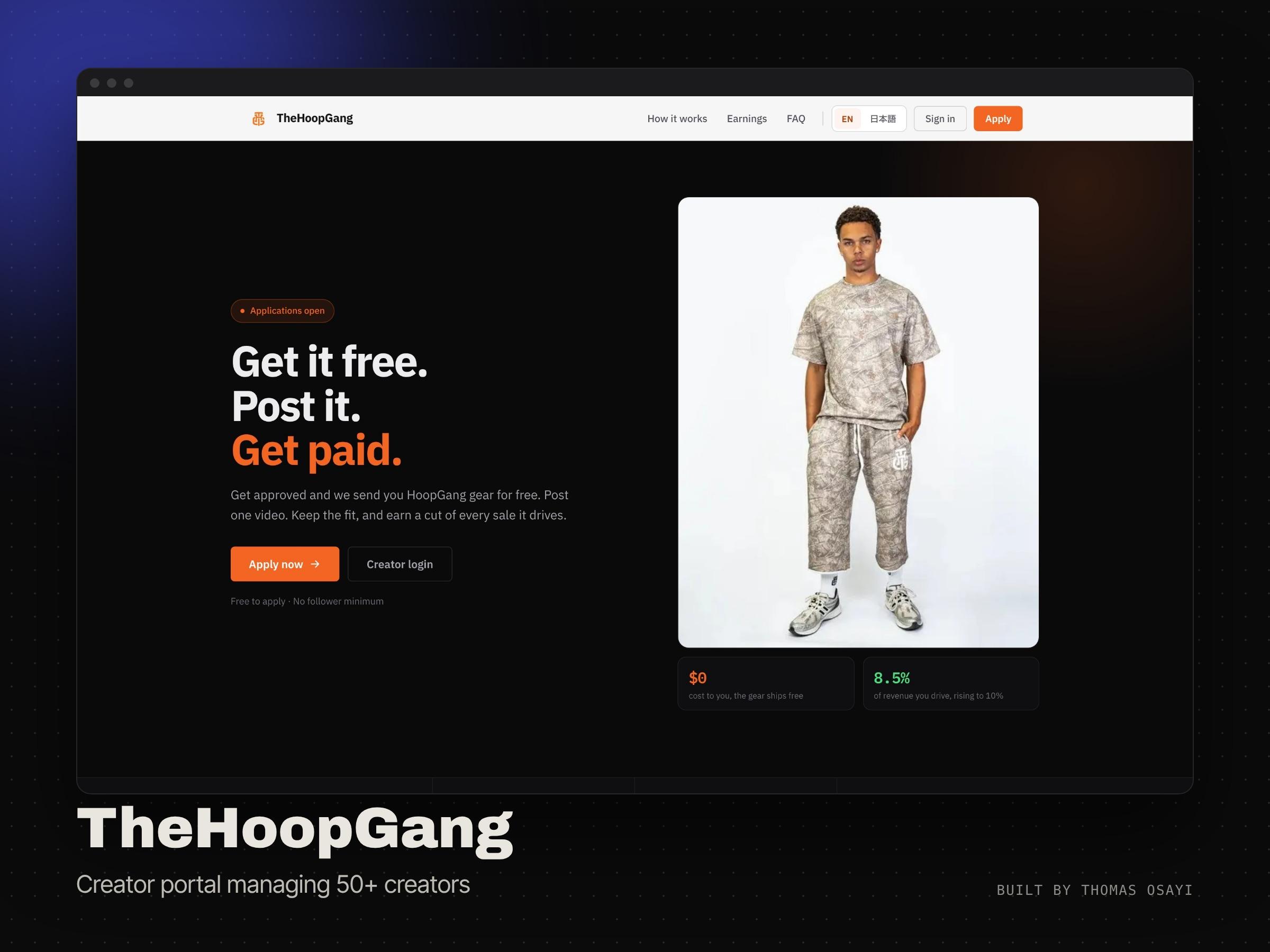
TheHoopGang
A creator portal for a basketball streetwear brand that manages 50+ creators, tracks content and runs refundable gear gifting.
What kind of app does Rork actually build?
It depends on when you started: older Rork projects are React Native apps built on Expo, while Rork now also generates native SwiftUI apps for iOS, Kotlin and Jetpack Compose apps for Android, and React web apps.
Rork's own FAQ says it builds native SwiftUI apps compiled with Xcode for Apple platforms, and that older projects still use React Native and Expo. Most apps people bring to me are the React Native and Expo kind, which is good news: it is a mature, widely used stack with a large community, and the same code runs on iOS and Android.
For the backend, Rork offers its own serverless functions, called Rork Backend, which keep API keys on the server instead of inside the app. It can also integrate Supabase or Firebase. Paid plans add a two-way GitHub sync, so you can work on the code locally or with a developer and import changes back into Rork.
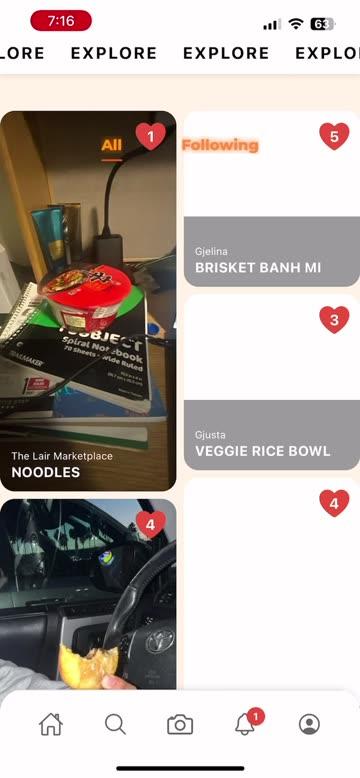
This page focuses on React Native and Expo projects, because that is where I can help most directly. I built NOM, a food discovery app, in React Native, Expo and Firebase at LMU Tech and Digital Ventures, including an 11-screen onboarding flow and camera uploads.
Why does my Rork app work in the preview but crash on my phone?
Because the preview hides the native layer: permissions, device APIs and build configuration only show up on a real device and in a real build.
The usual causes I find:
- Missing permission descriptions. iOS requires a clear reason string for the camera, photo library, location and microphone. Without it the app crashes the moment it asks, or Apple rejects it.
- Native modules not configured. Some Expo libraries need a config plugin entry in app.json or app.config.js. If it is missing, the feature works in a development preview and fails in a production build.
- Different behavior on Android. Keyboards covering inputs, back button handling and safe area padding are classic Android-only bugs when testing was done on an iPhone.
- Large images. Uploading full resolution camera photos makes uploads slow and can exhaust memory. On NOM, resizing and compressing photos before upload was one of the things that made camera features feel reliable.
I install the app on real iOS and Android devices early and list every problem before fixing any of them.
Is the backend in my Rork app secure?
Often not yet, because the backend is wired for the demo flow and nobody has tested it as a second user.
If your app uses Firebase, the Firestore and Storage rules decide who can read each document and file. A rule that allows anything for a signed-in user means any account can read every other account's data, including uploaded photos. If it uses Supabase, row level security policies play the same role. If it uses Rork Backend, each function needs to check who is calling it before doing anything.
I tie every record to its owner, lock down storage so users can only read files they should, and test as the owner, a second user and signed out. My article on the Firebase security rules checklist covers the Firebase side in detail, and the one on Supabase row level security covers Supabase.
How do I get my Rork app through App Store review?
Meet Apple's basic requirements before you submit, because the common rejections are predictable.
Rork can compile your iOS app in the cloud, upload it to App Store Connect and submit it for review when you confirm. You still need your own Apple Developer Program membership, which Rork's FAQ lists at $99 per year at the time of writing. The app still has to pass review like any other.
The things I check before submitting:
- Account deletion. If users can create an account, Apple requires a way to delete it from inside the app.
- Sign in with Apple, if you offer other social logins such as Google.
- Permission prompts with specific reasons, not generic text.
- No placeholder screens, lorem ipsum or features that say coming soon.
- A working demo account in the review notes if the app requires login.
- Privacy details in App Store Connect that match what the app actually collects.
What about Android and Google Play?
Rork generates an Android App Bundle, an .aab file, and you upload it to Google Play Console yourself.
That last step is where Android often gets left behind. You need a Play Console developer account, a store listing with screenshots, a data safety form and, for new personal accounts, Google's closed testing requirement before production access. The build itself also deserves a proper test pass on a real Android device, since most Rork users design and test on iPhones. I handle the upload, the listing and the testing if you want both stores live at once.
Should I export my Rork app to GitHub?
Yes, as soon as the app matters to you, because a developer cannot properly run, test or fix code they cannot check out.
Code export needs a paid Rork plan. Once GitHub is connected, the sync works both ways: I make changes in the repository, and you import them back into Rork and keep prompting. The one habit to keep is telling me before you prompt changes in an area I am working on, such as auth or the database, so the AI does not quietly undo a fix. My article on how to hand off an AI-built app to a developer explains what else to prepare.
How long does it take and what does it cost?
Most Rork fixes take two to ten days, depending on how many separate problems there are and whether you need one store or both.
My fix packages:
- Quick Fix, from $60, about 2 days: one bug, such as a crash when opening the camera.
- Fix Plus Features, from $200, about 5 days: up to three fixes plus one small feature, for example securing the database, fixing an Android layout issue and adding account deletion.
- Finish and Launch, from $600, about 10 days: for apps whose core features already work, covering device testing, backend security, store preparation and submission.
If the app is mostly screens and still needs its core workflow built, I will quote from my SaaS MVP packages instead after reading the code. Apple and Google developer account fees are separate and paid by you.
The bottom line
Rork gets you a working mobile app quickly, and its React Native and Expo projects are a solid foundation. The last stretch is native: real device testing, permission strings, secure backend rules, account deletion and store review. Sync the project to GitHub, test with two accounts on two phones, and fix security first. If you want help with that, send me the repo and I will tell you what it needs.
Questions
Can I get my code out of Rork?
Yes, on a paid plan. Rork connects to GitHub with a two-way sync, so a developer can work locally and you can import the changes back into Rork.
Does Rork publish to the App Store for me?
Rork compiles the iOS app in the cloud and submits it to App Store Connect, but you need your own Apple Developer Program membership and the app still has to pass review.
What about Google Play?
Rork generates an Android App Bundle and you upload it in Play Console yourself, including the store listing and data safety form.
Have you built React Native apps yourself?
Yes. I built NOM, a food discovery app, in React Native, Expo and Firebase, including an 11-screen onboarding flow and camera uploads.
What does it cost to fix a Rork app?
Thomas Osayi fixes one bug from $60, up to three fixes plus a small feature from $200, and gets an app whose core already works ready to publish from $600.
Reading
- Supabase auth redirect URL not working? Fix localhost, preview and production redirects
Supabase confirmation or magic links sending users to localhost:3000 or the wrong page? Fix the Site URL, the Redirect URLs allow list, wildcards and emailRedirectTo.
- Environment variables undefined on Vercel? Every cause and fix
Works locally, undefined on Vercel? Fix missing NEXT_PUBLIC_ and VITE_ prefixes, wrong Production or Preview scope, the missing redeploy and build-time vs runtime mixups.
- How to fix a CORS error on a Next.js API route
Blocked by CORS policy calling your Next.js API? Read the exact error, handle the OPTIONS preflight, set headers in route handlers or next.config, or proxy instead.
Built with something else?
Lovable · Bolt · v0 · Replit · Cursor · Windsurf · Claude Code · Base44 · ChatGPT · Firebase Studio · Google AI Studio · GitHub Copilot · Emergent · OpenAI Codex · Figma Make · Kiro · Anything · Gemini CLI · Google Antigravity · Manus