Firebase Studio developer
Fix and move your Firebase Studio app before it shuts down
Firebase Studio is shutting down in March 2027. I fix your Next.js app, secure Firestore, move the code to GitHub and keep it live on App Hosting or Cloud Run.
Get it fixedWhat Firebase Studio builds
Firebase Studio was a browser workspace whose App Prototyping agent generated Next.js apps, with Genkit flows calling Gemini, optional Firestore and Firebase Authentication, and publishing to Firebase App Hosting. New workspaces were disabled on June 22, 2026 and the service shuts down on March 22, 2027.
Where Firebase Studio apps usually break
Firebase Studio shuts down on March 22, 2027 and remaining workspace data is deleted. If the only copy of your code lives there, it needs to be exported to GitHub now.
The agent stored the Gemini API key in .env, which should never be committed. Once the code moves to GitHub and App Hosting, the key has to be set as a secret on the backend or the AI features fail.
The agent writes and deploys security rules when it adds Firestore. They often allow any signed-in user to read every document, which is a data leak waiting for a second user.
Server actions and Genkit flows that worked in the Studio preview break in a real build because of missing environment variables, wrong runtime settings or client components importing server code.
Publishing moved the project onto the Blaze plan, and the agent tied everything to one Firebase project. Untangling which project, backend and domain is actually live is part of the job.
How I fix it
- Export the workspace to a GitHub repository you own
- Run a production build and list every error and risk
- Move secrets to App Hosting or Cloud Run settings and lock down Firestore rules
- Reconnect the repo to the existing App Hosting backend so the URL and domain stay the same
- Test real sign-ins and data as different users, then hand over notes
Packages
One bug or error in an app that otherwise works, fixed and explained.
Up to three fixes plus one small feature or integration.
For apps whose core features already work: fix what blocks launch and ship it to production.
Apps I have shipped
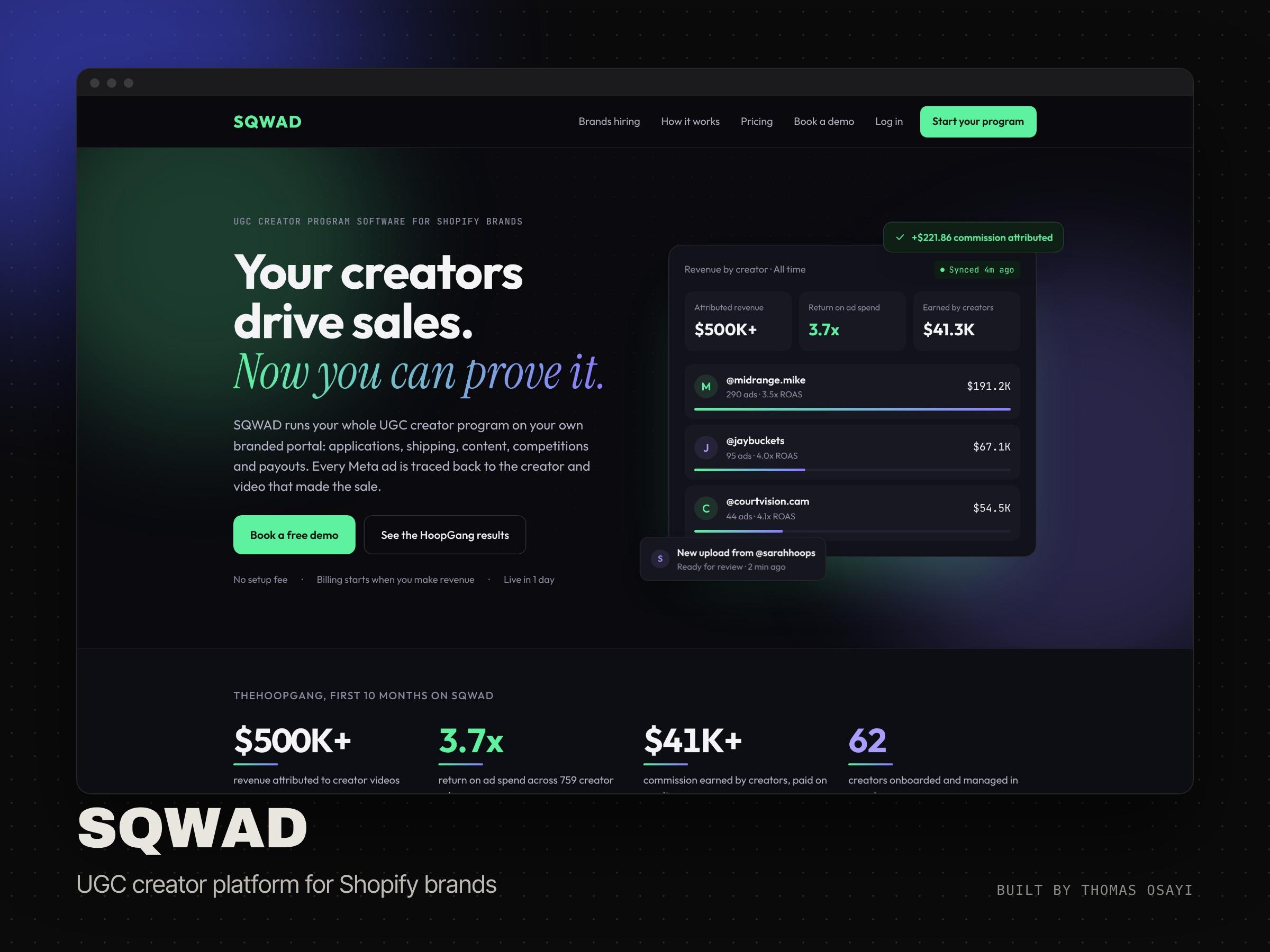
SQWAD
How I designed and built SQWAD, a SaaS platform Shopify brands use to run UGC creator programs, from applications to payouts.

Guardian MindCare
A therapy practice platform that matches clients with in-network therapists, with role-based portals for therapists, supervisors, trainees, clients and admins.
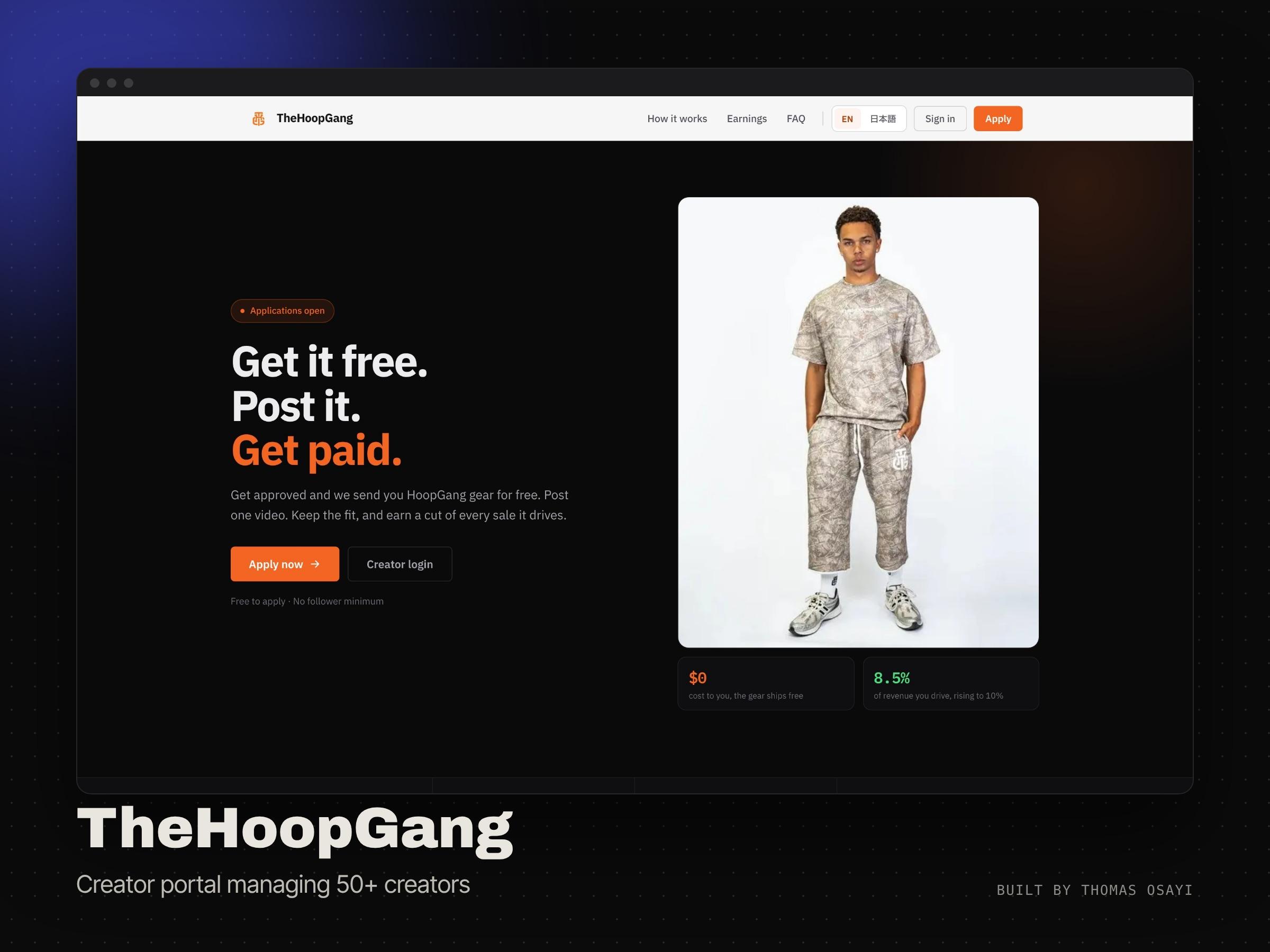
TheHoopGang
A creator portal for a basketball streetwear brand that manages 50+ creators, tracks content and runs refundable gear gifting.
Is Firebase Studio shutting down?
Yes. Google announced the sunset on March 19, 2026, disabled new workspaces and signups on June 22, 2026, and says Firebase Studio shuts down on March 22, 2027, when remaining data is permanently deleted.
That date is the most important fact on this page. If you built an app with the App Prototyping agent and never exported it, the only copy of your source code may still be inside a workspace with an expiry date. Your published site will not vanish on that day, but the place where you edit and redeploy it will.
Existing workspaces still open and still work until the shutdown, so there is time. The mistake is waiting until something breaks in production and only then discovering that the editing environment is gone. The safest order is simple: export the code, get it building somewhere you control, then fix whatever was wrong with it.
What did the App Prototyping agent actually build?
A Next.js app, deployed to Firebase App Hosting, usually with Genkit flows calling the Gemini API and, if you asked for them, Firestore and Firebase Authentication.
That matters because it means your app is not locked into a proprietary format. It is an ordinary Next.js project with a package.json, an app directory and some Firebase configuration. Any developer who knows Next.js and Firebase can work on it. The parts that are specific to how Studio built it are:
- The Gemini API key, which the agent stored in a .env file inside the workspace.
- Genkit flows, usually in a folder of server-side AI functions the pages call through server actions.
- An App Hosting backend, often named studio, connected to the Firebase project the workspace created.
- Firestore security rules the agent wrote and deployed when it added a database.
Each of those is a place where things break when the code leaves the workspace, which is why the migration and the fix tend to be the same job.
Should I move to Google AI Studio, Antigravity or plain GitHub?
Pick based on how you want to keep working: AI Studio if you want to keep prompting in a browser, Antigravity if you want an agent in a local editor, and plain GitHub if a developer will maintain the app from here.
Google's own migration page recommends AI Studio for apps built with the App Prototyping agent and Antigravity for projects that were mostly worked on in Code View. Both are reasonable. What I care about for a client is that the code ends up in a GitHub repository they own, whichever tool they edit it with afterwards. GitHub is the one place every tool, every host and every developer can reach.
Moving to AI Studio
The Move now button in Studio prepares the project and moves it into AI Studio. Publishing from AI Studio deploys to Cloud Run, which gives you a new run.app URL. If you had a custom domain, it has to be remapped, which Google says can take up to 24 hours.
Staying on App Hosting from GitHub
Export to GitHub, then connect that repository to the existing App Hosting backend in the Firebase console. Your URL and domain stay the same, and every push to the main branch deploys.
What breaks when a Firebase Studio app leaves the workspace?
Mostly configuration: the Gemini key, environment variables, and code that only ever ran in the Studio preview.
The first failure is almost always the AI features. The .env file holding GEMINI_API_KEY should not be committed to GitHub, so once the app deploys from the repository, every Genkit flow throws an authentication error. Google's migration notes say to add the key manually as an environment variable on the App Hosting backend. I store it as a secret in apphosting.yaml rather than as plain text, so it never appears in the repo.
The second is the production build. The Studio preview ran a development server that forgives a lot. A real next build catches type errors, imports of server-only code into client components and pages that fetch data at build time without the credentials to do it. I run the build locally first and fix every error before touching the deploy.
The third is project wiring. The agent created one Firebase project per workspace, and some clients end up with two or three projects from different experiments, each with its own Firestore data. Before changing anything I confirm which project, which backend and which domain are actually serving real users.
Are the Firestore rules the agent wrote safe?
Not always. The agent writes and deploys rules that make the app work, and Google's own documentation tells you to review them in the Firebase console.
The common pattern I look for is a rule that allows read and write for any request where request.auth is not null. That looks secure because it requires sign-in, but it means any signed-in user can read and change every other user's documents. In a two-person demo nobody notices. With real users it is a leak.
The fix is to tie each document to its owner, usually by storing the user's uid on the document and checking it in the rule, then adding explicit rules for anything shared, such as a team or a public profile. I test every collection three ways: as the owner, as a second account and signed out. If you want the full list I go through, my article on Firebase best practices before launch covers the security rules checklist, and the one on Firestore "Missing or insufficient permissions" explains what happens when rules swing too far the other way.
Firebase is a stack I know well from my own work. I built NOM, a food discovery app, on Firebase, and the LACEUP storefront uses a Firebase admin, so rules, Auth and Firestore data modeling are the parts of these apps I check most carefully.
How long does a fix and migration take and what does it cost?
Most Firebase Studio apps take two to ten days to export, fix and redeploy, and the price depends on how many separate problems there are.
My fix packages:
- Quick Fix, from $60, about 2 days: one bug, for example AI features failing after the move because the Gemini key is missing.
- Fix Plus Features, from $200, about 5 days: up to three fixes plus one small feature, such as migrating to GitHub, securing Firestore rules and adding an admin view.
- Finish and Launch, from $600, about 10 days: for apps whose core features already work, covering export, build fixes, security, deploy on your domain and real user testing.
These prices assume the main workflow already works. If the prototype is mostly screens with very little behind them, I will say so after reading the code and quote from my SaaS MVP packages instead. My article on whether to fix or rebuild an AI-built app explains how I make that call.
Firebase's own costs are separate and billed to you by Google. App Hosting already required the Blaze plan, so most clients see no change in their Firebase bill from a migration.
What do I need to give a developer?
A GitHub repository with the exported code, access to the Firebase project, and a short list of what is broken or must work before launch.
Use the Move now button and choose GitHub export, or download the zip and push it to a new private repository. Then add the developer as a collaborator. For Firebase, invite them to the project in the console with a role that lets them edit App Hosting and Firestore rules. Never paste the Gemini key or any service account file into chat or email. I can generate a new key in the right place if needed.
For the list, one sentence per problem with steps to reproduce is ideal. My article on how to hand off an AI-built app to a developer has a template if you want one.
The bottom line
Firebase Studio is closing on March 22, 2027, but the app it built is a normal Next.js and Firebase project that can outlive it. Export the code to GitHub first, move the Gemini key into proper secrets, review the Firestore rules the agent wrote, and reconnect the repo to App Hosting so your URL stays the same. If you want that done for you, send me the repo and I will tell you what it needs.
Questions
Is Firebase Studio really shutting down?
Yes. Google disabled new workspaces on June 22, 2026 and says Firebase Studio shuts down on March 22, 2027, with remaining data permanently deleted.
Will my published app stop working?
Not by itself. App Hosting, Firestore and Auth are core Firebase services that keep running, but you lose the workspace you used to edit and redeploy the app.
Do I have to move to Google AI Studio?
No. AI Studio is one option Google recommends, but your app is a normal Next.js project and can live in GitHub and deploy from there to App Hosting, Cloud Run or Vercel.
Can I keep my current URL?
Yes, if you connect your GitHub repository to the existing App Hosting backend in the Firebase console instead of publishing somewhere new.
What does a Firebase Studio fix cost?
Thomas Osayi fixes one bug from $60, up to three fixes plus a small feature from $200, and takes an app whose core already works through migration and launch from $600.
Reading
- Supabase auth redirect URL not working? Fix localhost, preview and production redirects
Supabase confirmation or magic links sending users to localhost:3000 or the wrong page? Fix the Site URL, the Redirect URLs allow list, wildcards and emailRedirectTo.
- Environment variables undefined on Vercel? Every cause and fix
Works locally, undefined on Vercel? Fix missing NEXT_PUBLIC_ and VITE_ prefixes, wrong Production or Preview scope, the missing redeploy and build-time vs runtime mixups.
- How to fix a CORS error on a Next.js API route
Blocked by CORS policy calling your Next.js API? Read the exact error, handle the OPTIONS preflight, set headers in route handlers or next.config, or proxy instead.
Built with something else?
Lovable · Bolt · v0 · Replit · Cursor · Windsurf · Claude Code · Base44 · ChatGPT · Google AI Studio · GitHub Copilot · Rork · Emergent · OpenAI Codex · Figma Make · Kiro · Anything · Gemini CLI · Google Antigravity · Manus