Anything developer
Fix your Anything app and get it live on the web and the App Store
Built an app in Anything (formerly Create.xyz) that loops on errors, breaks sign-in or stalls before the App Store? I fix the code, secure the backend and launch it.
Get it fixedWhat Anything builds
Anything, formerly Create.xyz, is an AI app builder for web and mobile apps. Its FAQ says web apps use React and Next.js, its docs say mobile apps are Expo (React Native), and each project gets development and production PostgreSQL databases on Neon, serverless functions, built-in user accounts, and publishing to a created.app address, a custom domain or the App Store.
Where Anything apps usually break
Some reviewers describe credits spent on fixes that broke working parts of the app. I read the code directly, find the real cause and fix it once.
Anything's docs say these logins need a custom domain and matching callback URLs and credentials. I set up the domain, the OAuth apps and the redirects so they match exactly.
Anything's docs say functions are public by default. I add auth checks so each function only returns the data the signed-in user is allowed to see.
Apple account status, agreements and signing errors like "Team and Provider must match" stop a submission. I work through them with you until the build is in review.
Emails that never send, scheduled jobs that never run and payments that never update the account. I test each flow end to end and finish what is missing.
How I fix it
- Get access to the project and download the code from the Code tab
- Reproduce every issue on the web preview and a real phone
- Fix security and sign-in first, then data, payments and the remaining bugs
- Publish to your custom domain and submit the mobile build if needed
- Hand over the code, notes on what changed and how to keep building
Packages
One bug or error in an app that otherwise works, fixed and explained.
Up to three fixes plus one small feature or integration.
For apps whose core features already work: fix what blocks launch and ship it to production.
Apps I have shipped
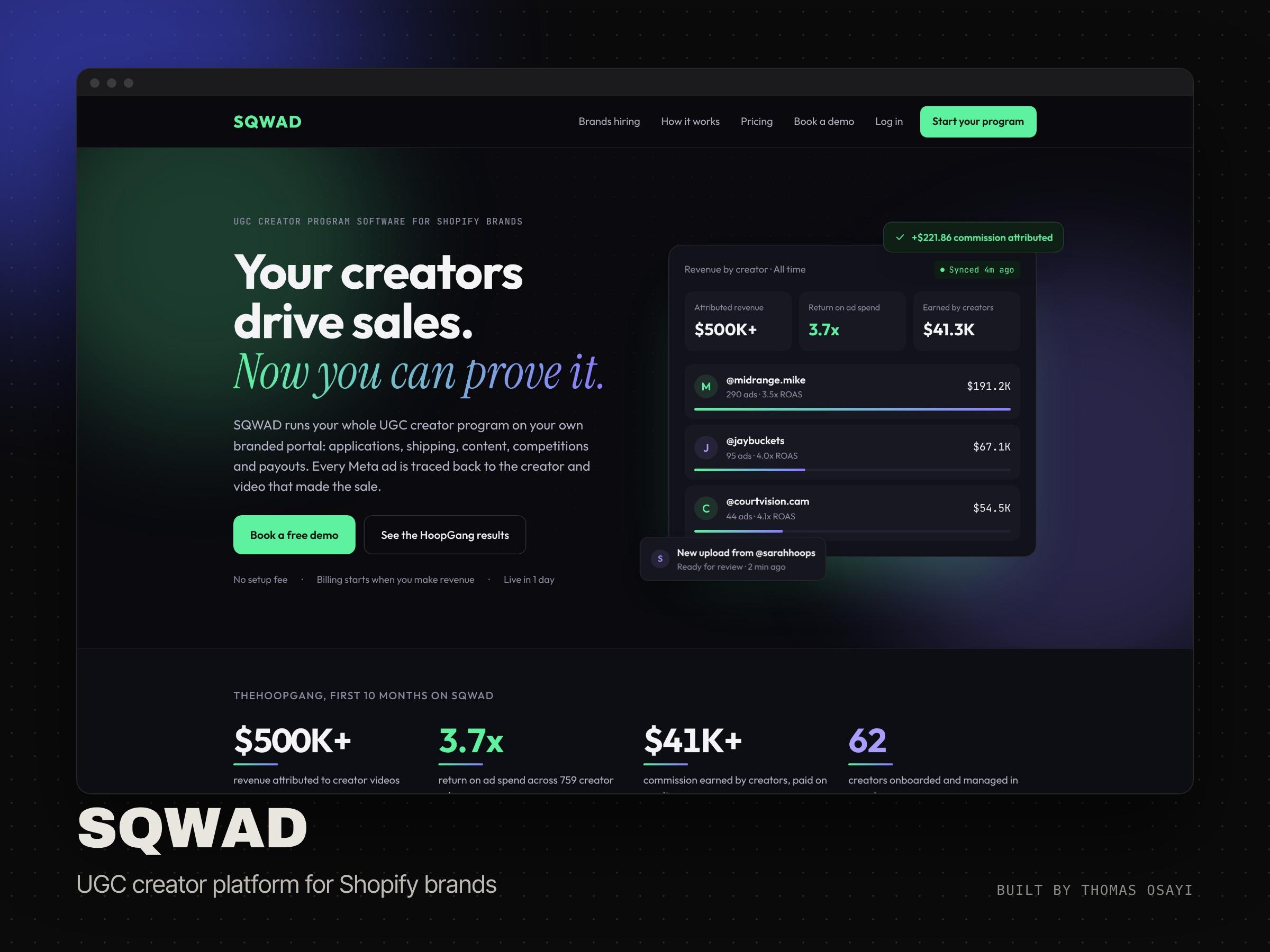
SQWAD
How I designed and built SQWAD, a SaaS platform Shopify brands use to run UGC creator programs, from applications to payouts.

Guardian MindCare
A therapy practice platform that matches clients with in-network therapists, with role-based portals for therapists, supervisors, trainees, clients and admins.
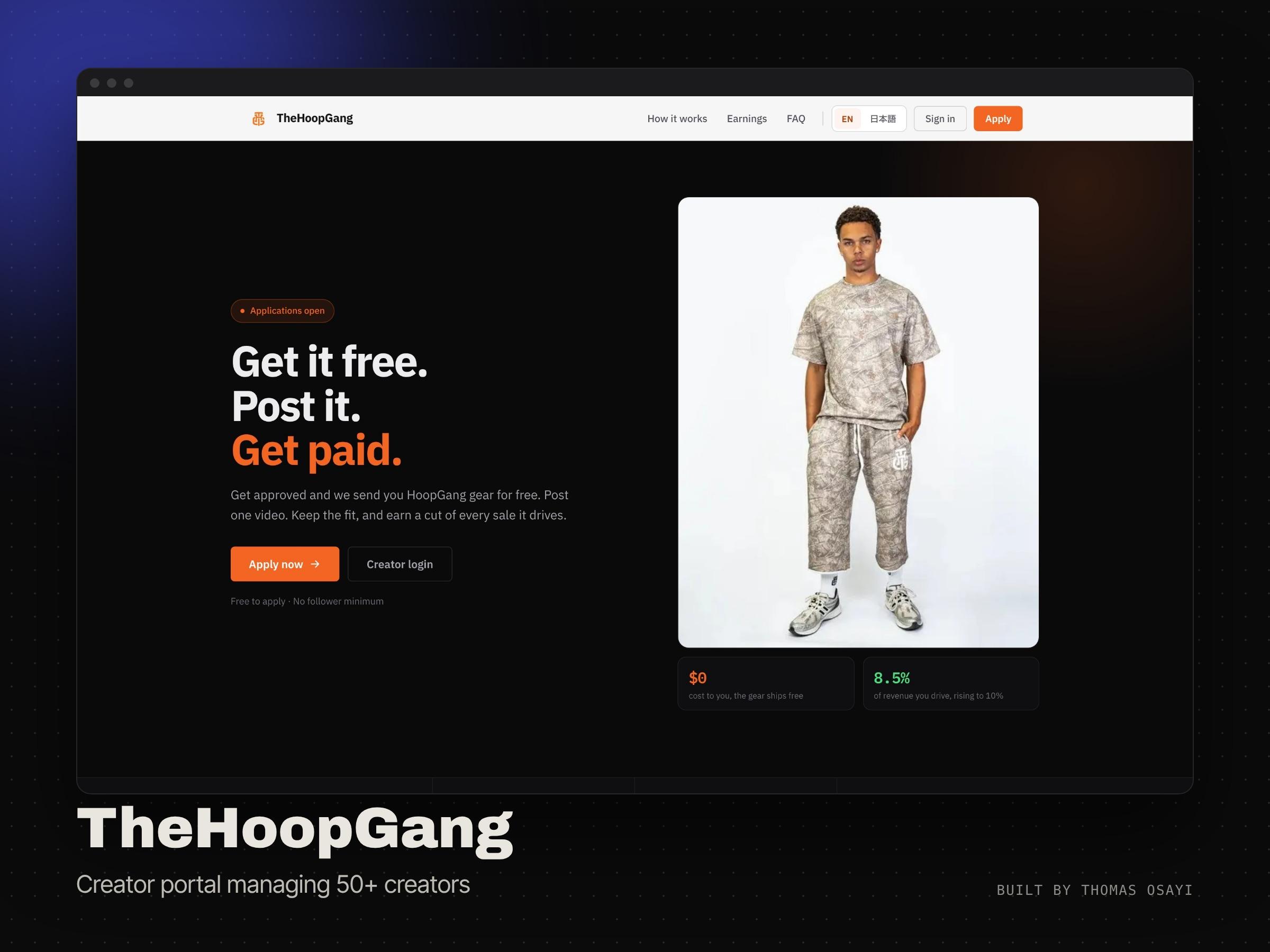
TheHoopGang
A creator portal for a basketball streetwear brand that manages 50+ creators, tracks content and runs refundable gear gifting.
What does Anything actually build?
Anything builds full-stack web and mobile apps from prompts: React and Next.js on the web, Expo (React Native) on mobile, with a PostgreSQL database, functions and user accounts wired in.
Anything is the product formerly called Create.xyz. It relaunched under the new name in 2025, and its docs now describe what each project contains. Its FAQ says web apps use React and Next.js. Its mobile docs say mobile apps are Expo (React Native) code, previewed on a phone through Expo Go, and that web and mobile share the same backend. Every project gets a development and a production database on PostgreSQL through Neon, and publishing pushes the schema to production while keeping the data separate.
On top of that sit serverless functions for backend logic, built-in user accounts with email and password sign-in, secrets stored in project settings, and, on the Pro plan, payments through Stripe and RevenueCat. Apps publish to a created.app address by default, to a custom domain on a paid plan, or to the App Store.
That is a lot of real infrastructure, which is good news when something breaks: there is actual code and an actual database to fix, not a black box.
Why does my Anything app keep breaking when I ask it to fix something?
Because the agent changes code it cannot fully see the consequences of, so a fix in one place often breaks something that was working somewhere else.
This is the most common reason people look for help with any AI builder, and Anything is no exception. Some reviewers on Trustpilot and Product Hunt describe spending credits on repeated fixes, working parts of an app breaking while another issue was fixed, and trouble getting admin dashboards and logins right. When The Register tested the 1.0 release in August 2025, its sample app did not work out of the box.
Once you are in that loop, more prompting usually costs more than it saves. What works is reading the actual error. Open the browser console on the published app, check the function logs, and find the first error, not the last one. Most loops come from one root cause: a database column the code expects but the schema does not have, a function that assumes a user is signed in, or a piece of state that is undefined on first load.
Why does Google or Facebook sign-in fail on my published Anything app?
Usually because the app is still on the default created.app domain, or the callback URL, domain and credentials do not match exactly.
Anything's docs say Google and Facebook sign-in require a custom domain on the published app, which in turn requires a paid plan, and that you supply your own client credentials from Google and Meta. The docs list common causes for "Access Blocked: This app's request is not valid": a wrong client ID or secret, a domain that is not listed as an authorized JavaScript origin, or a URL missing https or the www prefix. Google's "App not verified" warning is expected while you are testing and goes away only after Google verifies the app.
There is also a mobile catch. At the time of writing, Anything's docs list Sign in with Apple as coming soon and advise against adding Google or Facebook sign-in to iOS builds until it is available. If your plan depends on social login on iPhone, decide that before you submit.
Are my Anything functions and data secure?
Not automatically, because Anything's docs say functions are public by default, so each one needs its own check of who is calling it.
A function that returns "all orders" or "this user's profile" will answer anyone who knows its URL unless the code checks the signed-in user first. This is the first thing I audit on any Anything project. For each function I ask three questions: does it require a signed-in user, does it only return rows that belong to that user, and does it validate what it is sent.
The second thing is secrets. Anything stores them in project settings rather than in code, which is right, but I still search the code for keys pasted in directly during a long prompting session. The third is the two databases. Because publishing pushes the schema but not the data, test accounts created in development will not exist in production, which surprises a lot of people on launch day.
Why is my Anything mobile app stuck before the App Store?
Most often because the Apple Developer account, agreements or signing setup is not ready, not because the app itself is broken.
Anything's docs list what Apple needs: an active Apple Developer membership (new accounts can take days and may need ID verification), Admin or Account Holder access, active agreements, and the Paid Apps Agreement with banking and tax details if you plan to charge. A common error is "Team and Provider must match", which means the team that signed the build is not the provider in App Store Connect. Builds go through TestFlight before review.
Google Play publishing is in beta at the time of writing, and Anything uploads to the internal testing track as a draft. Google also requires a privacy policy, a data safety form and a content rating. On the testing side, camera, location and other device features do not work in the web preview, so test those on a real phone through Expo Go, signed in to the same Expo account as the builder.
Can I take my code out of Anything?
Yes, Anything's docs say you can download your project's source code from the Code tab as a zip, and its FAQ says you own the code and content you generate.
At the time of writing, GitHub sync is listed as coming soon, so the docs suggest downloading the code and pushing it to a GitHub repository yourself. The database can be exported separately as a zip of SQL dumps. That gives you two real options. You can keep building in Anything and let a developer make targeted fixes there, or you can move the app to your own repo and host when you need things Anything does not support well, such as custom libraries or native modules, which one reviewer said could not be installed.
Moving out is a real project, not a button. The exported code expects Anything's environment, so environment variables, auth, file storage and function hosting all need to be set up again. I only recommend it when staying costs more than leaving.
What does Anything cost, and when is a developer cheaper?
At the time of writing, Anything's docs say building requires a paid plan, with Pro at $19 a month billed annually or $24 monthly for 20k credits, and Max tiers from $199 a month billed annually.
Monthly credits refill on your billing date and expire at the end of the cycle, while top-off credits do not expire, according to the docs. Credits are spent on every building message, so a long fix loop has a direct cost. If you have been sending prompts at the same bug for days, a developer usually comes out cheaper. A single bug fixed in the code is often a Quick Fix, and an app with working core features and a handful of broken flows is the kind of job Finish and Launch is for.
The bottom line
Anything gives you real React, Next.js and Expo code on top of a real PostgreSQL database, which means a stuck project is usually fixable. Find the first error, secure every function, set up your custom domain and sign-in carefully, get the Apple account ready early, and keep a downloaded copy of your code. If you would rather hand it over, the fix your Lovable app page explains how I approach AI-built projects, and the same process applies here.
Questions
Is Anything the same as Create.xyz?
Yes. Create.xyz relaunched as Anything in 2025, and its docs and pricing now live under the Anything name.
What code does Anything generate?
Anything's FAQ says web apps use React and Next.js, and its mobile docs say mobile apps are generated as Expo (React Native) code, with PostgreSQL on Neon for the database.
Can I export my code from Anything?
Yes. Anything's docs say you can open the Code tab and click Download Project to get a zip, and at the time of writing GitHub sync is listed as coming soon.
Do I need a paid Anything plan to keep building?
At the time of writing, Anything's docs say building requires a paid plan, with Pro starting at $19 a month billed annually or $24 billed monthly.
Can a developer fix my app without me leaving Anything?
Often yes. Many fixes can be made in the project itself, and when a problem needs more control, the downloaded code can be moved to your own repo and host.
What does it cost to fix an Anything app?
Thomas Osayi fixes one bug from $60, handles up to three fixes plus a small feature from $200, and takes an Anything app whose core already works to launch from $600.
Reading
- Supabase auth redirect URL not working? Fix localhost, preview and production redirects
Supabase confirmation or magic links sending users to localhost:3000 or the wrong page? Fix the Site URL, the Redirect URLs allow list, wildcards and emailRedirectTo.
- Environment variables undefined on Vercel? Every cause and fix
Works locally, undefined on Vercel? Fix missing NEXT_PUBLIC_ and VITE_ prefixes, wrong Production or Preview scope, the missing redeploy and build-time vs runtime mixups.
- How to fix a CORS error on a Next.js API route
Blocked by CORS policy calling your Next.js API? Read the exact error, handle the OPTIONS preflight, set headers in route handlers or next.config, or proxy instead.
Built with something else?
Lovable · Bolt · v0 · Replit · Cursor · Windsurf · Claude Code · Base44 · ChatGPT · Firebase Studio · Google AI Studio · GitHub Copilot · Rork · Emergent · OpenAI Codex · Figma Make · Kiro · Gemini CLI · Google Antigravity · Manus