November 20, 2026 · Updated November 22, 2026 · 10 min read · Thomas Osayi
What pages does a small business website need? A page-by-page plan
The pages a small business website actually needs, the ones you can skip, and how many pages different kinds of businesses should start with, from a developer who builds them.
When a new client asks what pages their website should have, they usually expect a long list. The honest answer is shorter. Most small businesses need five or six pages at launch, plus one page that lets customers act. Everything else is optional, and some of it actively hurts.
Here is the plan I use, page by page, with what goes on each one and what to skip.
What pages does every small business website need?
Five pages cover almost every small business at launch: home, services, about, contact and a privacy policy.
Homepage
Says what you do, where, and for whom, in the first screen, with one clear action such as Book now, Order, Get a quote or Call. Below that: your main services, proof such as reviews or photos of real work, and the action again. I cover the structure in detail in "How to structure a homepage for a service business."
Services
Either one page listing everything you offer, or one page per main service. More on that choice below.
About
Who runs the business, how long you have been doing it, and why customers can trust you. Real photos of real people beat stock images every time.
Contact
Phone, email, address, hours, a map if customers visit you, and a short form. Make the phone number tappable on mobile.
Privacy policy
If you collect anything through a form, booking tool or analytics, you need one. It is short, boring and important. This is general information, not legal advice.
That is the core. A business with only these five pages, done well, will outperform a twenty-page site where half the pages are thin.
Should each service get its own page?
Yes, if you want to be found for each service, because one page cannot rank well for several different searches.
Search engines match a page to a query. Someone searching "brow waxing in Pasadena" wants a page about brow waxing, not a page that mentions brows once between bikini waxing and lash tints. A dedicated page for each main service can answer that search fully: what it is, how long it takes, the price or price range, who it suits, aftercare, and a booking button.
A good rule: if a service has its own price, its own customers and its own search term, it deserves its own page. If it is a small add-on, list it on the main services page instead.
Astiglow, a waxing studio site I built, shows the pattern well. The service menu and packages are laid out so a visitor can find their service, see the price and book in a couple of taps.
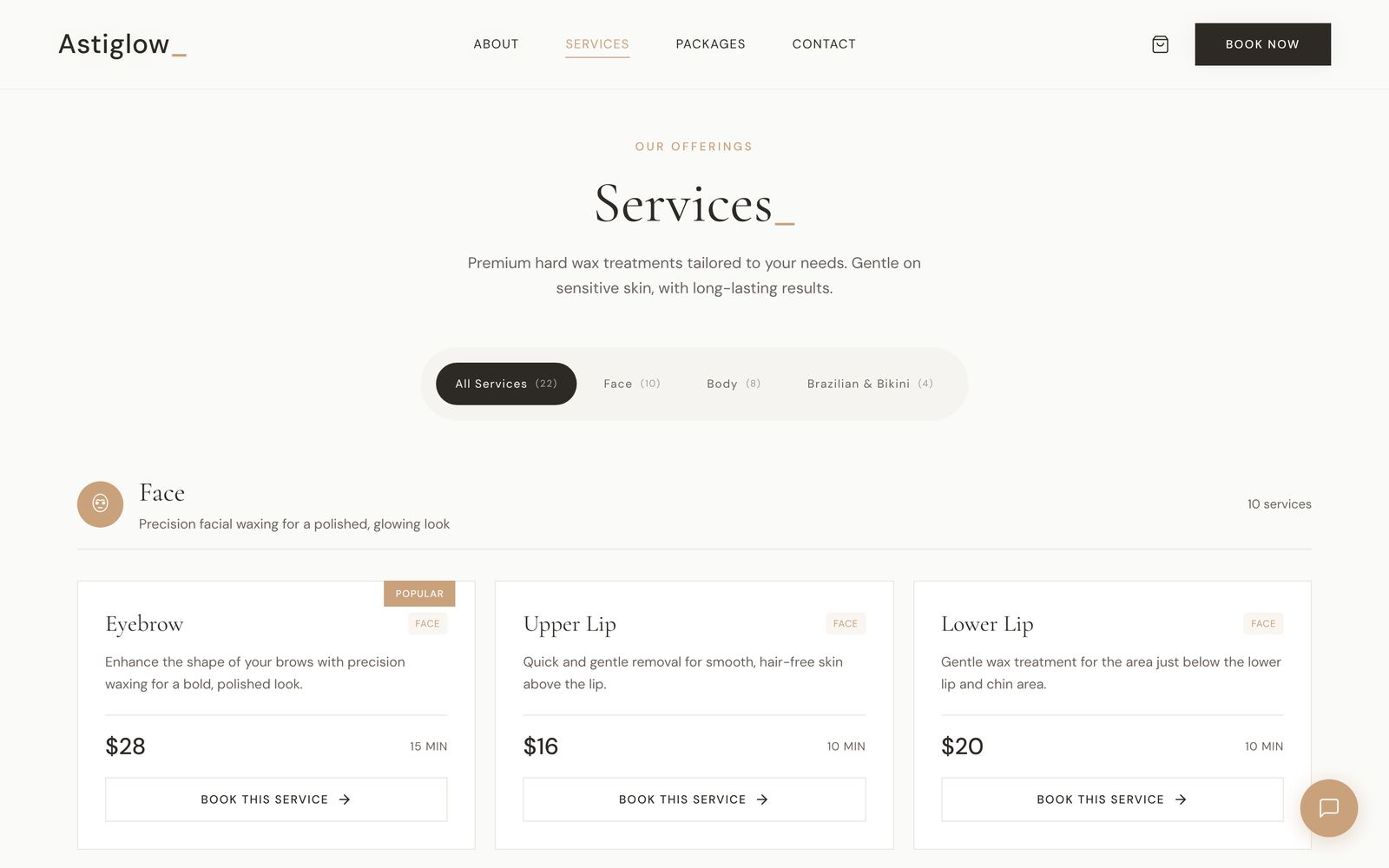
Do not go overboard. Five strong service pages beat thirty pages that differ by one word. Thin, near-duplicate pages rarely rank, and a batch of them can look like doorway pages to search engines.
What should each service page include?
A service page should answer everything a customer asks before booking, so they never have to call just to find out the basics.
Work through the questions you hear most on the phone and answer them on the page, in plain words:
- What the service is and who it is for, in one or two sentences at the top.
- The price, or an honest starting price or range. Pages that hide price lose people who would have paid it.
- How long it takes, and how soon someone can get in.
- What happens during the appointment or job, step by step.
- What to do before and after, such as preparation or aftercare.
- Where it happens: at your location, at the customer's home or online.
- A booking, quote or call button near the top and again at the bottom.
- Three to five common questions with short answers.
Add one or two real photos of the work or the space if you have them. Before and after photos are especially useful for trades, detailing, beauty and cleaning. Keep the page focused on one service. If you find yourself writing about a second service halfway down, that second service probably needs its own page.
A page built this way does double duty. It helps the customer decide, and it gives search engines and AI assistants a clear, complete answer they can show for that service in your area.
What is the most important page on a small business website?
The page where customers take action, because it is the only one that turns a visit into money.
For a restaurant, that is reservations or online ordering. For a salon or clinic, it is booking. For a contractor, printer or manufacturer, it is a quote request. For a lawyer or accountant, it is a consultation request or a phone call.
New York Nook, a restaurant site I built in Hollywood, is built around two actions: reservations and pickup ordering. Everything else on the site supports those two buttons.
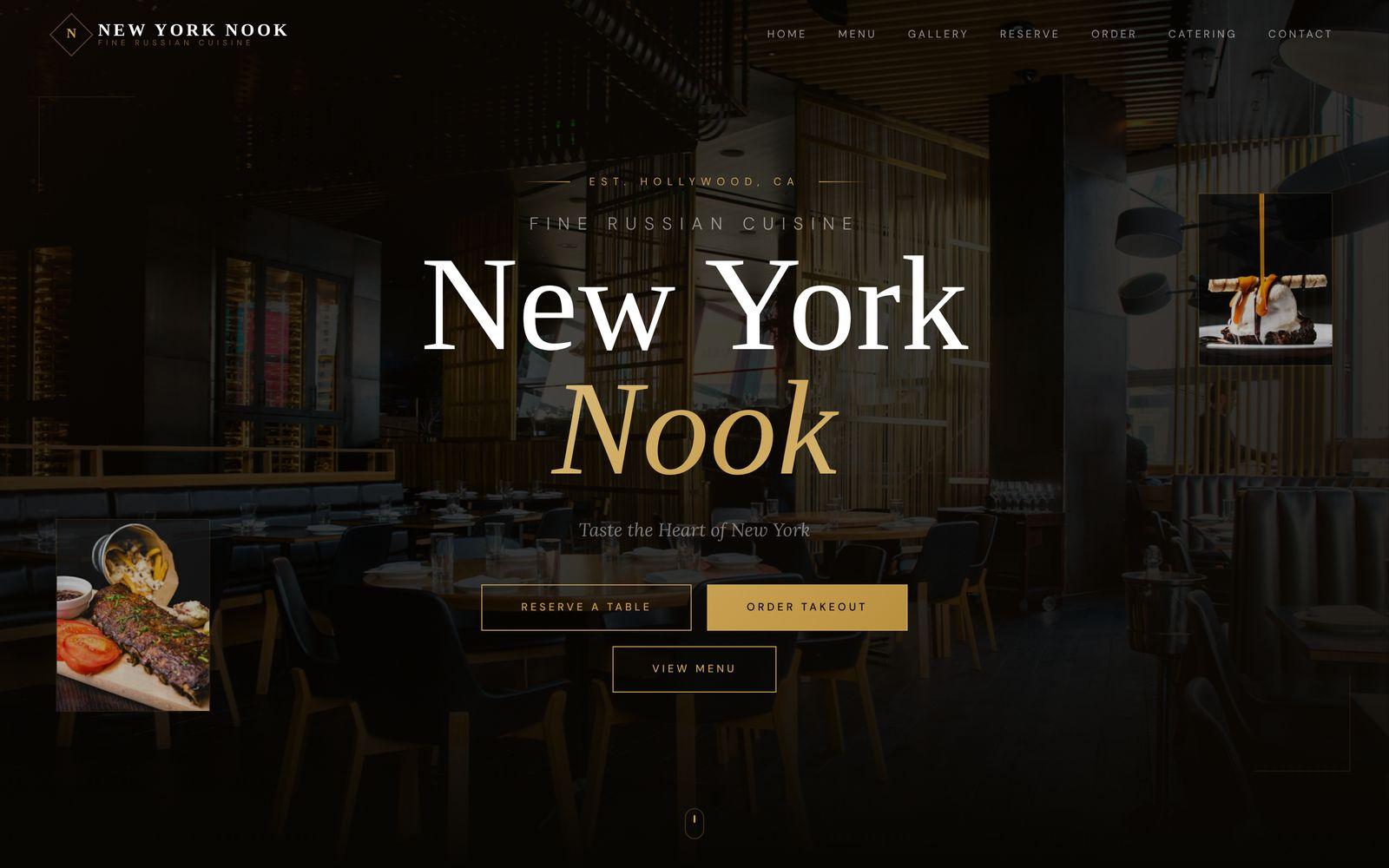
Make this page fast, short and obvious. Ask only for what you need to respond. If customers book online, put the booking flow on your own domain where possible, so the visit and the conversion stay on your site. "Online booking for small business websites" compares the main ways to do that.
What pages can most small businesses skip?
Skip any page you cannot keep current, because an outdated page tells visitors the business might be closed.
The usual offenders:
- A blog with two posts from three years ago.
- An events or news page that still lists last year's holiday hours.
- A team page with people who left.
- A testimonials page full of quotes nobody can verify. Link to your real Google reviews instead, or embed them.
- A gallery with a dozen photos that load slowly and add nothing.
- Separate pages for mission, vision and values. Put two honest sentences on the about page.
A blog is worth having only if you will publish useful answers to real customer questions on a regular schedule. Done that way it can bring in search traffic for years. Done half-heartedly, it is clutter.
How many pages should my website have?
Start with five to eight pages for most businesses, and add pages only when each new one serves a real search or a real customer question.
Rough starting points by type of business:
- A new business with one offer: a one-page site with sections for services, about and contact can work well.
- A restaurant: home, menu, reservations or ordering, about, contact with hours and location, privacy policy.
- A salon, spa or clinic: home, one page per main service, booking, about, contact, privacy policy.
- A contractor or B2B shop: home, one page per service, past work, quote request, about, contact, privacy policy.
- A practice with several locations: everything above plus one page per location with its own address, hours and map.
On pricing: my Starter Site from $150 is a polished one-page site. The Business Site from $450 covers up to five pages with a booking or quote form and local SEO setup, in about 14 days. Larger multi-page builds with custom features start at $1,200. The cost calculator on this site gives a quick estimate for your own page count.
Do I need location pages?
Only if you serve customers in several distinct places, and only if each page has real, unique information about that location.
A clinic with offices in Torrance and Long Beach should have a page for each: address, hours, parking, staff at that office, directions and a map. Those pages help people searching in each area, and they match the address on each Google Business Profile.
What does not work is the mobile detailer who creates forty pages, one for every nearby city, with the same paragraph and the city name swapped. Search engines treat those as doorway pages, and they can hurt the whole site. If you travel to customers across a region, list your service area clearly on the homepage and contact page instead. The "Local SEO checklist for small business websites" goes deeper on this.
What goes on a good contact page?
Everything a customer needs to reach you without thinking, in the format they prefer.
- Phone number, tappable on mobile.
- Email address, or a form if you prefer.
- Street address, if customers visit, written exactly as on your Google Business Profile.
- Hours, including holiday hours when they change.
- A map, if customers come to you.
- What happens next, such as "We reply within one business day."
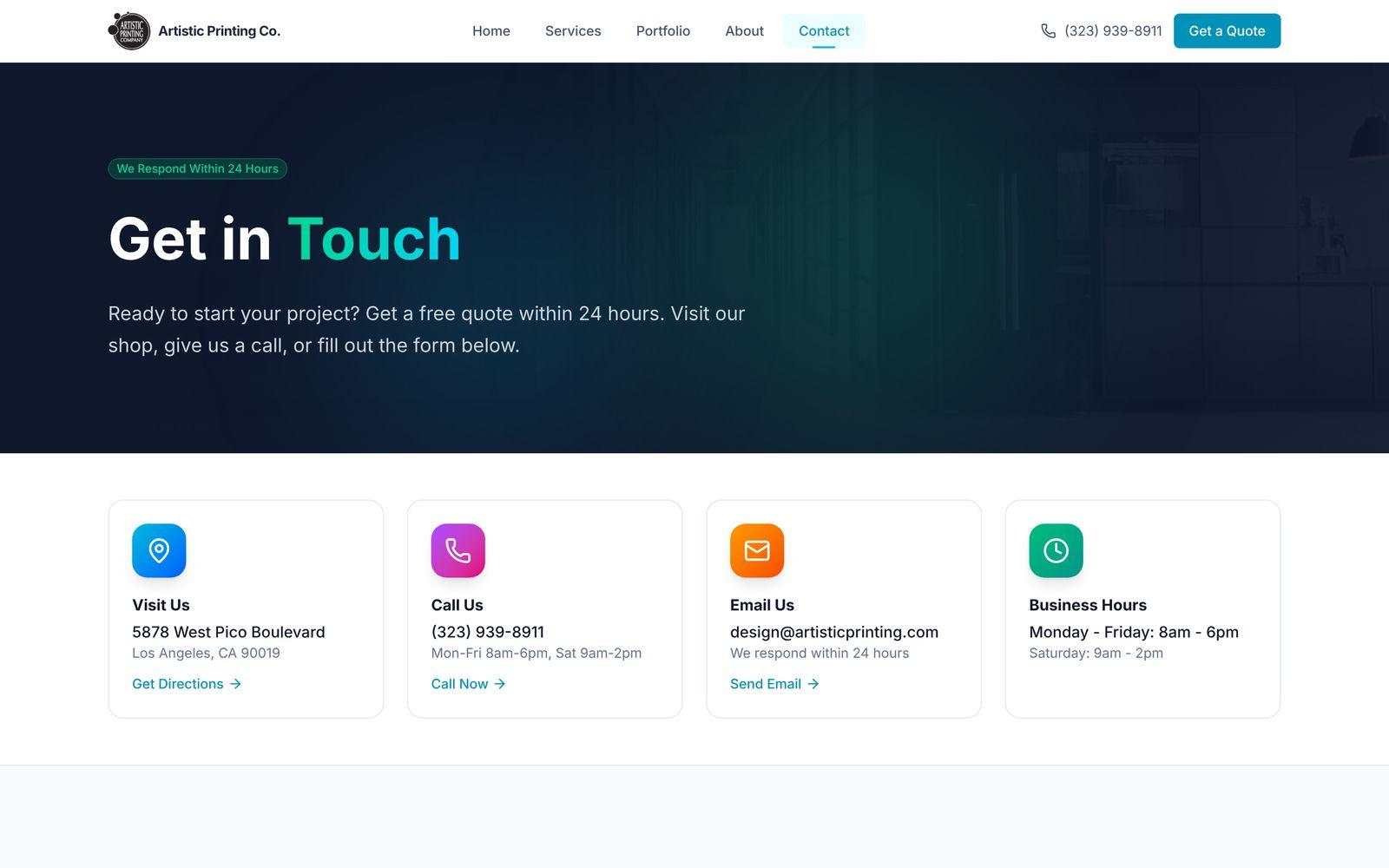
Keep the form short. Name, a way to reply, and a message is enough for most businesses. Every extra required field loses some people. If you need more detail, such as a quote for a print job, ask for it on a dedicated quote form instead. Artistic Printing, a commercial printer I built a site for, uses a quote management tool for exactly that reason, and keeps its contact page to the address, phone, email and hours.
What should a privacy policy page say?
It should say plainly what personal information your site collects, why, who you share it with and how people can contact you about it. For most small businesses that is one short page linked in the footer.
If you serve customers in California, the state's Online Privacy Protection Act (CalOPPA) requires commercial websites that collect personal information from California consumers to post a privacy policy conspicuously and follow it. According to the California Attorney General's office, the policy must describe the kinds of identifying information collected, the types of third parties it may be shared with, and how the site tracks visitors.
For a typical service business, the page usually covers:
- What your contact, booking or quote forms collect, such as name, phone, email and appointment details.
- Which tools see that data, such as your booking provider, email service, payment processor and analytics.
- Whether you use cookies or tracking pixels, and for what.
- How long you keep form submissions and how someone can ask you to delete theirs.
- A contact email and the date the policy was last updated.
Write it to match what your site really does. A copied policy that mentions services you do not use, or misses the ones you do, is worse than a short honest one. This is general information, not legal advice, so have a lawyer review it if you handle health, financial or children's data.
A worked example: a five-page site for a bakery
This is an illustration, not a client. A bakery in Long Beach sells walk-in, takes custom cake orders, and caters office events.
The plan: a homepage with a photo of the case, today's hours and a Order a cake button. A custom cakes page with flavors, sizes, starting prices, lead time and the order form. A catering page with sample menus and a request form. An about page with the owners and how long they have been baking. A contact page with the address, hours, parking and a map. A privacy policy in the footer.
That is six pages, two of which are action pages. No blog, no gallery page, no events page. Photos of real cakes live on the cakes page where they help someone choose. A year later, if wedding cakes become a big part of the business, that earns its own page.
The bottom line
Start with home, services, about, contact and a privacy policy, then add one strong page where customers act. Give each main service and each real location its own page, and skip anything you cannot keep current. A small site where every page has a job will bring in more customers than a large one full of filler. If you want help planning or building it, my Business Site package covers exactly this kind of five-page site.
Questions, answered in one line
How many pages should a small business website have?
Most start with five to eight pages: home, services or one page per main service, about, contact, privacy policy and one action page such as booking or quotes.
Does a small business website need a blog?
No. A blog helps only if you will publish useful answers to customer questions regularly, and an abandoned blog does more harm than none.
Do I need a privacy policy on my website?
If your site collects any personal information, such as a contact form, booking form or analytics, you should have one, and some laws and services require it; this is general information, not legal advice.
Is a one-page website bad for SEO?
Not for a business with one main service in one area, but separate pages rank better when you offer several services or serve several locations.
How much does a five-page small business website cost?
With Thomas Osayi, a Business Site of up to five pages with a booking or quote form and local SEO setup starts at $450 and takes about 14 days.
Sources
- Privacy Laws (California Online Privacy Protection Act) State of California Department of Justice
- Spam policies for Google web search Google Search Central
- SEO Starter Guide Google Search Central
- Guidelines for representing your business on Google Google Business Profile Help
Related articles
- How much does a restaurant website cost in 2026?
- How to take restaurant orders online without third-party fees
- Toast vs Squarespace vs a custom website for restaurants
- Google Business Profile vs website: do you need both?
Custom Next.js websites for businesses
Custom Next.js websites for small businesses, clinics, restaurants and startups. Fast, SEO-ready, built from scratch with booking, ordering or quote tools. Based in Los Angeles.
See the service