November 22, 2026 · 8 min read · Thomas Osayi
Google Business Profile vs website: do you need both?
What a Google Business Profile does, what a website does, why most local businesses need both, and how to set them up so they help each other rank and convert.
A lot of owners I talk to treat this as an either-or. They have a Google Business Profile with good reviews and wonder why they would pay for a website. Others have a website and have never claimed their profile. Both are leaving customers on the table.
The two do different jobs. Your profile is how Google shows you in Maps and local results. Your website is where you make the case and take the booking. This guide explains what each one does, where each falls short, and how to connect them so they strengthen each other.
Do I need both a Google Business Profile and a website?
Yes, for almost every local business, because they cover different moments in the same customer's decision.
Picture someone searching "waxing near me" or "Russian restaurant Hollywood". The first thing they see is usually the map and a short list of profiles: name, star rating, hours, distance, a few photos. That is the Business Profile's moment. If it is missing or thin, you are not in the running.
Then they tap through. They want the menu, the price list, what a first visit is like, whether you take their insurance, whether they can book tonight. A profile can hold some of that, but it is cramped, formatted by Google and shared with competitors' ads and suggestions. That is the website's moment.
Skip the profile and you are invisible on Maps. Skip the website and you lose the people who need more than a star rating to decide, and you have nowhere to take a booking or order that you control.
What does a Google Business Profile do?
A Google Business Profile controls how your business appears on Google Maps and in local search results, and it is free.
Google's own help pages say that with a Business Profile you can manage how your business shows up on Maps and Search at no charge, and that you should provide your hours, website, phone number and location so they are visible to customers. On a profile you can:
- Show your name, category, address or service area, phone, hours and holiday hours.
- Collect and reply to reviews.
- Post photos and videos of the space, the team and the work.
- Add links, such as a menu, booking or ordering page.
- Answer common questions and add attributes like accessibility or outdoor seating.
Google also notes that Business Profiles are meant for businesses that meet customers in person, at a location or by visiting them. Online-only businesses are not eligible.
What does a website do that a profile cannot?
A website lets you control the whole message, rank for many more searches and complete the sale on your own terms.
- Depth. A profile gives you a short description. A website can have a page per service, a full menu, pricing, FAQs, team bios and policies.
- More searches. Each well-written service page can rank for its own searches, like "Brazilian wax Los Angeles" or "catering for 50 people Hollywood", not only your business name and category.
- Conversions you own. Booking forms, quote requests, pickup ordering and email sign-ups happen on your page, with no marketplace fee and with the customer's details in your hands.
- Trust signals in your words. Photos you chose, your story, how you handle a problem.
- Visibility in AI answers. Tools like ChatGPT and Google's AI answers lean on clear, detailed pages. I wrote about that in "How to get your business mentioned in ChatGPT, Perplexity and Google AI answers".
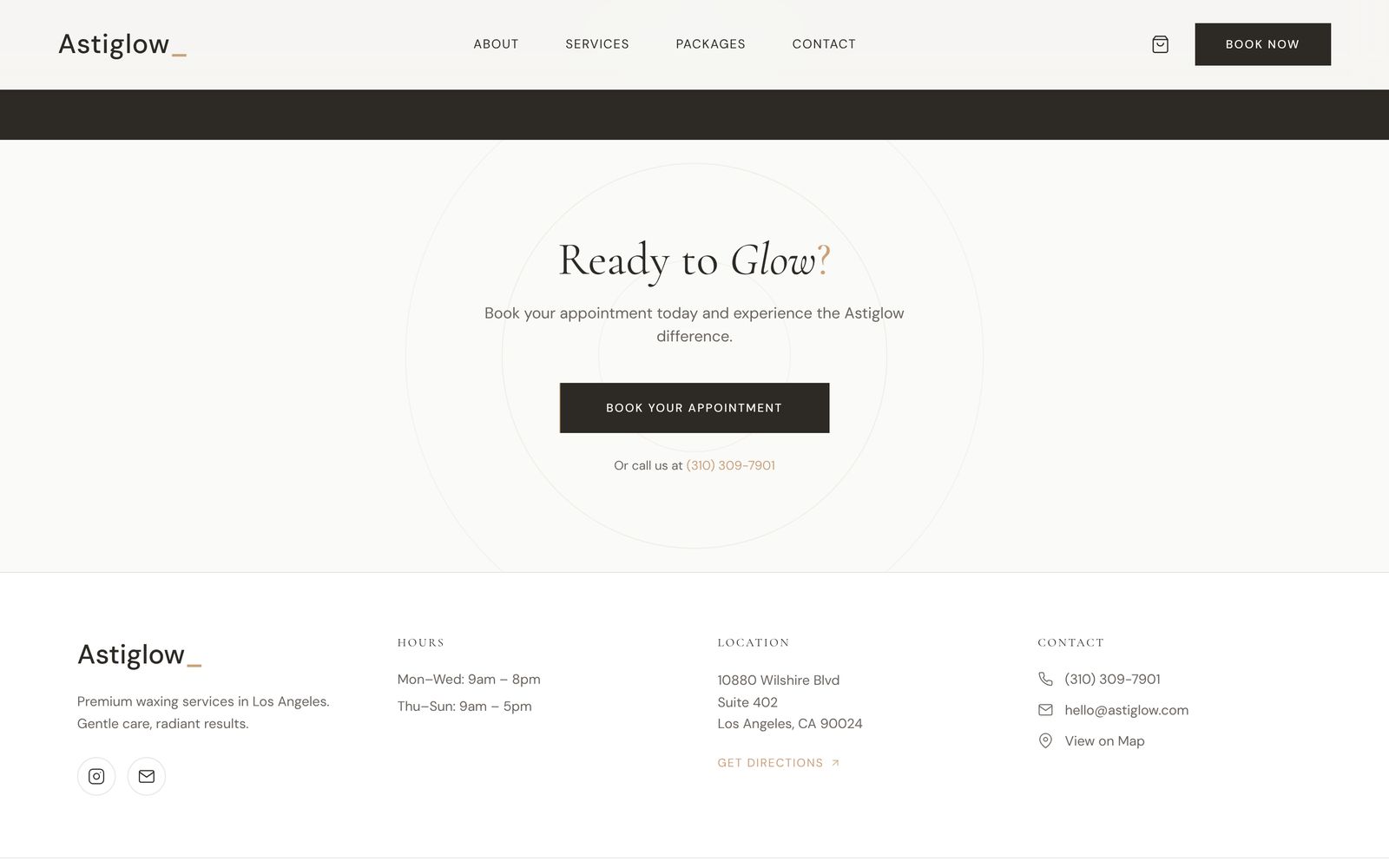
A booking flow is a good example. On Astiglow, a waxing studio, the site I built takes clients from service choice to booking, with hours and location in the footer so the same details are always one scroll away.
How do Google Business Profile and a website work together for ranking?
They help each other: the profile gets you into local results, and the website strengthens the signals Google uses to rank that profile.
Google says local results are based mainly on relevance, distance and prominence. Relevance is how well your profile matches the search. Distance is how far you are from the searcher. Prominence is how well known you are, and Google's help page says it draws on information such as how many websites link to your business and how many reviews you have. It also says there is no way to request or pay for a better local ranking.
A website helps with relevance and prominence in practical ways:
- Your service pages use the words customers search, which supports what your profile is about.
- Other sites, such as local press, partners and directories, link to your website, not your profile.
- The profile's website link gives Google and customers a consistent, detailed source for your details.
None of this is a trick. It is just a business that is clearly described in two places that agree with each other.
What should match between my profile and my website?
Your business name, address, phone number and hours should match exactly, everywhere.
This is often called NAP consistency: name, address, phone. Mismatches confuse customers first and search engines second. The common ones I find:
- Suite numbers on one and not the other.
- An old phone number still in the website footer after a switch.
- Holiday hours updated on Google but not on the site, or the other way around.
- A business name with extra keywords on the profile that does not match the sign or the site.
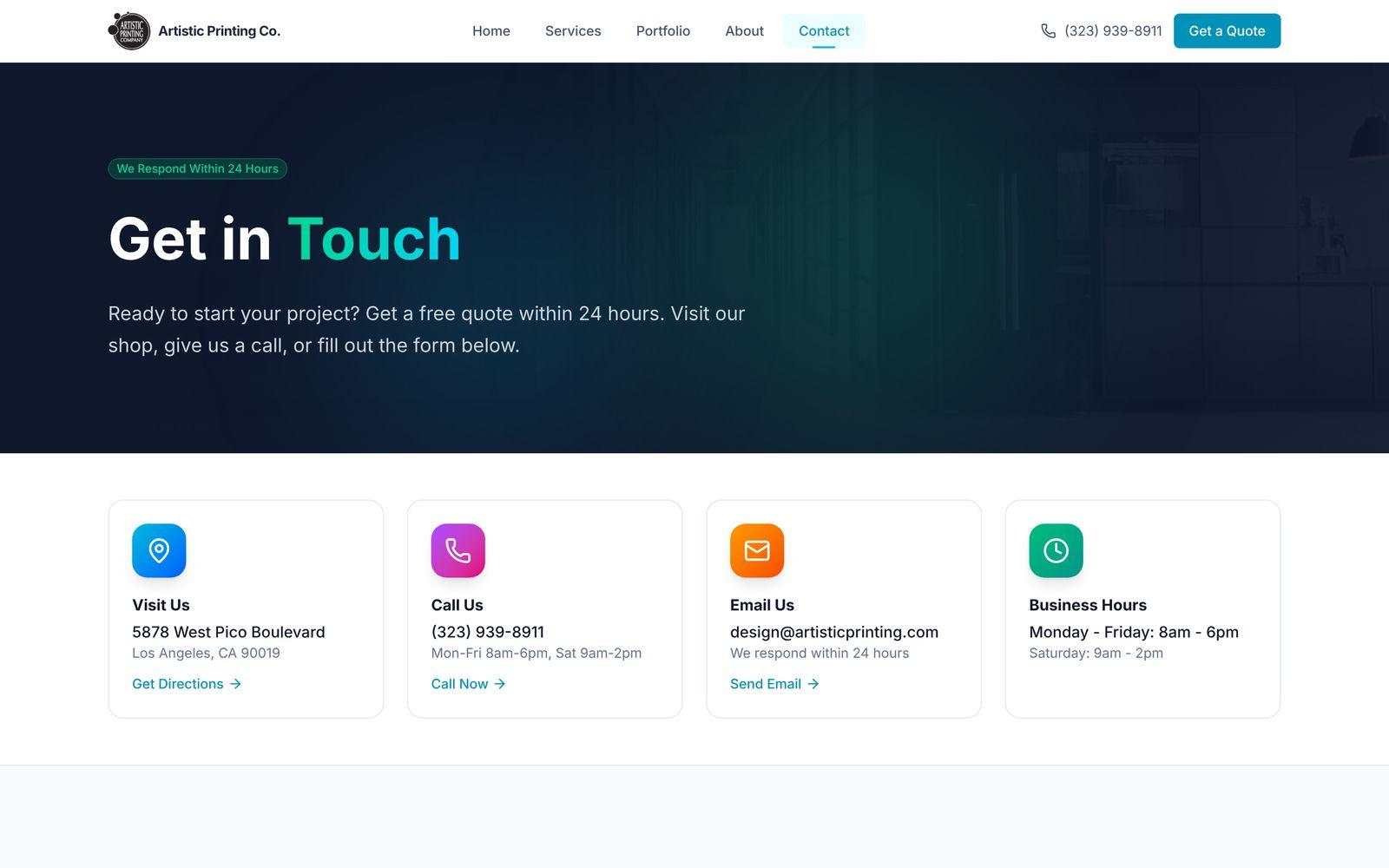
For Artistic Printing, a commercial printer in Los Angeles, the contact page I built lists the address, phone, email and hours in one place, so it is easy to keep those details identical to the profile.
Which page should my Google Business Profile link to?
Link to the page that best serves someone who just found you on Maps, which is often not the homepage.
- Restaurants: the main website link can be the homepage, but add your menu link and your own ordering link too. Google's help pages say owners can add custom links where customers can order and can mark preferred ordering options for pickup and delivery.
- Salons, studios and clinics: link the booking page, so a ready customer goes straight to available times.
- Multi-location businesses: link each profile to its own location page, with that location's address, hours and map.
- Trades and service-area businesses: link a page that lists services and the areas you cover, with a quote form.
Whatever you link, make sure it loads fast on a phone. A Maps visitor is often on mobile data and in a hurry.
How do I set up both properly, step by step?
Set up the profile, build or tidy the website, then connect them and keep them in sync.
The profile
- Claim or create the profile on Google and complete verification.
- Choose the most specific primary category, such as "Russian restaurant" rather than just "restaurant", and add a few secondary categories only if they are true.
- Fill in every field you can: hours, holiday hours, phone, attributes, services or menu, and a description in plain words.
- Upload real photos of the exterior, so people recognise the door, plus the interior, the team and the work.
The website
- Put the same name, address, phone and hours in the footer or on a contact page.
- Give each main service or offering its own page with a clear title.
- Add a map or directions on the contact page if customers visit you.
- Make the main action, book, order or request a quote, visible in the first screen on a phone.
The connection
- Add the website link, and any menu, booking or ordering links, to the profile.
- Link back to your Google reviews from the website if you want, and ask happy customers to leave one.
- Set a monthly reminder to compare the two side by side and fix anything that has drifted.
What if I can only afford one right now?
Start with the Google Business Profile, because it is free and covers the moment most local customers search, then add a website as soon as you can.
A complete profile with real photos, accurate hours and a steady trickle of reviews can bring in customers on its own. But a profile with no website link is a dead end for anyone who wants detail, and it gives you nowhere to take a booking you control.
Here is an illustration with a made-up business. A new mobile dog groomer sets up a profile in week one and gets a few calls. In month two, a one-page site goes live with services, prices, the service area and a booking request form, and the profile's website link points to it. Now customers who would have called to ask the price can see it and book in one visit, and the groomer can send the same link from Instagram and text messages.
A one-page site from $150 is enough for that first step. "Do I need a website if my business already has Instagram?" covers a similar question for social-first businesses.
What mistakes should I avoid with a profile and website?
The worst mistakes are the ones that send a customer to a closed door or a dead link.
- Leaving the website field empty or pointed at an old domain.
- Linking a page that shows a pop-up or a slow video before the useful content.
- Letting reviews go unanswered for months.
- Using stock photos on either one.
- Creating duplicate profiles for the same location, which splits reviews and confuses Google.
- Forgetting the website when you move, change hours or add a service.
For the full list of local signals, "Local SEO checklist for a small business website" goes step by step.
The bottom line
A Google Business Profile and a website are not competitors. The profile gets you found on Maps and in local results for free. The website explains what you do, ranks for more searches and takes the booking or order on a page you own. Set up the profile first, connect it to the most useful page on your site, keep name, address, phone and hours identical in both places, and treat any change to one as a change to the other.
Questions, answered in one line
Is a Google Business Profile enough without a website?
It can be enough to get started, but a profile alone limits how much you can explain, which searches you appear for and how customers can book or order.
Is Google Business Profile free?
Yes, Google says businesses can manage how they show up on Maps and Search with a Business Profile at no charge.
Does having a website help my Google Maps ranking?
Google says prominence, one of its local ranking factors, draws on how many websites link to your business, and a good website gives the profile a strong destination and consistent details.
Which page should my Google Business Profile link to?
Link to the page that best serves someone who just found you on Maps, which for a restaurant is often the menu and for a service business is often a booking or service page.
How much does Thomas Osayi charge for a local business website?
Thomas Osayi builds one-page sites from $150 and multi-page sites with a booking or quote form and local SEO setup from $450.
Sources
- About Google Business Profile Google Business Profile Help
- How to improve your local ranking on Google Google Business Profile Help
- Manage online ordering options Google Business Profile Help
- Edit your Business Profile Google Business Profile Help
Related articles
- How much does a restaurant website cost in 2026?
- How to take restaurant orders online without third-party fees
- Toast vs Squarespace vs a custom website for restaurants
- New business website checklist: everything to do before launch
Custom Next.js websites for businesses
Custom Next.js websites for small businesses, clinics, restaurants and startups. Fast, SEO-ready, built from scratch with booking, ordering or quote tools. Based in Los Angeles.
See the service