November 22, 2026 · 8 min read · Thomas Osayi
Do I need a privacy policy and cookie banner on my website?
When a small business website needs a privacy policy and a cookie banner: CalOPPA, CCPA and CPRA basics for California, GDPR for EU visitors, and how analytics fit in.
Privacy policies and cookie banners are the part of a website most owners copy from somewhere else. A banner appears because another site had one, a privacy policy gets pasted from a template, and nobody checks whether either one matches what the site actually does. That is how you end up with a banner that does nothing and a policy that mentions services you never used.
This guide explains, in plain terms, when California and EU rules ask for a privacy policy and a cookie banner, how analytics and ad pixels fit in, and how to set it up properly on a site. It is general information for small business owners, not legal advice. If you collect sensitive data or have real exposure, talk to a privacy lawyer.
Do I need a privacy policy on my website?
Almost certainly yes, because California requires one on any commercial website that collects personal information from California consumers.
The law is the California Online Privacy Protection Act, usually called CalOPPA. It applies to operators of commercial websites and online services, including mobile apps, that collect personally identifiable information from California residents. A contact form that asks for a name and email counts. So does a newsletter signup, a booking form or a quote request. CalOPPA is not limited to large companies, and because your site can be visited from anywhere, it reaches businesses outside California too.
CalOPPA asks you to post the policy conspicuously, which in practice means a link in the footer of every page labelled Privacy Policy. The California Attorney General notes that an operator violates the law if it fails to post a compliant policy within 30 days of being notified. That is not a reason to wait. A privacy policy is also expected by payment processors, ad platforms and app stores, and it is one of the pages I put on every site. My post "What pages does a small business website need? A page-by-page plan" lists it with the rest.
What must a privacy policy include?
Under CalOPPA, a privacy policy must describe what you collect, who you share it with, how you handle tracking signals, and when the policy took effect.
The Attorney General's guidance lists the required parts:
- The categories of personal information collected through the site.
- The categories of third parties you may share it with, such as your email platform, booking tool or payment processor.
- How users can review and request changes to their information, if you offer that.
- How you notify users of material changes to the policy.
- The effective date.
- How you respond to Do Not Track browser signals or similar mechanisms, if you collect information about users' activities over time and across other sites.
- Whether other parties, such as analytics or ad networks, may collect that information while someone uses your site.
The point is accuracy, not length. Before writing, list every form on your site, every tool it sends data to, and every script that loads on the page. Then describe exactly that.
Does the CCPA apply to my small business?
For most small businesses, no, because the CCPA only covers for-profit businesses that meet at least one of three thresholds.
According to the California Privacy Protection Agency, the CCPA applies to a business that does business in California and meets any one of these:
- Gross annual revenue of at least $26.625 million in the preceding calendar year, a figure adjusted for inflation effective January 1, 2025, at the time of writing.
- Buys, sells or shares the personal information of 100,000 or more California residents or households.
- Earns 50% or more of its annual revenue from selling or sharing California residents' personal information.
The CPRA, approved by California voters in 2020, amended the CCPA rather than replacing it, added the concept of sharing personal information for cross-context behavioral advertising, and created the California Privacy Protection Agency to enforce the law. When people say CCPA today, they usually mean the law as amended by the CPRA.
A local salon, restaurant or contractor will rarely meet these thresholds. A fast-growing online store with heavy ad tracking might reach the 100,000 mark sooner than expected, so it is worth checking each year.
What does the CCPA require on a website if it applies?
If the CCPA applies, you need a fuller privacy policy, a clear opt-out link, and you must honor browser opt-out signals like Global Privacy Control.
The agency's guidance says covered businesses must, in most cases, place a clear and conspicuous link in the header or footer, labelled something like "Do Not Sell or Share My Personal Information" or "Your Privacy Choices", that lets visitors opt out of the sale or sharing of their data. Covered businesses must also treat a valid opt-out preference signal, such as Global Privacy Control sent by the visitor's browser, as an opt-out request.
On a website, sharing often means ad pixels. If the Meta Pixel, TikTok Pixel or Google Ads tags send visitor data to those platforms for targeted advertising, that can count as sharing. Honoring an opt-out means those tags should not fire for that visitor.
On a Next.js site, this check is straightforward: the browser exposes navigator.globalPrivacyControl, and when it is true, your code should treat the visitor as opted out and skip the advertising scripts.
Do I need a cookie banner?
For a US-focused site there is no general legal requirement for a cookie consent banner, but you need consent before setting non-essential cookies if you target visitors in the EU.
The cookie banner comes from European law. The ePrivacy Directive requires informed consent before storing or reading non-essential information on a visitor's device, which covers cookies, pixels and local storage. The European Commission's own guidance says that by default, cookies that need consent must not be set until the visitor agrees, and it lists analytics, advertising and social plugin tracking cookies among them. Cookies strictly needed for something the visitor asked for, such as a shopping cart, a login session or security, generally do not need consent.
The GDPR governs what happens to the personal data. It applies to businesses outside the EU when they offer goods or services to people in the EU or monitor their behavior. The Commission notes that simply having customers who travel to the EU does not bring you under it if you do not target EU residents.
So the practical test is: do you ship to the EU, price in euros, run ads there or write content for EU customers? If not, a consent banner is optional. If you do, you need one that actually blocks scripts until consent.
How do analytics and ad pixels fit in?
Analytics and ad pixels are the reason most sites need a banner or opt-out at all, so choose them deliberately and load them conditionally.
Your options, from least to most privacy impact:
- No analytics. Fine for a simple brochure site, though you lose useful data.
- Cookieless, privacy-friendly analytics, which count page views without tracking individuals across sites. These usually fit US disclosure rules with a line in your privacy policy.
- Google Analytics, which sets cookies and sends data to Google. Disclose it, and gate it behind consent for EU visitors.
- Ad pixels from Meta, TikTok or Google Ads, which exist to track visitors for advertising. Disclose them, gate them for EU visitors, and offer opt-outs if the CCPA applies.
On a Next.js site, I load analytics and pixel scripts through a small consent component. Nothing loads until the visitor's choice is known, the choice is stored, and the scripts load only when allowed. The privacy policy then lists exactly the tools in that component.
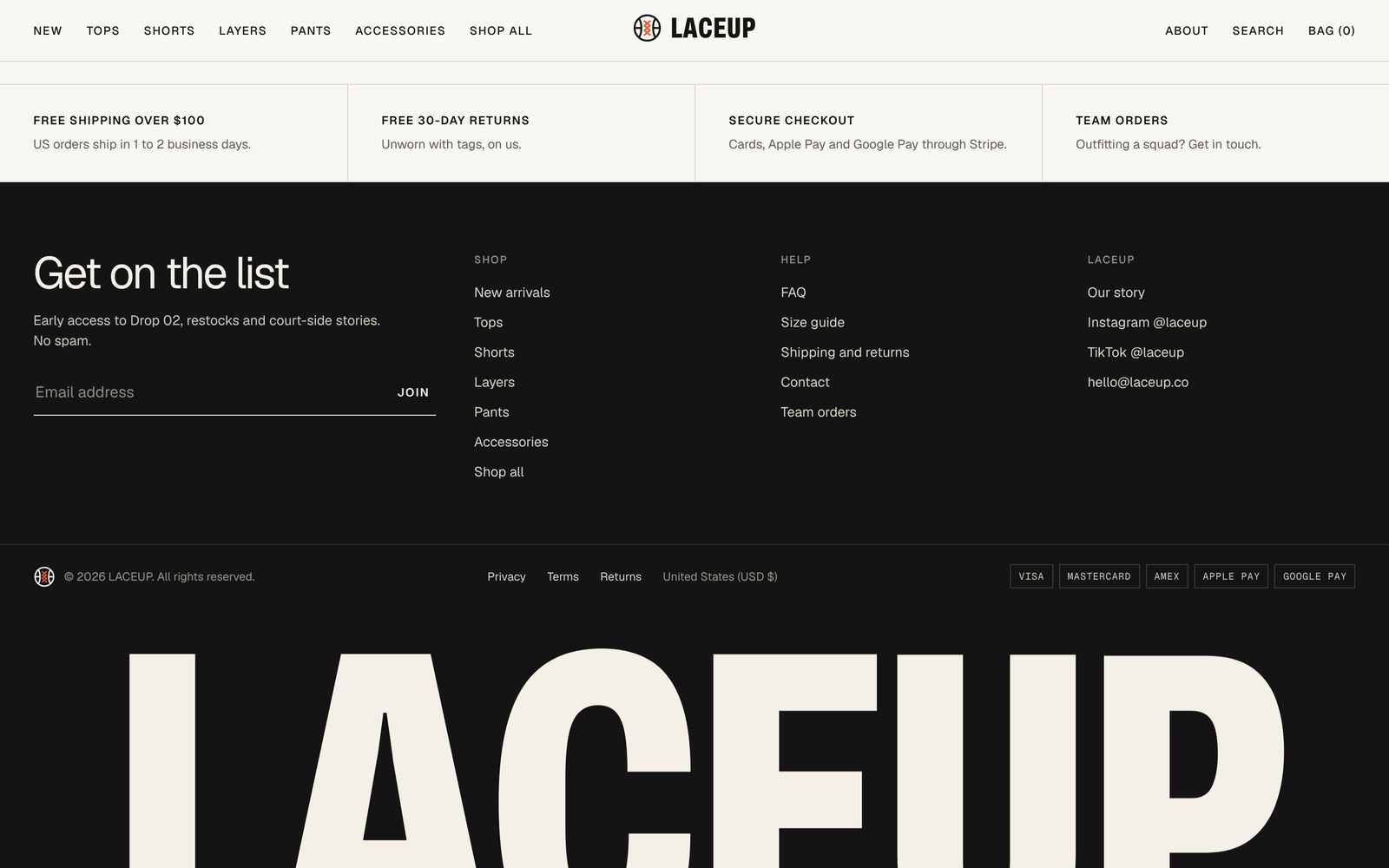
A simple example is the footer on LACEUP, a basketball apparel storefront I built. Its newsletter signup collects email addresses, which is personal information, so the privacy policy needs to say what happens to them. LACEUP also records anonymous store activity for its admin dashboard, and the Firebase security rules only allow those activity events with no personal data attached. Building it that way makes the privacy policy simpler and more honest.
A worked example: a Los Angeles studio
Here is an illustration with a made-up business. A yoga studio in Culver City has a site with a class schedule, a contact form, a newsletter signup and Google Analytics. It also runs Meta ads and has the Meta Pixel installed. It serves local clients only and earns well under the CCPA thresholds.
What it needs: a privacy policy covering the contact form, newsletter, booking tool, Google Analytics and Meta Pixel, with a Do Not Track statement and an effective date, linked in the footer of every page. It does not need a GDPR consent banner, because it does not target EU visitors. It does not need a CCPA opt-out link, because it is not a covered business, although honoring Global Privacy Control is a cheap goodwill step.
If the studio started selling online courses to customers in Europe, the answer would change: a real consent banner that blocks analytics and the pixel until visitors agree.
What mistakes should I avoid?
The most common mistakes are copying a policy that does not match the site and installing a banner that does not change what loads.
- A template policy mentioning tools you do not use, or missing the ones you do.
- A banner that loads all scripts before the visitor answers.
- No effective date, or a date from three years ago after adding new tools.
- Privacy policy linked only from the homepage instead of every page.
- Forgetting third-party embeds, such as booking widgets, maps and video players, which can set cookies too.
- Collecting more than you need. Every field you remove from a form is one less thing to protect and disclose.
The bottom line
If your site collects any personal information from Californians, post an accurate privacy policy linked in the footer of every page, because CalOPPA requires it. The CCPA adds opt-out links and Global Privacy Control only for businesses that meet its thresholds. A cookie consent banner is mainly an EU requirement, needed when you target EU visitors, and it must actually block non-essential scripts until consent. Choose your analytics and pixels on purpose, load them conditionally, and describe exactly what your site does. This is general information, not legal advice, so have a professional review your policy if your situation is more complex.
Questions, answered in one line
Does a small business website need a privacy policy?
In most cases yes, because California's Online Privacy Protection Act requires one on commercial websites that collect personal information such as names and emails from California consumers.
Does the CCPA apply to my small business?
Only if you meet a threshold, such as at least $26.625 million in annual revenue, buying, selling or sharing data of 100,000 or more California residents or households, or earning half your revenue from selling or sharing personal information.
Do US websites need a cookie banner?
There is no general US requirement for a cookie consent banner, although covered businesses must offer opt-outs for selling or sharing data and sites targeting the EU need consent first.
Does Google Analytics need cookie consent?
For visitors you target in the EU, analytics cookies generally need consent before they are set, while US rules focus on disclosure and opt-outs instead.
Is a privacy policy generator good enough?
A generator is a reasonable start for a simple site if you edit it to match what your site really collects, but have a professional review it if you handle sensitive data.
Sources
- Making Your Privacy Practices Public California Attorney General
- Frequently Asked Questions (FAQs) California Privacy Protection Agency
- Updated Monetary Thresholds in CCPA California Privacy Protection Agency
- Who does the data protection law apply to? European Commission
- Cookies and similar technologies European Commission
Related articles
- How much does a restaurant website cost in 2026?
- How to take restaurant orders online without third-party fees
- Toast vs Squarespace vs a custom website for restaurants
- Google Business Profile vs website: do you need both?
Custom Next.js websites for businesses
Custom Next.js websites for small businesses, clinics, restaurants and startups. Fast, SEO-ready, built from scratch with booking, ordering or quote tools. Based in Los Angeles.
See the service