November 22, 2026 · 10 min read · Thomas Osayi
How to take deposits online to reduce no-shows
Deposits, full prepayment or a card on file: how each one cuts no-shows, how to set them up in your booking tool or with Stripe, and what your policy should say.
An empty chair is the most expensive thing in an appointment business. The time was blocked, someone else could have had it, and the client who booked it is not answering their phone. Reminder texts help, but they only reach people who still intend to show up. A deposit changes the decision itself, because the client has already put money down.
This guide covers the three ways to collect money at booking, how much to ask for, how to set it up in a booking tool or on a custom site with Stripe, and the policy wording that keeps deposits from turning into arguments.
Do deposits actually reduce no-shows?
Yes, because a deposit converts a free hold on your calendar into a small purchase, and people treat purchases differently from reservations.
A free booking costs the client nothing to abandon. They book on a Sunday night, their week fills up, and skipping the appointment feels like no loss to them. Once they have paid even a modest amount, missing the visit means losing that money, so they either show up or cancel early enough for you to refill the slot. That second outcome is half the value: a cancellation two days out is a slot you can sell, while a silent no-show is not.
Deposits also filter bookings. A few people who would have booked and vanished will not book at all, but those were never real appointments.
The more expensive an empty slot is, the more a deposit pays for itself.
Deposit, prepayment or card on file: which should I use?
Use a deposit for most services, full prepayment for short fixed-price services, and a card on file only when your booking window is short or your tool handles it for you.
A partial deposit
Best for: services priced high enough that a no-show really hurts, and clients who are new to you.
How it works: the client pays part of the price when booking, and the rest is due at the appointment.
Pros: real commitment, low friction, and the money is already in your account.
Cons: you need a clear rule for refunds and for applying the deposit to the final bill.
Full prepayment
Best for: short, fixed-price services, packages and classes.
How it works: the client pays the whole price online.
Pros: no balance to collect at checkout and no awkward conversation at the desk.
Cons: more hesitation from first-time clients, and more refunds to process when people reschedule.
A card on file
Best for: businesses that only want to charge when someone breaks the policy.
How it works: the client saves a card at booking, and you charge a fee only for a late cancellation or no-show.
Pros: nothing is charged for clients who show up.
Cons: you are charging after the fact, which invites disputes, and a simple hold does not last long. Stripe documents that an online card authorization is typically valid for about seven days, so a hold placed for an appointment three weeks out will expire before the visit.
How much should the deposit be?
Set the deposit at roughly what an empty slot costs you, then round it to a number that does not make a new client stop and think.
There is no single right figure, but the reasoning is simple. Work out what you lose when a slot goes empty: the service price, minus product you did not use, plus the time you could have sold to someone else. The deposit does not need to cover all of that. It needs to be large enough that skipping feels like a loss to the client.
Common structures:
- A flat amount per booking, which is easy to explain and works when services are similarly priced.
- A percentage of the service price, which scales for long or expensive services.
- A flat amount per service, for menus where a client books several services in one visit.
- Full prepayment for first-time clients only, with regulars on a smaller deposit or none at all.
That last option is underrated. Regulars rarely need a deposit, and asking for one can feel like distrust, so be strict only where no-shows actually happen.
How do I take deposits with the booking tool I already use?
Turn on the deposit or prepayment setting in your current booking tool first, because it keeps your calendar, reminders and payments in one place.
Most appointment platforms used by salons, studios and clinics offer some version of deposits, prepayment or card-on-file protection, but usually only on paid tiers. Square Appointments is a good example of how this is split. At the time of writing, its help center lists full prepayment on the free plan, while holding a card to charge no-show or late cancellation fees requires a paid Plus or Premium tier. Square also notes that clients cannot cancel prepaid appointments themselves, so refunds and enforcement fall to you.
Before you pay for an upgrade, check four things in your tool:
- Whether deposits are a fixed amount, a percentage, or both.
- Whether the deposit is applied automatically to the final bill.
- How refunds work when you cancel or the client reschedules inside the policy window.
- Whether the booking page can be embedded on your site or only linked to.
If the tool does all of this, embed it and style the surrounding page so the booking step feels like your site. I wrote about that choice in more detail in "Online booking for your website: embed a tool or build it custom?"
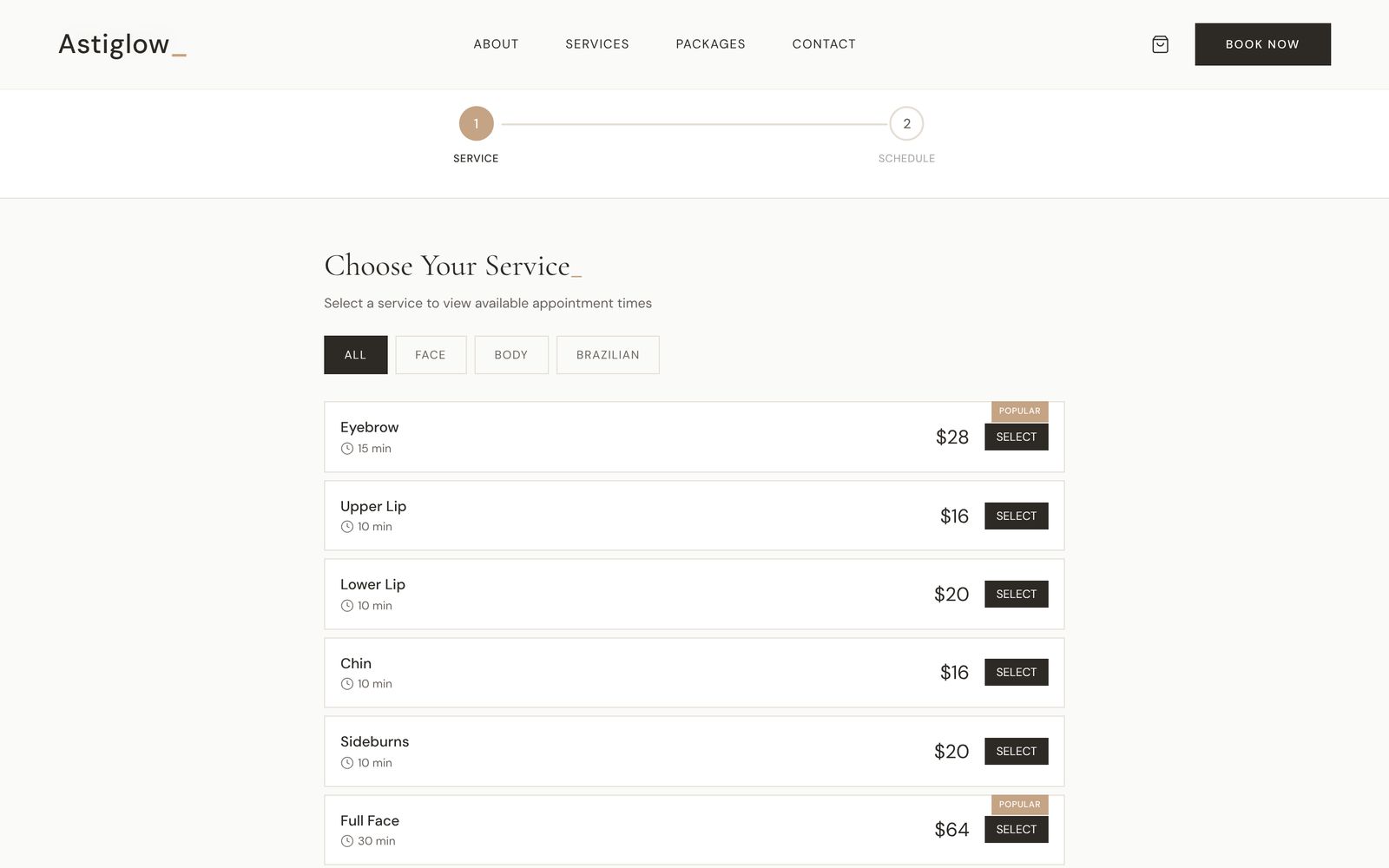
For Astiglow, a waxing studio, the brief was simple: let clients see services and prices and book without calling. Prices sit right in the first booking step, which is also where a deposit amount belongs if a studio adds one, so the client knows what they are paying before they pick a time.
How does a custom deposit flow work with Stripe?
A custom flow creates a pending booking, sends the client to Stripe Checkout for the deposit, and confirms the booking only when Stripe tells your server the payment succeeded.
This is the path when your booking tool cannot express your rules, or when bookings live in your own system. The pieces on a Next.js site look like this:
- The client chooses a service and time. Your server saves a booking with status pending and holds that slot for a short window, for example fifteen minutes.
- The server creates a Stripe Checkout Session in payment mode for the deposit amount, with the booking ID in metadata, and redirects the client to it.
- Stripe sends a checkout.session.completed event to your webhook route, for example app/api/stripe/webhook/route.ts. The route verifies the signature with STRIPE_WEBHOOK_SECRET, finds the booking by its ID, and marks it confirmed.
- The client gets a confirmation email with the date, the amount paid, the balance due and the cancellation policy.
- A scheduled job releases pending bookings that were never paid, so abandoned checkouts do not block your calendar.
The most common bug I see is confirming the booking on the success page instead of in the webhook. Clients close tabs, phones lose signal, and the success page never loads. If your bookings ever show as unpaid when Stripe shows them as paid, my post "Stripe payment went through but your app did not update? Fix the webhook" walks through the fix.
For bookings far in the future, do not rely on an authorization hold. Either capture the deposit at booking, or save the card with a SetupIntent and charge any fee later.
On cost: Stripe lists 2.9% plus 30 cents per successful domestic card payment at the time of writing, and it keeps that fee when you refund. A refund-friendly policy is good for clients, but every refunded deposit still costs you the fee.
What should my deposit and cancellation policy say?
Your policy should state the amount, when it is refunded, when it is kept, and how it is applied to the final bill, in plain sentences a client can read in under a minute.
A policy that holds up covers:
- The deposit amount, or how it is calculated.
- The cancellation window, for example 48 hours before the appointment, and what happens inside and outside it.
- Whether the deposit can move to a rescheduled appointment, and how many times.
- What happens if you cancel: a full refund, always.
- Lateness: how many minutes late counts as a no-show.
- Exceptions you are willing to make, such as emergencies, at your discretion.
Show the policy in the booking flow with a checkbox the client ticks before paying, include it in the confirmation email, and keep a copy on a policies page. That gives you a record that the client saw and agreed to it, which is what you need if a client disputes the charge with their bank.
This is general information, not legal advice. Consumer protection rules vary, and if you plan to keep deposits or charge fees, have a qualified professional review the wording before you enforce it.
A worked example: a brow studio adds deposits
Here is an illustration with a made-up business. A two-chair brow and lash studio in Pasadena takes all bookings online with no payment. Fills are quick and cheap, but full lash sets run two hours, and when a client skips one, half a day is gone.
The owner sets three rules. Full sets and lash lifts require a flat deposit, applied to the bill. Quick services need no deposit for returning clients, but first-time clients prepay. The cancellation window is 48 hours, and a deposit can move to a new date once.
She turns on prepayment and deposits in her booking tool's paid tier, adds the deposit amount next to each price on the service menu, and rewrites the policy as six short sentences. The confirmation email repeats the balance due and the window. Late cancellations still happen, but now most come early enough to fill the slot from a waitlist, and the ones that do not are covered by the deposit.
No custom code was needed. A custom build would only make sense if her rules outgrew the tool.
What mistakes make deposits backfire?
Most deposit problems come from surprise: a client who did not expect the charge, did not understand the policy, or could not find a way to reschedule.
- Hiding the deposit until the payment screen. Clients feel tricked and abandon the booking.
- A policy written like a contract. Nobody reads it, and then everybody argues about it.
- No self-service rescheduling. If the only way to move a booking is to call during business hours, clients give up and simply do not come.
- Charging regulars the same as strangers. It annoys your best clients and does little for no-shows.
- Confirming bookings on the success page instead of the webhook, which leaves paid clients without a confirmation.
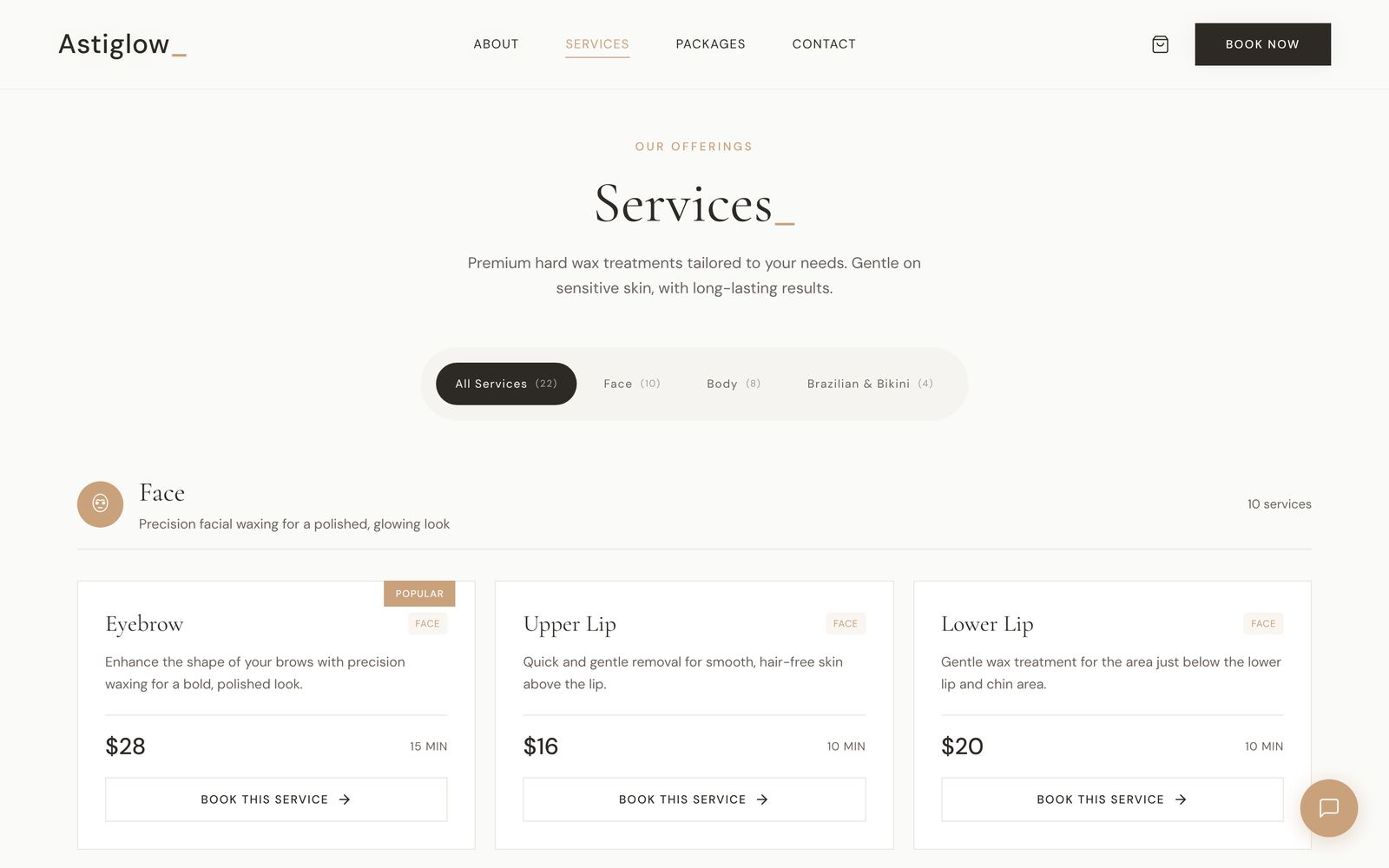
- Forgetting packages. Astiglow sells packages of 11 sessions for the price of 9, and prepaid packages are a deposit in disguise. Clients who have already paid for sessions rarely skip them, so make sure package holders are not asked for a second deposit.
When should I hire help instead of doing it myself?
Do it yourself when your booking tool has a deposit setting, and hire help when your rules do not fit the tool or your bookings need to live on your own site.
Flipping on a setting and rewriting a policy is an afternoon's work. Hiring makes sense when you need a branded booking page, deposit rules the tool cannot express, or bookings tied to memberships or packages.
For reference, my Business Site package starts at $450 and includes a booking or quote form, which covers embedding a booking tool properly. A custom booking flow with Stripe deposits, webhooks and an admin view is a Full Custom Build, from $1,200. The website cost calculator on my site gives a quick estimate for your own mix of pages and features.
The bottom line
Deposits reduce no-shows because they turn a free hold into a small commitment. Pick the structure that matches how costly an empty slot is: a partial deposit for most services, prepayment for short fixed-price ones, and a saved card only when your tool handles it well. Show the amount early, write the policy in plain sentences, and let clients reschedule without calling. Start with the deposit feature in the booking tool you already pay for, and build a custom Stripe flow only when your rules outgrow it.
Questions, answered in one line
How much should a booking deposit be?
Most appointment businesses ask for a flat amount or a share of the service price that covers the cost of an empty slot without being so high that new clients hesitate.
Is a deposit better than charging a no-show fee later?
A deposit is usually easier to enforce, because the money is already collected and you are not trying to charge a card after the client has gone quiet.
Can I keep the deposit if a client cancels late?
You can if your policy says so clearly and the client agreed to it at booking, but have a professional review the wording because consumer rules vary.
Does Stripe return its fee when I refund a deposit?
At the time of writing Stripe keeps the processing fee from the original payment when you issue a refund, so frequent refunds cost you a little each time.
What does it cost to add deposits to a website?
Thomas Osayi builds business sites with a booking form from $450 and full custom builds with a Stripe deposit flow from $1,200.
Sources
- Pricing Stripe
- Place a hold on a payment method Stripe Docs
- Manage booking cancellations and prepayment policies Square Support
- Cancellation policy feature Square
Related articles
- How much does a restaurant website cost in 2026?
- How to take restaurant orders online without third-party fees
- Toast vs Squarespace vs a custom website for restaurants
- Google Business Profile vs website: do you need both?
Custom Next.js websites for businesses
Custom Next.js websites for small businesses, clinics, restaurants and startups. Fast, SEO-ready, built from scratch with booking, ordering or quote tools. Based in Los Angeles.
See the service