November 23, 2026 · 9 min read · Thomas Osayi
Square vs Stripe vs PayPal for taking payments on a small business website
Square vs Stripe vs PayPal for a small business website: verified US card fees, deposits, invoices, online checkout and in-person payments, with a cost example.
Most small businesses pick a payment processor by accident. The point of sale came with one, a friend recommended another, and a customer once asked for PayPal, so now there are three. That is fine until the website needs a checkout, a deposit or an invoice link, and suddenly the choice matters.
I build sites that take bookings, orders and quotes, so the processor question comes up in every one of those projects. This post compares Square, Stripe and PayPal for a small business website across four jobs: deposits, invoices, online checkout and in-person sales. Every fee below comes from the official US pricing pages at the time of writing, and fees change, so check the pages in the sources before you sign up.
What are the US fees for Square, Stripe and PayPal right now?
At the time of writing, standard US online card fees are 2.9% plus 30 cents on Stripe, 3.3% plus 30 cents on Square online tools, and 3.49% plus 49 cents for PayPal Checkout.
The details matter, because each processor charges differently depending on how the payment is taken:
- Stripe: 2.9% plus 30 cents for domestic online cards, 2.7% plus 5 cents in person with Stripe Terminal, an extra 1.5% for international cards, 0.8% for ACH Direct Debit with a $5 cap, and 0.4% per paid invoice on Stripe Invoicing Starter. No monthly fee.
- Square (free plan): 2.6% plus 15 cents in person, 3.3% plus 30 cents for Square Online, payment links and invoices, 2.9% plus 30 cents through the ecommerce API, 3.5% plus 15 cents for keyed-in or card-on-file payments, and 1% with a $1 minimum for ACH invoice payments.
- PayPal: 3.49% plus 49 cents for PayPal Checkout and Venmo, 2.99% plus 49 cents for standard card payments, 2.89% plus 29 cents for advanced card payments, 2.29% plus 9 cents for card-present sales on PayPal Point of Sale, and 1% capped at $10 for ACH invoice payments.
Dispute fees also differ: Stripe lists $15 per dispute and PayPal lists $20 per chargeback for the transaction types it covers.
Square, Stripe or PayPal: how do they compare?
Each one is built around a different kind of business, so here they are one at a time.
Square
- Best for: businesses that take most payments in person, such as cafes, salons, studios and retail, and want the website to plug into the same system.
- Cost range: no monthly fee on the free plan; Square Plus is listed at $49 a month per location. Online card fees are 3.3% plus 30 cents through Square tools, or 2.9% plus 30 cents through the API.
- Pros: hardware, point of sale, items, invoices and reports in one place; deposits on invoices are built in; easy for staff.
- Cons: the convenient online tools cost more per sale than the API, and a fully custom website checkout means building against the API.
Stripe
- Best for: custom websites and apps that need checkout, deposits, subscriptions, saved cards or payouts, and businesses that mostly sell online.
- Cost range: no monthly fee; 2.9% plus 30 cents for domestic online cards and 0.8% for ACH with a $5 cap, at the time of writing.
- Pros: the most flexible developer tools, hosted Checkout and Payment Links if you do not want custom code, strong subscription and invoicing features, and low-cost bank payments for large invoices.
- Cons: in-person hardware is less of an all-in-one system than Square, and the flexibility means more decisions to make during setup.
PayPal
- Best for: businesses whose customers ask for PayPal or Venmo, and sellers who already run invoices through PayPal.
- Cost range: no monthly fee for standard commercial transactions; 3.49% plus 49 cents for PayPal Checkout and Venmo, 2.99% plus 49 cents for standard card payments, at the time of writing.
- Pros: buyer trust, Venmo and Pay Later options, simple invoices, and a cheap ACH invoice option capped at $10.
- Cons: the highest per-transaction cost on small online sales, a higher fixed fee that hurts small tickets, and a $20 chargeback fee.
Which is best for taking deposits on a website?
Stripe is the most flexible for deposits on a custom website, and Square is the simplest if you already send Square invoices.
A deposit is really two payments: a small one now, to hold the slot, and the rest later. There are two ways to do it.
The first is a website checkout for a fixed deposit amount, such as $50 to book a session. On a custom site I would build this with Stripe Checkout: the booking form creates a pending booking, sends the customer to Stripe, and a webhook confirms the booking only after the payment succeeds. The balance is then charged at the appointment, in person or through a second payment link.
The second is an invoice with a deposit request. Square Invoices lets you request a deposit and schedule the remaining balance on the same invoice, which suits event pros, contractors and caterers who quote first and book second.
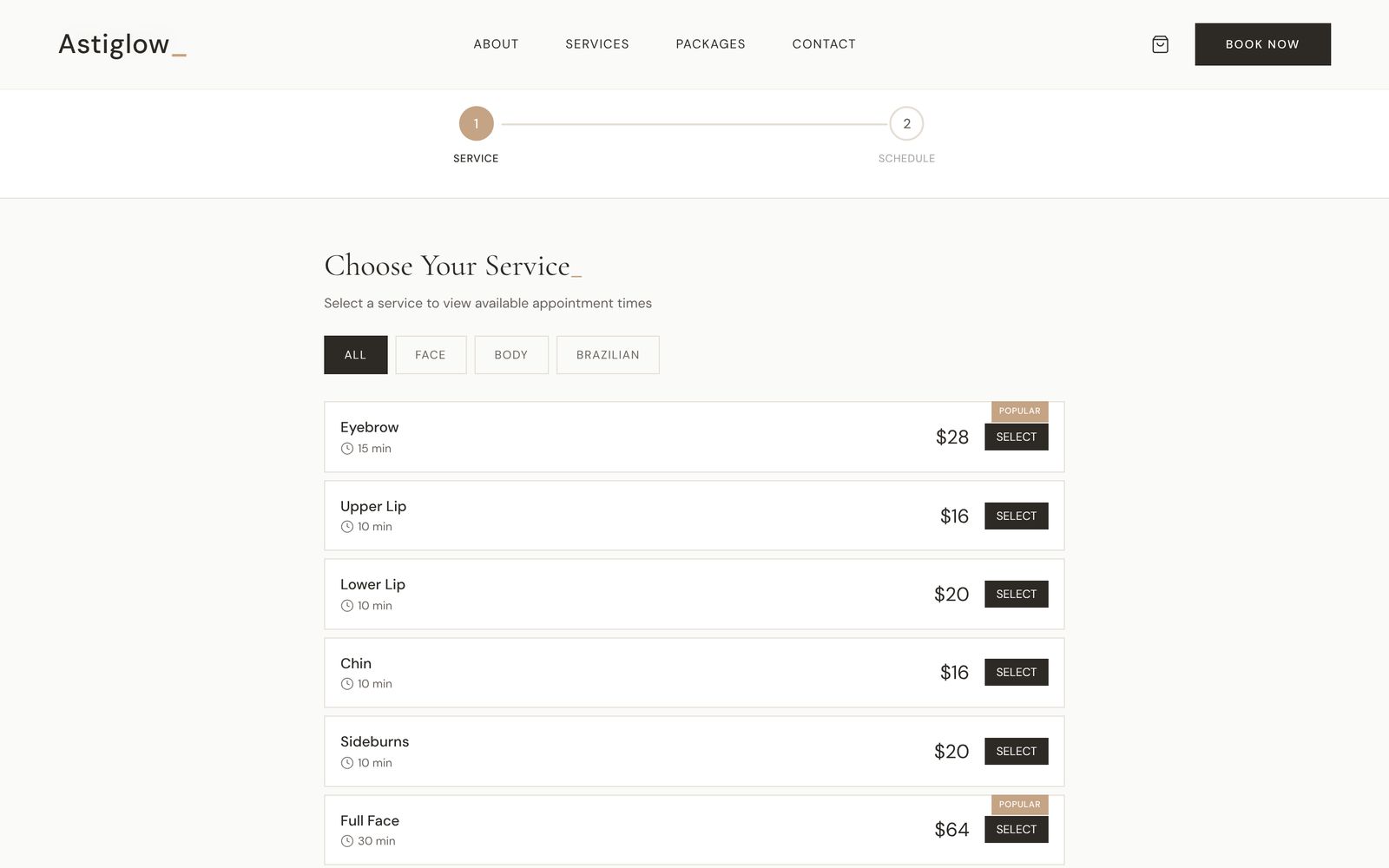
Booking pages like this one are where the deposit decision gets made:
My post on how to take deposits online to reduce no-shows covers deposit amounts, refund policies and wording.
Which is best for invoices and large jobs?
For large invoices, the cheapest option on any of the three is a bank transfer, and Stripe has the lowest cap at the time of writing.
Card fees are a percentage, so they grow with the job. A $3,000 catering order paid by card costs about $87 in Stripe fees and more on Square invoices or PayPal. Bank payments flip that:
- Stripe ACH Direct Debit: 0.8%, capped at $5 per payment.
- PayPal invoice paid by bank: 1%, capped at $10.
- Square invoice paid by ACH on the free plan: 1% with a $1 minimum; the pricing page shows a $10 cap on its paid plans.
Stripe Invoicing adds 0.4% per paid invoice on its Starter tier, so if you only send a few invoices a month, a payment link may be cheaper than a formal invoice.
Which is best for online checkout on a custom site?
Stripe is the strongest choice for a custom online checkout, with Square close behind if you also sell in person and want one system.
For a restaurant pickup order, a product drop or a paid class, the website needs to send an order, collect payment and confirm. Stripe Checkout handles the payment page, Apple Pay and Google Pay, receipts and fraud checks, and the site only needs to create the session and listen for the webhook. When something goes wrong, the most common cause is a missing or misconfigured webhook, which my post on Stripe webhooks walks through.
Square works well for restaurants and retailers already on Square, because online orders can land in the same system staff already use. Building against the Square API is what gets you the 2.9% plus 30 cents rate instead of 3.3% plus 30 cents.
PayPal fits best as a second button next to a card form, not as the only option, because of its higher fees on small orders.

What about in-person payments?
Square is the easiest in-person system for most small businesses, Stripe Terminal suits businesses where the website and custom software come first, and PayPal Point of Sale has the lowest card-present rate on paper.
At the time of writing, a card tapped in person costs 2.6% plus 15 cents on Square, 2.7% plus 5 cents on Stripe Terminal, and 2.29% plus 9 cents on PayPal Point of Sale. On a $40 sale those come to about $1.19, $1.13 and $1.01. The difference is small per sale; the bigger cost is running two systems that do not share items, customers or reports.
If most of your money comes in at a counter, start with the system your staff will use every day and connect the website to it. If most comes in online, start with Stripe and add in-person later.
What mistakes should you avoid when adding payments to a website?
The costly mistakes are confirming orders before payment succeeds, collecting card details yourself, and leaving test settings in place at launch.
- Confirm the booking or order only after the processor reports a successful payment, usually through a webhook, not when the customer clicks pay.
- Never collect card numbers in your own form fields. Use the processor's hosted checkout or its embedded card fields, so card data never touches your server.
- Keep your secret API keys on the server, in environment variables, and never in the website code that visitors download.
- Write down your refund and deposit policy and show it before payment, so disputes are easier to win.
- Turn on email receipts and payout notifications, and make sure they go to an inbox someone checks.
- Run one real live payment and refund before announcing the site.
None of these depend on which processor you pick, and each one is cheaper to get right during the build than after a customer complains.
A worked example: one studio, three processors
Here is an illustration with a made-up business. A yoga studio takes a $25 deposit online for each new client intro session, sells $120 class packs online, and invoices a corporate client $2,000 a month.
- Stripe: about $1.03 on the deposit, $3.78 on the class pack, and $5 on the invoice if paid by ACH (plus 0.4% if sent through Stripe Invoicing).
- Square free plan, using payment links: about $1.13 on the deposit, $4.26 on the class pack, and $20 on the invoice paid by ACH.
- PayPal Checkout: about $1.36 on the deposit, $4.68 on the class pack, and $10 on the invoice paid by bank.
If the studio also sells water and mats at the front desk, Square might still win overall because staff already use it. If everything is online, Stripe is cheapest here. Run your own numbers with your real mix.
Which should you choose?
Choose the processor that matches where most of your revenue already happens.
- Mostly in person, website second: Square.
- Mostly online, custom booking or checkout: Stripe.
- Customers often ask for PayPal or Venmo: add PayPal next to your main option.
- Large B2B invoices: whichever you use, push customers to pay by bank.
- Subscriptions, memberships or saved cards: Stripe.
Before you go live on any of them, test a real payment and a refund. My post Stripe test mode to live mode covers the checklist I use.
The bottom line
There is no single best processor, only the best fit for how you sell. Stripe is the most flexible for a custom website, Square keeps in-person and online in one place, and PayPal earns a spot when customers ask for it. The fee gaps on any one sale are small, so weigh the system your team will actually run every day, and steer big invoices to bank payments where all three are much cheaper than cards.
Questions, answered in one line
Which is cheapest for online card payments on a small business website?
At the time of writing, Stripe and the Square ecommerce API both list 2.9% plus 30 cents for US online cards, which is lower than Square payment links and invoices or PayPal Checkout.
Can I take deposits on my website with Square, Stripe or PayPal?
Yes, all three can take a deposit, either as a fixed checkout amount on your site or as a partial payment request on an invoice.
Should a business that sells in person and online use Square?
Usually yes, because Square keeps in-person and online sales, items and reports in one system, even if its online rates are higher than Stripe.
Do I need PayPal if I already use Stripe?
Not always, but if many customers ask to pay with PayPal or Venmo, adding PayPal as a second button can recover sales that a card form alone would lose.
Can Thomas Osayi add payments to my website?
Thomas Osayi builds a Business Site with a booking or quote form from $450, and a Full Custom Build with custom features such as checkout or deposits from $1,200.
Sources
- Pricing Stripe
- Square pricing Square
- PayPal merchant fees PayPal
- Request and manage deposits with Square Invoices Square Support
Related articles
- How much does a restaurant website cost in 2026?
- How to take restaurant orders online without third-party fees
- Toast vs Squarespace vs a custom website for restaurants
- Google Business Profile vs website: do you need both?
Custom Next.js websites for businesses
Custom Next.js websites for small businesses, clinics, restaurants and startups. Fast, SEO-ready, built from scratch with booking, ordering or quote tools. Based in Los Angeles.
See the service