November 22, 2026 · 8 min read · Thomas Osayi
Schema markup for a small business: LocalBusiness, Service, FAQ and review rules
What schema markup a small business site needs in 2026: LocalBusiness essentials, Service markup, the end of FAQ rich results, review rules and how to test it.
Schema markup has a reputation as an SEO trick: add some code, get stars and dropdowns in Google. For a small business in 2026 it is less magical and more useful than that. It is a way of stating plain facts, your name, address, phone, hours and services, in a format machines can read without guessing.
The rules have also changed. Google retired FAQ rich results this year, and its review rules rule out the star ratings many owners still ask for. Here is what is worth adding, what is not, and how I set it up on Next.js sites.
What is schema markup, and does a small business need it?
Schema markup is structured data, written in the schema.org vocabulary, that describes what a page is about, and a small business benefits most from the basic markup that identifies the business itself.
Google's general structured data guidelines recommend JSON-LD, a script block in the page that holds the description as data, separate from the visible HTML. Search engines read it to understand that "Monday to Friday, 9 to 6" are opening hours and that a string of digits is your phone number. Google's LocalBusiness documentation says this kind of markup can help a business appear in knowledge panels and business carousels.
Two caveats keep expectations honest. First, Google does not guarantee that structured data will show up in results, even when the Rich Results Test passes. Second, markup is not a ranking boost on its own. It removes ambiguity. Your Google Business Profile, reviews on Google, accurate listings and good service pages still do most of the work in local search, as I cover in the "Local SEO checklist for a small business website."
What should LocalBusiness markup include?
LocalBusiness markup must include the business name and address, and Google recommends adding the phone, URL, opening hours, geo coordinates and price range.
From Google's LocalBusiness documentation, the required properties are:
- name: the business name, exactly as customers see it
- address: a PostalAddress with street, city, region, postal code and country filled in as completely as possible
The recommended properties worth adding for most businesses:
- telephone, including country and area code
- url, a working link to the specific location's page
- openingHoursSpecification, with days, opening and closing times, and seasonal dates if hours change
- geo, with latitude and longitude to at least five decimal places
- priceRange, kept under 100 characters, such as "$$" or "$40 to $120"
- menu and servesCuisine for restaurants
Use the most specific type that fits. Schema.org has subtypes such as Dentist, Restaurant, HairSalon, AutoRepair and many others. A waxing studio might use BeautySalon or HealthAndBeautyBusiness. Specific types tell search engines more than the generic LocalBusiness.
The most important rule is consistency. The name, address and phone in your markup should match your Google Business Profile and the visible text on your site character for character.
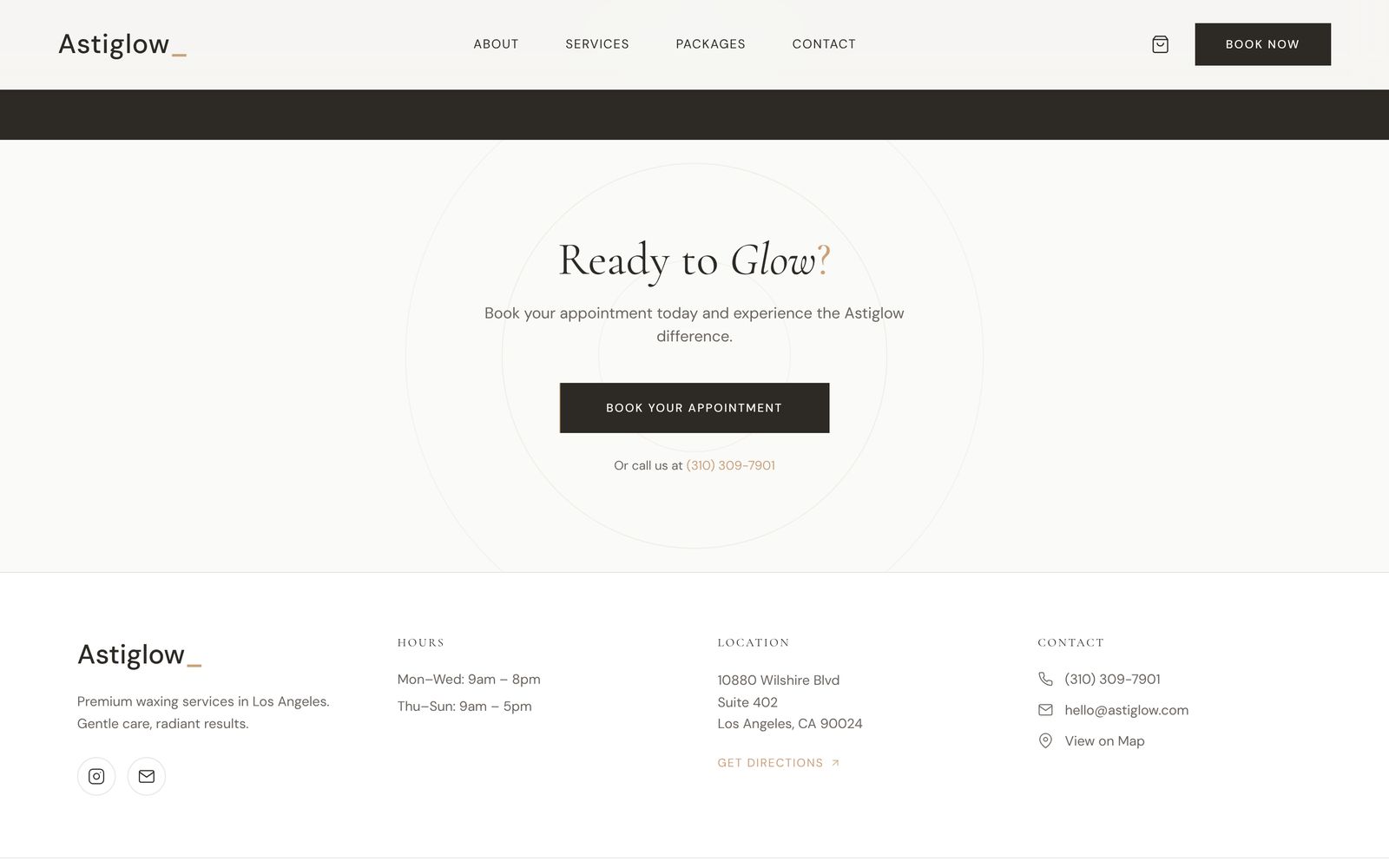
On Astiglow, a waxing studio site I built, the booking call to action, hours and location sit in a footer on every page. That visible information is exactly what LocalBusiness markup should mirror, no more and no less.
Where does the markup go on the site?
Put LocalBusiness markup on the homepage or the contact page, and give each physical location its own page with its own markup if you have more than one.
For a single-location business, one block on the homepage is enough. Some developers add it to every page through the site layout. That is acceptable, but I prefer to keep it on the page that actually shows the address and hours, because Google's guidelines say markup should describe content visible on the page.
For multiple locations, each location gets a page with its own address, hours and phone, and its own LocalBusiness block with a url pointing to that page. A parent Organization block on the homepage can tie them together.
In a Next.js App Router site, I render JSON-LD as a script tag with the type application/ld+json inside the page component, building the object from the same content file that renders the visible footer and contact page. Because one source feeds both, the markup cannot drift out of sync when the hours change.
Should I add Service markup?
Service markup is optional: it can describe what you offer on each service page, but Google does not offer a rich result for it, so treat it as extra clarity rather than a visible search feature.
Schema.org defines Service as a service provided by an organization, with properties such as serviceType, provider, areaServed and offers. On a page for, say, emergency plumbing, a Service block might name the service, point to your LocalBusiness as the provider, list the cities in areaServed and describe pricing in an offer.
Is it worth doing? For a small site, it is a modest improvement that costs little if the site is built well, because the data already exists in your service pages. It helps any system that reads structured data, including search engines and AI tools, connect "this business" with "this service in these areas." I add it when each service has a dedicated page, and skip it when services are only listed on one page. What I avoid is stuffing areaServed with dozens of cities you do not really serve. Markup has to tell the truth, same as the page.
Is FAQ schema still worth adding?
Not for Google rich results: Google deprecated the FAQ rich result, and it stopped appearing in Google Search on May 7, 2026.
The history matters because a lot of older advice still recommends FAQ markup as a way to take up more room in results. Google limited FAQ rich results to well-known government and health websites in August 2023. In 2026 it went further. Its FAQ structured data documentation added a deprecation notice in May stating the feature would no longer appear in Google Search starting May 7, 2026, and Google later removed the documentation for it.
What that means in practice:
- Existing FAQPage markup does not need emergency removal, but it no longer produces a special display in Google Search.
- Do not pay anyone to add FAQ markup for rich results.
- Visible FAQ sections are still worth having. They answer real questions, they help visitors decide, and plain question-and-answer text is easy for search engines and AI answer tools to quote.
My post "How to get your business mentioned in ChatGPT, Perplexity and Google AI answers" covers writing content that is easy to quote. That matters more now than the markup around it.
Can I show star ratings from my reviews?
Not for your own business: Google's review snippet rules say a business that controls the reviews about itself is ineligible for star ratings in results.
Google's review snippet documentation lists local businesses and organizations as eligible only for sites that capture reviews about other businesses, such as a directory or review site. It also says that if the entity being reviewed controls the reviews about itself, its pages are ineligible for the star review feature, and that ratings must come directly from users rather than being compiled by editors.
So a testimonials section on your own site, even with genuine five-star quotes, will not earn stars in Google, and marking it up as AggregateRating is a bad idea. The general guidelines say not to mark up misleading content, such as fake reviews, and a structured data manual action removes a page's eligibility for rich results. The stars people see next to local businesses in Google come from Google reviews on the Business Profile. Put your effort there: ask happy customers for reviews and reply to them.
Testimonials on your site are still valuable as visible social proof. Just leave them unmarked.
How do I test schema markup?
Test with Google's Rich Results Test for features Google supports, the Schema Markup Validator for general schema.org correctness, and Search Console's reports after launch.
My routine:
- Paste each key page URL into the Rich Results Test. For LocalBusiness it reports detected items and any missing required fields.
- Run the same URLs through the Schema Markup Validator at validator.schema.org, which checks all schema.org types, including ones Google has no rich result for, such as Service.
- After launch, check Search Console for structured data reports, and the Manual Actions report if anything looks wrong.
- View the page and compare: every fact in the markup should be visible to a visitor.
Common errors I fix: an address missing a postal code, hours written in a format that does not parse, a telephone without the country code, and a url pointing to the homepage on a location page. Each takes a few minutes once spotted.
What does a sensible setup look like?
Here is an illustration with a made-up business: Bright Path Pediatric Dentistry, one office in Pasadena, with five service pages.
- The contact page carries Dentist markup with name, full address, telephone, url, opening hours, geo and a price range.
- Each service page, such as sealants or emergency visits, carries a Service block with Bright Path as the provider and Pasadena and nearby cities in areaServed.
- The visible FAQ section on each service page stays, with no FAQPage markup added for rich results.
- Testimonials appear as quotes on the homepage, unmarked.
- Hours come from one content file that feeds the footer, the contact page and the markup.
On my packages, this is part of the technical SEO on a Business Site from $450 in 14 days, which covers up to five pages and local SEO setup. Adding it to an existing site usually takes a few hours.
The bottom line
Schema markup for a small business is mostly about stating basic facts clearly: LocalBusiness, or a specific subtype, with name, address, phone, hours and URL that match your Google Business Profile and your visible pages. Service markup is a reasonable extra on dedicated service pages. Skip FAQ markup for rich results, since Google stopped showing them in May 2026, and never mark up your own testimonials for stars. Use JSON-LD, test with the Rich Results Test and the Schema Markup Validator, and keep one source of truth so the markup never contradicts the page.
Questions, answered in one line
What schema markup does a small business website need?
Start with LocalBusiness, or a more specific subtype such as Dentist or Restaurant, on the homepage or contact page, and add Service or Product markup only where it describes real visible content.
Does FAQ schema still work in 2026?
Google stopped showing FAQ rich results on May 7, 2026, so FAQ markup no longer produces a special display in Google Search, although visible FAQ content is still useful to readers.
Can I add star ratings to my business website with schema?
Not for reviews of your own business, because Google says pages where the business controls the reviews about itself are ineligible for star review rich results.
Which format should I use for structured data?
Google recommends JSON-LD, a script block in the page that describes the content without changing the visible HTML.
Does Thomas Osayi add schema markup to the websites he builds?
Yes, schema markup is part of the technical SEO on his sites, including the Business Site from $450, which covers up to five pages with local SEO setup.
Sources
- Local business (LocalBusiness) structured data Google Search Central
- General structured data guidelines Google Search Central
- Review snippet (Review, AggregateRating) structured data Google Search Central
- FAQ (FAQPage, Question, Answer) structured data Google Search Central
- Service Schema.org
Related articles
- How much does a restaurant website cost in 2026?
- How to take restaurant orders online without third-party fees
- Toast vs Squarespace vs a custom website for restaurants
- Google Business Profile vs website: do you need both?
Custom Next.js websites for businesses
Custom Next.js websites for small businesses, clinics, restaurants and startups. Fast, SEO-ready, built from scratch with booking, ordering or quote tools. Based in Los Angeles.
See the service