November 17, 2026 · 10 min read · Thomas Osayi
Online booking for your website: embed a tool or build it custom?
The options for adding online booking to a small business website, from scheduling links to custom booking systems, with costs and trade-offs.
Online booking is one of the most useful things a service business can add to its website. A client who can pick a time at 11pm, without waiting for you to answer the phone, is a client who books with you and not with the next search result.
There are three ways to do it: a request form, an embedded booking tool, or a booking system built into the site. I have built all three for clients, and the right one depends less on budget than on how complicated your scheduling rules are.
What are the options for adding online booking to a website?
There are three levels, and each one trades cost against how much work it takes off your hands.
- A request form: the visitor picks a service and a preferred time, and you confirm by hand
- An embedded booking tool: a scheduling platform shows live availability and confirms on the spot
- A custom booking system: availability, rules and payments are built into your own site and database
The first level is a feature of the website. The second is a subscription to someone else's software, shown on your site. The third is software you own. Most salons, studios, clinics and consultants belong on the second level, because the tools made for their industry already handle calendar sync, reminders, cancellations and payments. The other two exist for the businesses at either end: the ones with too few bookings to justify a monthly fee, and the ones whose rules no standard tool can express.
When is a simple request form enough?
A request form is enough when you take a handful of bookings a week and already talk to each customer before the appointment.
The form asks for the service, a preferred date and time, a backup time, name, phone and email. It sends you an email, and the visitor sees a message saying when they will hear back. Nothing is confirmed until you reply.
What it does well
It costs nothing per month, it works on any site, and it lets you screen requests. Restaurants taking large-party reservations, contractors scheduling estimates and photographers booking shoots often prefer this, because every booking needs a short conversation anyway.
Where it breaks
- Two people can ask for the same slot, and one of them gets a disappointing reply
- Every request waits on you, so one sent on Saturday night may sit until Monday
- There are no automatic reminders, so no-shows are more likely
- Nothing lands in your calendar unless you put it there
The fix for most of this is wording. Call the button "Request a time", not "Book now", and say on the confirmation screen exactly when you will reply. A form that promises a confirmed booking and then delivers an email thread loses trust.
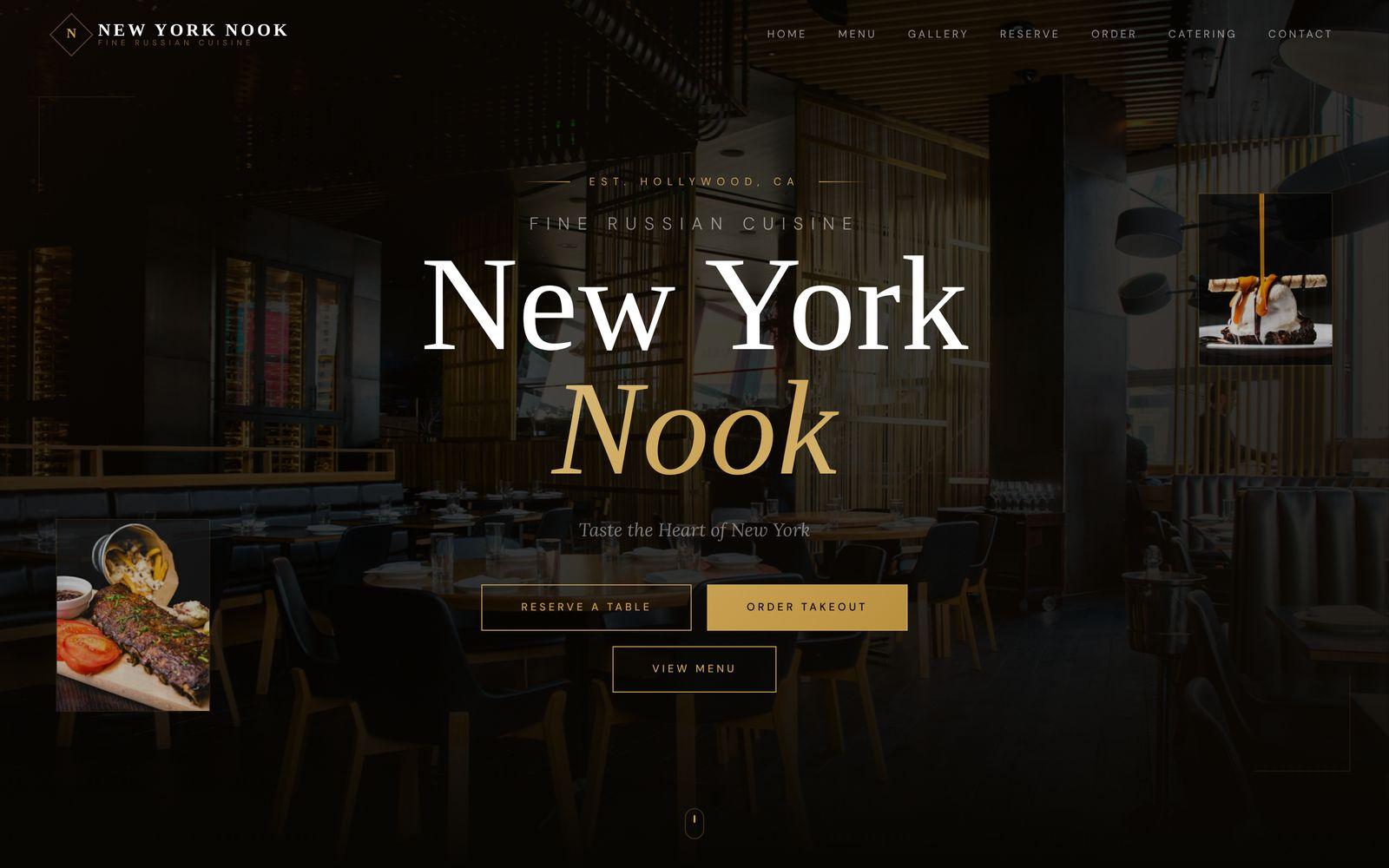
New York Nook, a restaurant site I built in Hollywood, takes this approach for tables: guests send a reservation request from their phone and the restaurant confirms it.
Which booking tool should a small business embed?
Embed the tool your industry already uses, because your clients have probably booked through it before and your staff may already know it.
Tools by type of business
- Consultants, coaches and sales calls: Calendly, Cal.com, or the booking pages built into Google Calendar and Microsoft 365
- Salons, barbers, waxing and lash studios: Square Appointments, Vagaro, Fresha, Booksy or GlossGenius
- Fitness studios and classes: Mindbody
- Restaurants: OpenTable, Resy or Tock
- Therapy and health practices: SimplePractice or Jane, which also handle intake forms and records
What to check before you commit
- Does it sync both ways with the calendar you actually live in?
- Does it send text reminders, and are those included or charged per message?
- Can it take a deposit or hold a card?
- Can you export your client list if you leave?
- Does it charge per staff member, per booking, or take a cut of bookings from new clients it sends you?
That last point matters. Some marketplace-style tools charge a commission on the first visit of a new client they bring you. That can be a fair deal, but you should know about it before your regulars start booking through the same tool.
Link, button or inline embed
There are three ways to connect the tool to the site. A plain link opens the tool's page in a new tab. A pop-up button opens the scheduler over your page. An inline embed places it inside your page. I usually put an inline embed on a dedicated booking page and use plain buttons everywhere else that lead to it. The visitor stays on your domain, and the heavy script loads on one page only.
How do I keep a booking widget from slowing down the site?
Load the widget only where it is used, and only when the visitor is about to use it.
Booking widgets are third-party scripts, often with their own fonts and styles. Put one in the header of every page and the whole site pays for it, including in Core Web Vitals, which Google uses as a ranking signal.
What I do on a Next.js site:
- Keep the widget on a single /book page, not the homepage
- Load its script with the lazyOnload strategy of the Next.js Script component, or only after the visitor clicks the booking button
- Reserve the space with a fixed minimum height, so the page does not jump when the calendar appears
- Show a plain "Book by phone" link next to it, in case the script is blocked or fails
When does a custom booking system make sense?
Build custom when a booking depends on rules that standard tools cannot hold, or when booking is the product you sell.
Signs you are there:
- One booking needs several things free at once, such as a room, a staff member and a piece of equipment
- Price depends on many options: size, add-ons, travel distance, time of week
- Jobs vary in length and have to be routed to whoever is nearby and qualified
- Bookings must connect to your own systems, such as invoices, client records or a team calendar
- You are paying for workarounds, like staff re-entering bookings from one tool into another
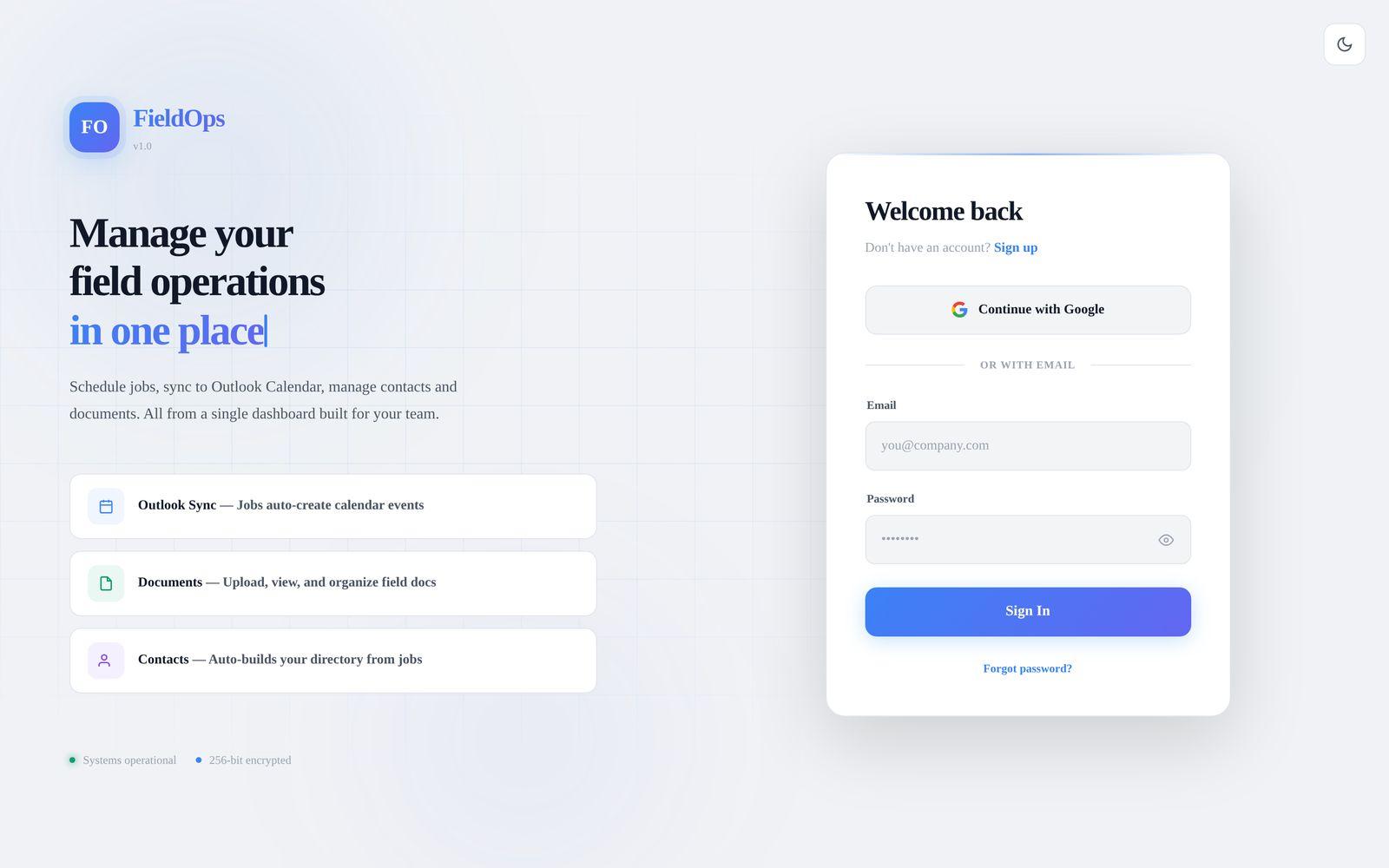
FieldOps is an example from my own work: a job scheduling app for field teams that syncs with Outlook Calendar. Assigning jobs to people in the field and keeping each work calendar in step is a different problem from the one a salon scheduler was designed for.
What a custom build has to get right
- Double bookings: two people tapping the same slot at the same second must not both succeed, which means the slot check and the save happen in one database transaction
- Time zones and daylight saving: store times in UTC and display them in the business's zone
- Buffers: travel or cleanup time between appointments
- Calendar sync: pushing confirmed bookings to Google or Outlook, and reading busy times back
- Reminders: email and text, with a link to reschedule
- An admin view: staff need to move, cancel and add bookings by hand
Every one of those comes included in an off-the-shelf tool. That is the real cost of going custom: you rebuild solved problems in order to get the two or three rules you need.
How much does each option cost?
A request form is the cheapest to build and free to run, an embedded tool has a low build cost and a monthly fee, and custom booking costs the most up front with no per-booking fees.
- Request form: part of a normal site build. My Starter Site, from $150 and about 7 days, includes a contact form, and the Business Site, from $450 and about 14 days, includes a booking or quote form with email notifications.
- Embedded tool: the embed is a small part of a site build. The tool's subscription is separate and paid to the vendor. Plans run from free tiers for one person to monthly fees that grow with staff count, so check the current pricing page for your team size.
- Custom booking: this falls under my Full Custom Build, from $1,200 and about 21 days, and the price rises with the number of rules, calendars and payment steps involved.
Count the running costs too. Text reminders are billed per message by providers such as Twilio. Card payments carry processing fees whichever route you take. A custom system needs occasional maintenance when a calendar API or payment library changes.
How should deposits, cancellations and no-shows work?
Decide the policy first, write it in one sentence next to the booking button, and let the software enforce it.
Common setups:
- A deposit at booking, taken off the final bill
- A card held on file and charged only for a late cancellation or no-show
- Full prepayment for packages and classes
Most booking tools support at least one of these. In a custom build I use Stripe: either a payment at checkout for the deposit, or a saved card that can be charged later under the policy the client agreed to.
Keep the policy visible and specific. "Cancel or reschedule up to 24 hours before for a full refund of your deposit" is clear. A link to a long terms page is not. Put a reschedule link in every confirmation and reminder, because the easier it is to move an appointment, the fewer people simply fail to show up.
Reminders do most of the work. One email at booking, one message the day before, and one a couple of hours before covers it. If your tool charges for texts, the day-before text is the one worth paying for.
Where should the booking button go so people actually use it?
Put it wherever someone might decide, which means the header, every service page and the end of every page, not only the contact page.
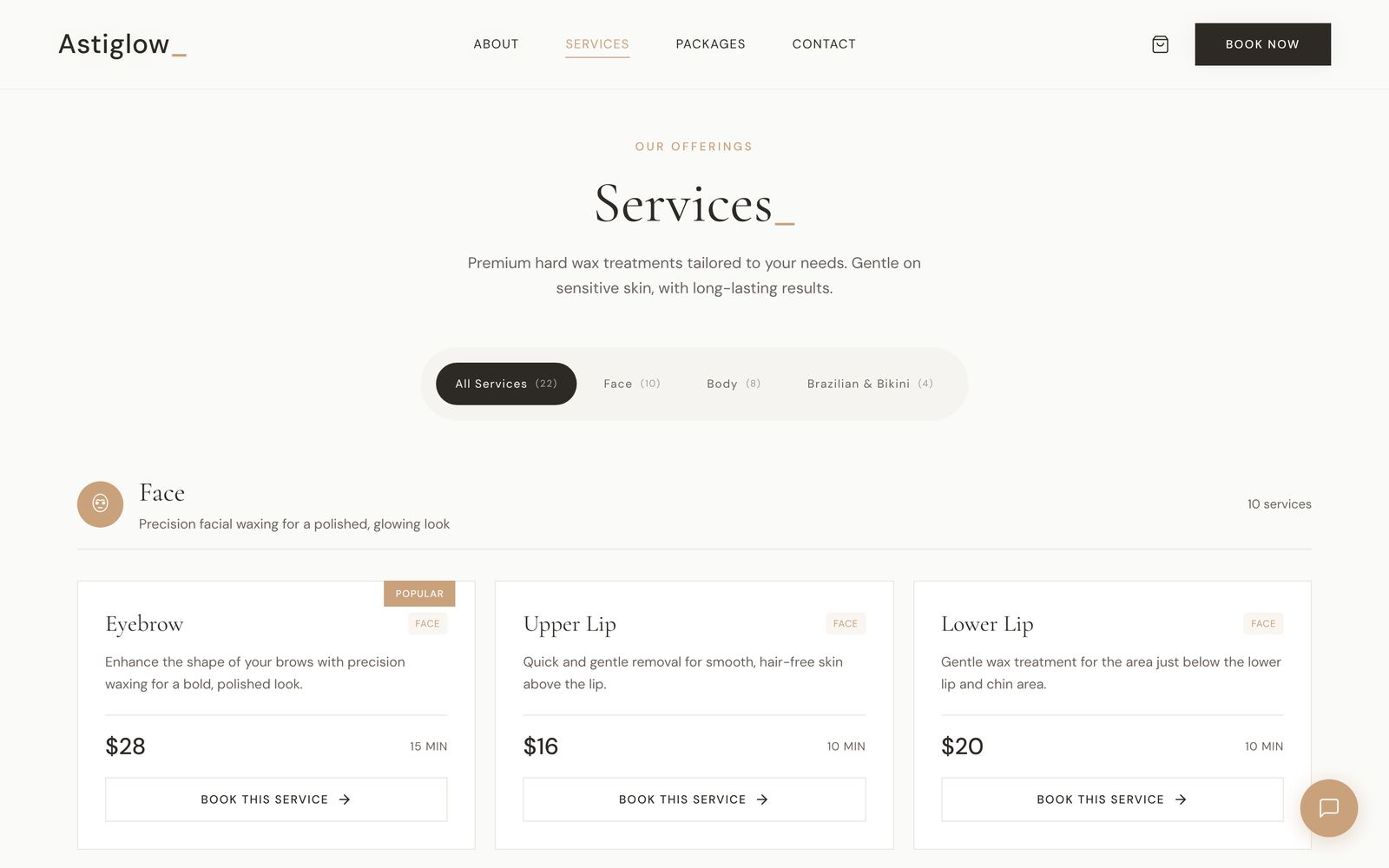
Astiglow, a waxing studio site I built, pairs the service menu and packages with online booking, so a client can read what a service costs and book it in the same visit.
The details that raise bookings:
- Show prices or starting prices next to each service, so nobody has to book to find out the cost
- Link each service's button straight to that service in the scheduler, not to the top of a generic list
- Ask for the time slot first and contact details second, since people who have chosen a time tend to finish the form
- Keep required fields to name, phone and email, and collect intake details in the confirmation email
- Add a fixed "Book" button on mobile, where most local visitors are
- Offer a phone number beside it for people who prefer to call
Then measure it. Set up a conversion event for completed bookings in your analytics, or at least for clicks on the booking button, so you can see which pages send bookings and which do not.
What mistakes cost bookings?
The most common mistake is making people work before they can see a time.
- Forcing account creation before showing availability
- Sending every button to a generic scheduler home screen, where the client has to find the service again
- Hiding prices until the last step
- Showing an availability window so long and empty that the business looks quiet, when a few weeks is enough
- Forgetting to block holidays and staff time off, then cancelling on clients
- Letting the booking tool's page become your only web presence, so you own no page that ranks for your services
- Leaving two different tools embedded on different pages after switching vendors
Test the full path yourself once a month, on your phone, as a new client. Book a real appointment, receive the reminder, reschedule it, cancel it. Most problems show up in five minutes this way, long before a client mentions them.
The bottom line
Start with the tool your industry already uses, embedded on a fast booking page and linked from every service. Use a request form if volume is low and each booking needs a conversation. Move to a custom system only when your rules have clearly outgrown the tool and the workarounds cost more than the build would.
Questions, answered in one line
Can a website take bookings without a monthly tool?
A simple request form that emails you works for low volume, but you confirm each booking by hand.
Will an embedded booking widget slow my site?
It can; loading it only on the booking page or after the main content keeps the rest of the site fast.
Can online booking take deposits?
Yes, most booking tools support deposits, and a custom build can use Stripe.
How much does it cost to add booking to a website?
A request form is part of a normal site build, an embedded tool adds its own monthly subscription, and a custom booking system falls under a Full Custom Build from $1,200.
Which booking tool is best for a small business?
Usually the one your industry already uses, because clients recognize it and it handles reminders, calendar sync and payments.
How do I reduce no-shows from online bookings?
Send a reminder the day before with a reschedule link, and take a deposit or hold a card under a clearly stated cancellation policy.
Sources
- Script Component Next.js
- Save a customer's payment method without making a payment Stripe
- Web Vitals web.dev
Related articles
- How much does a restaurant website cost in 2026?
- How to take restaurant orders online without third-party fees
- Toast vs Squarespace vs a custom website for restaurants
- Google Business Profile vs website: do you need both?
Custom Next.js websites for businesses
Custom Next.js websites for small businesses, clinics, restaurants and startups. Fast, SEO-ready, built from scratch with booking, ordering or quote tools. Based in Los Angeles.
See the service