November 17, 2026 · Updated November 22, 2026 · 10 min read · Thomas Osayi
Next.js vs Webflow vs Wix: which is right for your business site?
A comparison of three ways to build a business website by cost, speed, editing, SEO and flexibility, with a recommendation for each type of business.
All three can produce a good-looking site. They differ in who does the work, what the site can do and what you pay each month.
I build with Next.js, so treat it as my default and judge the other two sections for fairness. It is not the right answer for every business. The right choice depends less on the tool than on three facts about your business: who will build the site, who will edit it, and whether it needs to do anything beyond showing information.
What is the difference between Wix, Webflow and Next.js?
Wix is a do-it-yourself builder, Webflow is a visual design tool for professionals, and Next.js is a code framework a developer builds with. They sit at three points on one line that runs from easy and limited to flexible and technical.
- Wix: you drag sections onto a page, pick a template and publish. Wix hosts the site and you pay a subscription.
- Webflow: a designer builds layouts visually with the same box model a developer uses in CSS. Webflow hosts the site and you pay per site.
- Next.js: a developer writes the site in React and TypeScript. The code sits in a GitHub repository you own and deploys to a host such as Vercel.
The practical result is that Wix asks the most of your own time and the least of your budget, Next.js does the opposite, and Webflow sits between them and assumes you have a designer.
Who is Wix right for?
Wix is right for an owner who needs a simple site this week and will build it personally. Wix is a drag-and-drop builder for people building their own site. Setup is fast and there is an app market for common features.
Where it works well
A new business that needs a home page, a short list of services, hours and a contact form can be live in a weekend. The templates look decent, the editor needs no training, and bookings, a small store and email forms are available as apps.
Where it runs out
The trade-offs are a monthly subscription for as long as the site exists, limited control over performance and markup, and no way to export the site if you leave. Each app you add loads its own scripts, so a Wix site with booking, chat, a popup and a gallery often feels slow on a phone. When you need something the app market does not offer, such as a quote form that prices a job from several inputs, you are stuck with a workaround.
Who is Webflow right for?
Webflow is right for a design-led marketing site that a team will keep editing. Webflow is a visual design tool that outputs clean code and has a strong CMS for blogs and collections. It suits designers and marketing teams who want pixel control without writing code.
Where it works well
Webflow gives a designer real control: layouts, breakpoints and scroll animations are set visually, and the HTML it produces is tidy. Its CMS lets you define a collection, such as team members, case studies or blog posts, design one template and have every item follow it. Editors can change text and images without touching the design.
Where it runs out
It costs more than Wix, and features beyond its CMS usually need third-party tools. Logins, member areas, complex forms and anything with business rules are bolted on through outside services, each with its own fee. CMS plans cap the number of items. The editor also has a learning curve, so an owner without a designer usually finds it harder than Wix, not easier.
Who is Next.js right for?
Next.js is right for a business whose site has to do work, or one that expects the site to grow. Next.js is a code framework. A developer builds the site, and you can add anything: booking rules, quote calculators, client portals, payments.
Where it works well
Because it is code, there is no list of features to stay inside. The same project can hold a marketing site, a booking flow with your exact rules, a customer login and an admin panel. Pages are pre-built and very fast, and the code lives in your own repository.
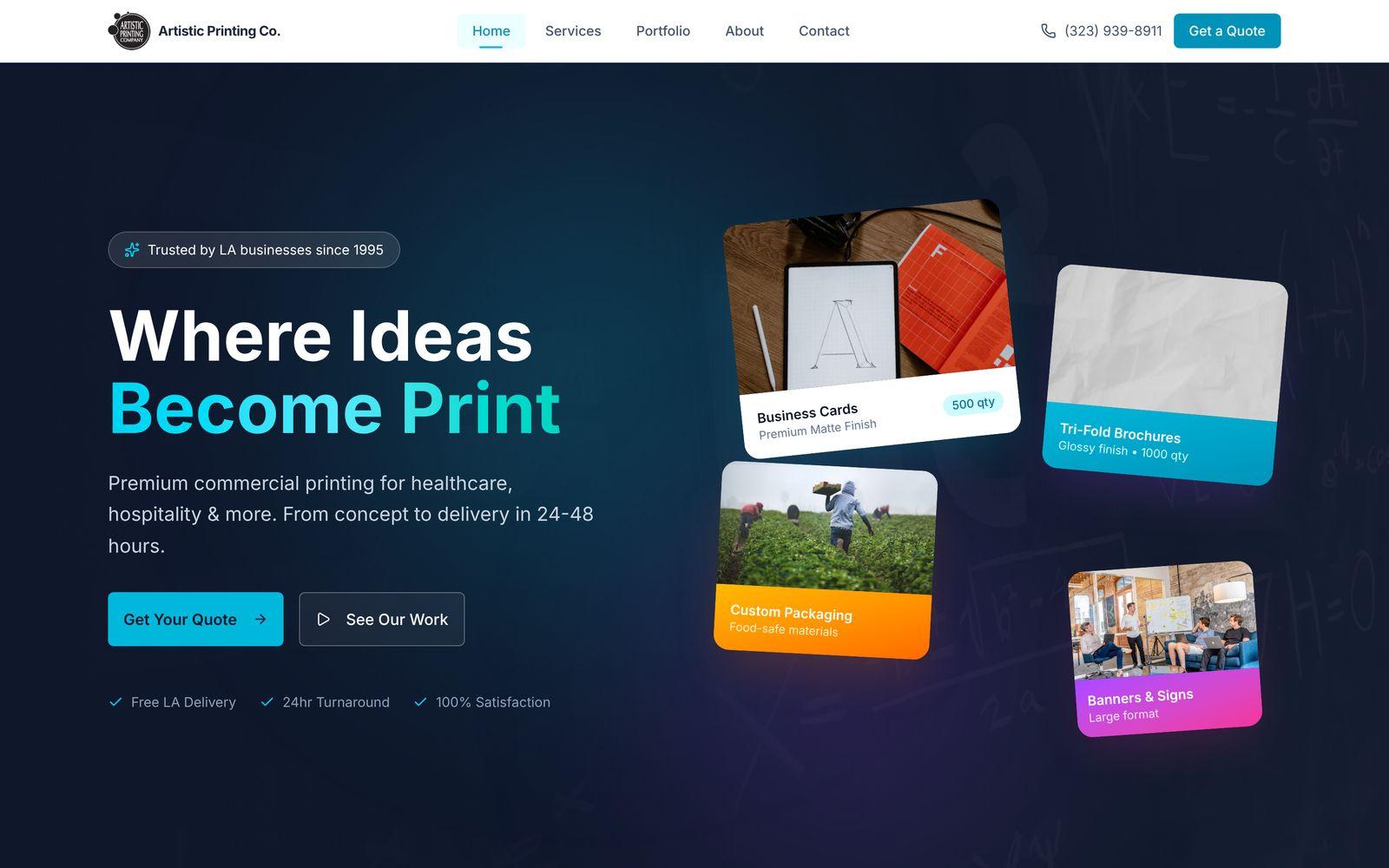
One of my clients is a commercial printer. Their site is not only a brochure. It takes in job details from customers and gives the shop a tool to manage quotes, and it was built for the way that shop works.
Where it runs out
You need a developer to build it and to make structural changes later. Editing needs a CMS or admin panel added by the developer. If nobody plans for that, every text change becomes a request, which gets old quickly.
Which one is fastest and best for SEO?
Next.js gives the most control over speed and SEO, Webflow is close behind for standard marketing pages, and Wix is fine for basics. All three can rank on Google. The gap shows up on competitive searches and on phones.
Speed
A Next.js site can pre-build each page as static HTML, send only the JavaScript that page needs, and resize and compress images automatically through its image component. The developer decides exactly which scripts load. Webflow pages are also served as static files from a CDN and are generally quick, though heavy animations and embedded tools slow them down. Wix has improved, but the owner has little say over what the platform loads.
SEO control
All three let you set page titles, descriptions and image alt text. The differences are further down the list.
- Structured data: with Next.js, LocalBusiness, FAQ and Product markup can be generated for every page from your data. Webflow supports custom code per page. Wix covers common cases with built-in settings.
- URL structure and redirects: fully controlled in Next.js, well supported in Webflow, more limited in Wix.
- Programmatic pages: a Next.js site can generate a page for each service and city from one data file. Webflow does this with CMS collections up to its item limits.
For a local business with five pages, any of the three can do well with good content and a complete Google Business Profile. Past that, control starts to matter.
What does each one cost over three years?
Builders cost less in month one and more by year three, and a custom site is the reverse. The numbers below are shapes, not quotes, because platform prices change. Check each pricing page before you decide.
Wix
A subscription every month, usually billed yearly, on a plan that removes Wix branding and connects your domain. Paid apps add their own monthly fees. Your own time to build and maintain it is the hidden line.
Webflow
A site plan every month, higher if you need the CMS, plus a designer's fee to build it unless you are one. Extra editor seats and outside tools for forms, memberships or search add to the bill.
Next.js
A one-time build fee, then the domain and light hosting. For reference, I build one-page sites from $150, business sites of up to five pages from $450 and full custom builds from $1,200. A small Next.js site costs little to host, and there is no platform subscription. You pay again only when you want something changed or added.
The honest comparison is three years of subscription and your own hours against one build fee and occasional updates. For a site that will exist for years, the custom route is often cheaper than it first looks.
What do the plans cost at the time of writing?
At the time of writing, Wix runs from about $18 to $40 a month for its main plans, Webflow from $15 to $25 a month per site, and a small Next.js site can be hosted for $0 to $20 a month. All of these are list prices billed yearly or monthly as stated on each pricing page, and they change, so treat them as a snapshot.
Wix
The paid plans shown on the Wix pricing page are Light at $17.77 a month, Core at $29.77 and Business at $39.77, billed yearly and paid up front, with prices that vary by location. Over three years, the Business plan alone comes to roughly $1,430 before any paid apps.
Webflow
Site plans start at $15 a month billed yearly for a site without the CMS, and $25 a month for the plan that includes it, with a cap of 20,000 CMS items. A designer's fee to build the site sits on top.
Next.js on Vercel
Vercel's Hobby plan is free, but its terms limit it to personal or non-commercial use, so a business site belongs on the Pro plan at $20 a month, which includes $20 of usage credit. A light brochure site is built to stay inside that credit. Over three years that is about $720 in hosting, plus the one-time build.
The comparison that matters is your own: multiply the plan you would actually need by 36 months, add apps or designer fees, and set it beside a build quote.
How do you edit content and what if you want to leave?
Wix and Webflow make editing easy and leaving hard, while Next.js makes leaving easy and needs editing to be planned.
Day-to-day editing
In Wix, you click on the text and type. In Webflow, an editor can update text, images and CMS items without entering the design tool. In Next.js, it depends on what was built: a headless CMS such as Sanity, a small custom admin panel, or content files the developer updates for you.
Leaving the platform
- Wix: there is no export. Moving means rebuilding the site elsewhere and copying the content across.
- Webflow: paid plans can export HTML, CSS and assets for static pages, but CMS content and its templates do not come with the export in working form. CMS items can be downloaded as a spreadsheet.
- Next.js: the code is already yours. You can change hosts or developers without rebuilding anything.
Switching to Next.js later
Yes, you can switch from a builder, but the site is rebuilt and not exported. The time to do it is when you would redesign anyway. Keep the same URLs where you can and redirect the ones that change, so existing search rankings carry over.
Which should you pick?
Pick by who builds, who edits and what the site must do. Side by side, the three look like this.
- Wix: lowest effort, monthly fee, limited custom features, locked in
- Webflow: high design control, monthly fee, good CMS, partial lock-in
- Next.js: needs a developer, full custom features, fastest pages, you own the code
Building it yourself with no budget for a developer: Wix. A design-led marketing site edited by a team: Webflow. A site that has to do real work for the business, or that may grow into an app: Next.js.
A few common cases:
- A new solo business testing an idea: Wix, or a one-page custom site if you would rather not build it yourself
- A funded startup with a designer and a content team: Webflow
- A service business that wants a page per service and city: Next.js
- Any site that will later need customer logins: Next.js, so you do not rebuild
A restaurant that wants reservations and pickup orders on its own site, without sending guests to a third-party page, is also a Next.js case. I built exactly that for a restaurant in Hollywood.

The bottom line
Wix is best for a simple site you build yourself, Webflow for designers who want visual control without code, and Next.js for businesses that need custom features, top speed and full ownership of the code. None of them is wrong in general. The mistake is picking a builder for a site that needs custom logic, or paying for a custom build when a weekend on Wix would have done the job. Write down what the site has to do in a year, not only at launch, and the choice usually makes itself.
Questions, answered in one line
Is Webflow better than Wix?
Webflow gives far more design control and cleaner output; Wix is easier for a beginner building a simple site alone.
Why would a business choose Next.js over a website builder?
For custom features such as booking logic, quote tools or portals, faster pages, and code the business owns outright.
Can I switch from Wix to Next.js later?
Yes, but the site is rebuilt rather than exported, so it is easiest to switch when you are ready for a redesign anyway.
Is Next.js better for SEO than Wix or Webflow?
All three can rank, but Next.js gives a developer full control over page speed, markup and structured data, which helps most on competitive searches.
Can I edit a Next.js site myself?
Yes, if the developer adds a CMS or an admin panel for the parts you change often, such as prices, menus or blog posts.
Which option has the lowest long-term cost?
Wix and Webflow bill every month for as long as the site exists, while a Next.js site is paid for once and then costs only the domain and light hosting.
Sources
- Wix Pricing Information Wix
- Plans & pricing Webflow
- Vercel Pricing: Hobby, Pro, and Enterprise plans Vercel
- Terms of Service Vercel
- Image Optimization Next.js
Related articles
- How much does a restaurant website cost in 2026?
- How to take restaurant orders online without third-party fees
- Toast vs Squarespace vs a custom website for restaurants
- Google Business Profile vs website: do you need both?
Custom Next.js websites for businesses
Custom Next.js websites for small businesses, clinics, restaurants and startups. Fast, SEO-ready, built from scratch with booking, ordering or quote tools. Based in Los Angeles.
See the service