November 17, 2026 · 10 min read · Thomas Osayi
Local SEO checklist for a small business website
The on-site and off-site steps that help a local business show up in Google Maps and local search, in order of impact.
Local SEO has two halves: your Google Business Profile and your website. Both matter, and the profile usually matters more for Maps. The work is not mysterious, and most of it is free. It is a list of specific things to get right, and the businesses that show up near the top have usually done the whole list.
I build local SEO setup into business sites, so this is the checklist I work from, in order of impact. Start at the top and stop when you run out of time; the early items do the most.
How does Google decide which local businesses to show?
Google says local results are based mainly on three factors: relevance, distance and prominence.
Relevance is how well your business matches what the person searched for. Google judges it from your profile's categories and services and from the content of your website. Distance is how far you are from the searcher, or from the place named in the search. Prominence is how well known the business is, which Google estimates from reviews, links, mentions across the web and your position in normal search results.
You cannot change distance. A plumber in Torrance will not outrank a plumber in Pasadena for someone standing in Pasadena, and no trick fixes that. So the work is about the other two: making it obvious what you do and where, and building real evidence that customers choose you.
Local results also appear in two places. The map pack is the block of three businesses with a map, and it draws mostly on Business Profiles. The regular results underneath draw on websites. A business with both a strong profile and a strong site can appear twice on the same page.
How do you set up a Google Business Profile properly?
Claim it, verify it, and fill in every field accurately, starting with the primary category.
Choose the most specific category
The primary category has more influence on which searches you appear for than any other field. Pick the most specific one that is true. "Waxing hair removal service" beats "Beauty salon" for a waxing studio. Add secondary categories only for things you really offer.
Complete every section
- Business name exactly as it appears on your sign. Adding keywords or city names to the name breaks Google's guidelines and can get the profile suspended.
- Address, or a service area if customers do not come to you. Home-based service businesses should hide the address and list the areas they cover.
- Hours, including holiday hours. Wrong hours lead to bad reviews.
- Services, each with a short description, and products if you sell them
- Phone number and website link
- A booking or appointment link if you take bookings online
Add real photos and stay active
Upload photos of the storefront, the interior, the team and the work, and add new ones regularly. Post an update now and then, and reply to messages if you turn messaging on. An active profile tells customers the business is open and paying attention.
Verification is often done by a short video showing your location and proof you run the business. Have signage, tools or paperwork ready before you start.
How do you get more reviews without breaking the rules?
Ask every happy customer, make it one tap, and reply to every review you get.
Most satisfied customers will leave a review if asked at the right moment and never think of it otherwise. The right moment is just after the job is done well, while they are still pleased.
- Get your review link from the profile, under the option to ask for reviews, and save it
- Send it by text or email the same day, with a short personal note
- Print it as a QR code for the counter, the invoice or a card left behind
- Ask in person first, then send the link; the request works better when it is expected
Reply to every review. Thank people for good ones in a sentence or two. For bad ones, stay calm, acknowledge the problem, and offer to fix it offline. Future customers read your replies more closely than the complaint.
Know the rules. Google's policies prohibit paying for reviews or offering discounts or gifts for them, and they also prohibit selectively asking only customers you expect to be positive. Do not review your own business or have staff do it. Reviews that break the policies can be removed, and the profile can be restricted.
Why do your name, address and phone number need to match everywhere?
Because search engines combine information about your business from many sources, and mismatches make them less sure it is all the same business.
The three details are often shortened to NAP. They should be identical on:
- Your website, in the footer and on the contact page
- Your Google Business Profile
- Apple Business Connect, which feeds Apple Maps
- Bing Places
- Yelp and Facebook
- Industry directories, such as those for contractors, health providers or restaurants
- Your local chamber of commerce listing
Small differences such as "Suite 200" against "#200" rarely matter. Real differences do: an old phone number, a previous address, or a former business name still live on a directory. Search your business name and phone number, list every place you appear, and correct the wrong ones. If you moved or rebranded, this cleanup is worth an afternoon.
Use one main phone number everywhere. If you use call tracking numbers for ads, keep them out of your profile and directory listings.
What does the website itself need?
The site needs a clear page for each main service, your contact details on every page, and fast loading on a phone.
One page per main service
A single "Services" page listing ten things gives Google one weak signal for each. A page per main service, each with its own heading, description, photos, price guidance and common questions, gives it a strong signal for each. Name the city or area naturally in the page title, the main heading and the text, the way you would say it to a customer.
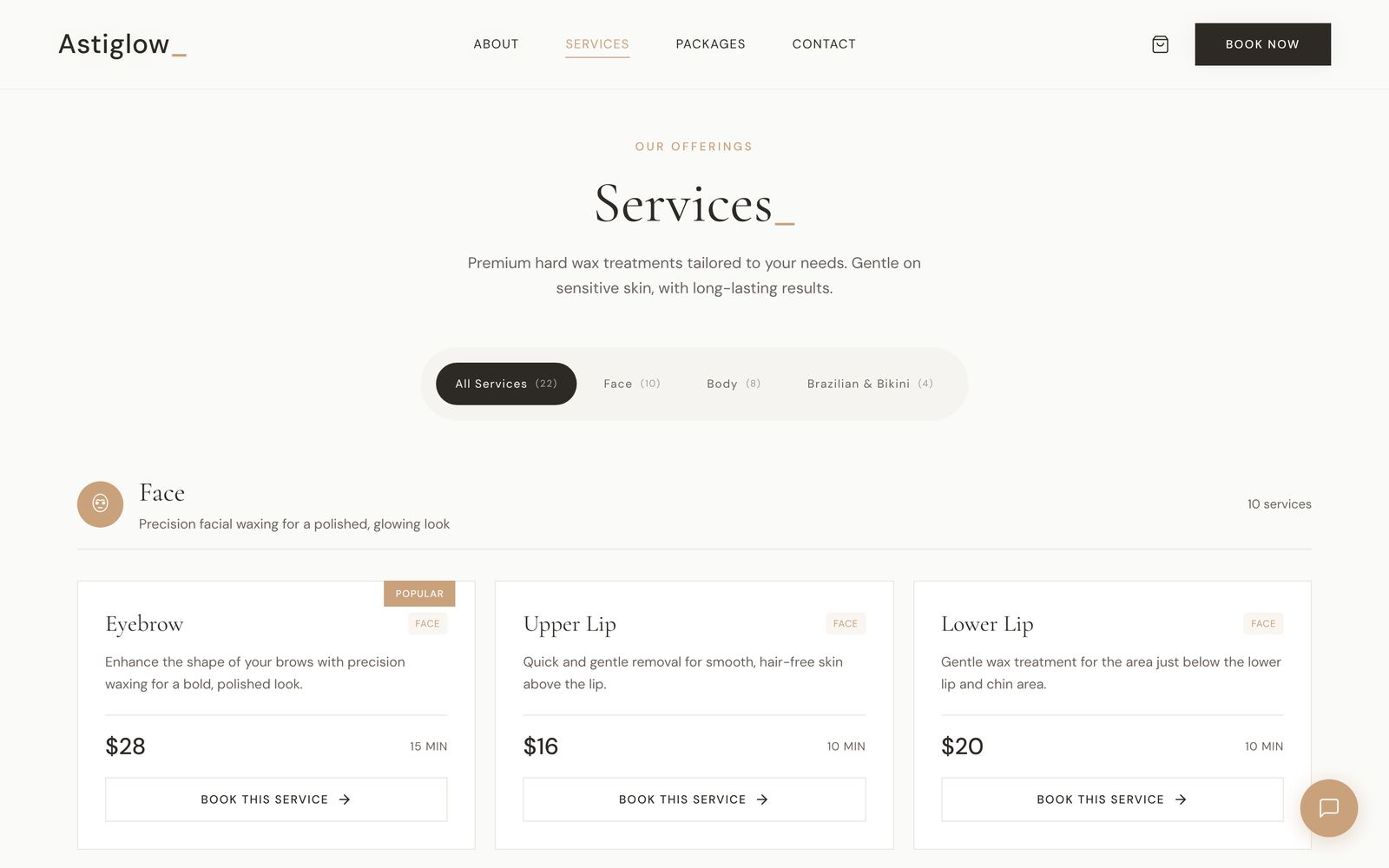
Astiglow, a waxing studio site I built, lays out its services and packages with prices and takes bookings online, which gives both visitors and search engines a clear picture of what the studio offers.
Contact details on every page
Put the name, address, phone and hours in the footer of every page, as real text, not inside an image. Make the phone number a tap-to-call link. Add an embedded map on the contact page.
Speed and mobile layout
Most local searches happen on phones, often by someone who wants to call or get directions right now. The page should load quickly on a mobile connection, the main button should be visible without scrolling, and nothing should require pinching to read. Compress images; oversized photos are the most common cause of slow small business sites.
Titles and descriptions
Each page needs its own title tag, ideally the service, then the area, then the business name, and a meta description that says what the visitor gets. These are what people see in search results before they ever see your site.
What is LocalBusiness schema, and what goes in it?
LocalBusiness schema is structured data in the page's code that states your business details in a format search engines read without guessing.
It is written as a block of JSON-LD in the page's head, invisible to visitors. Use the most specific type that fits, since schema.org has subtypes such as Restaurant, Dentist, Plumber and BeautySalon. The fields worth filling in:
- name, url and telephone
- address, split into street, city, region and postal code
- geo, with latitude and longitude
- openingHoursSpecification for each day
- image and priceRange
- areaServed for service-area businesses
- sameAs, listing your profiles on other platforms
Every value must match what is visible on the page and on your Business Profile. Schema that disagrees with the page is worse than none. After adding it, paste the page URL into Google's Rich Results Test to confirm it parses without errors.
Schema does not push you up the rankings by itself. It removes ambiguity about who and where you are, and it helps search engines and AI tools quote your details correctly.
Should you build a page for every city you serve?
Only for areas you really serve and can write something specific about.
Twenty pages that differ only in the city name are doorway pages. Google's spam policies name the practice, and such pages tend to be ignored or to pull the rest of the site down with them. One good area page is worth more than twenty copies.
A useful area page has content that could only be about that place: jobs you have done there with photos, the neighborhoods you cover, travel or parking details, local requirements such as permits, and reviews from customers in that area. If you cannot write three true, specific paragraphs about serving a city, name it in a service area list instead of giving it a page.
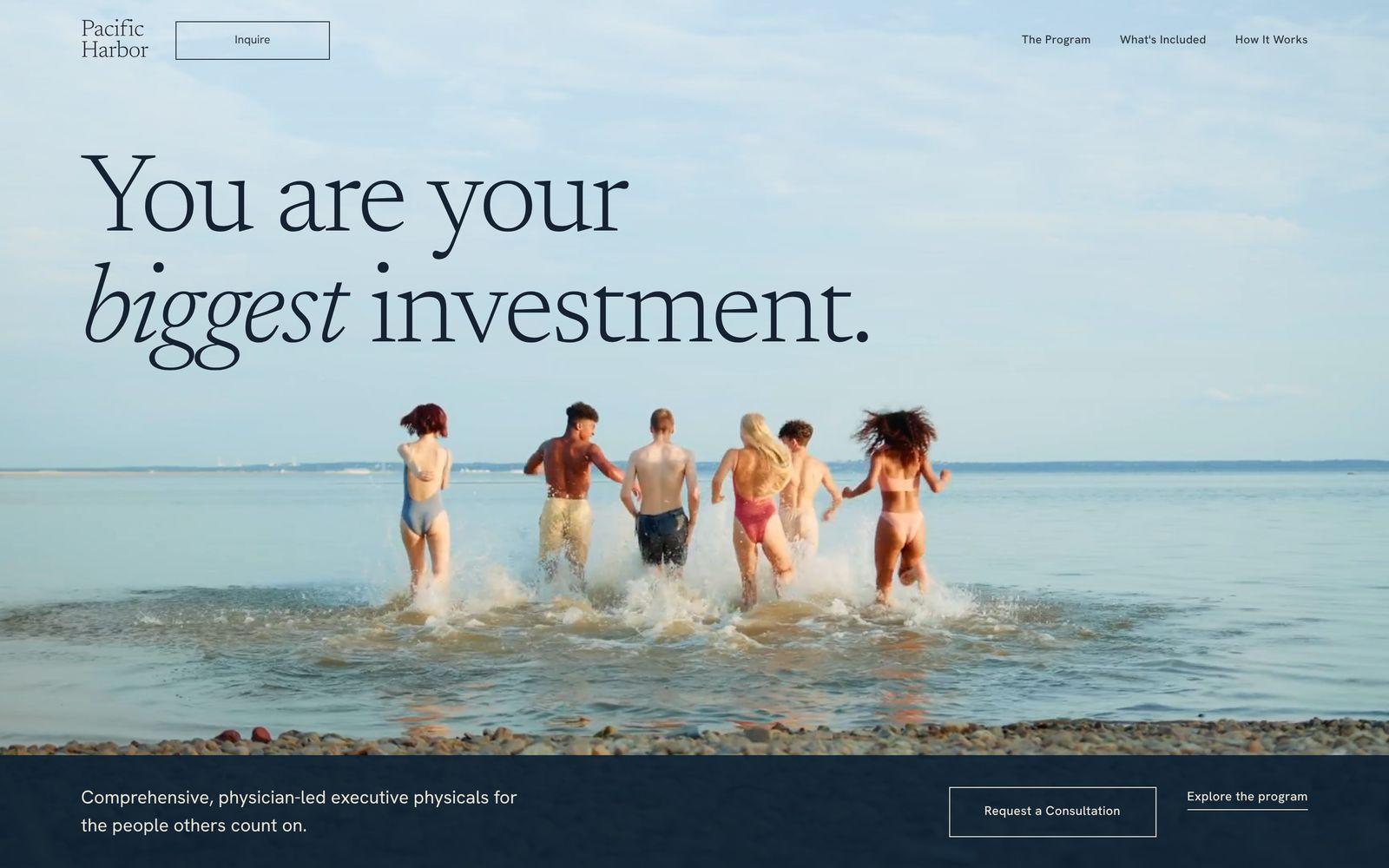
For a business serving a region from one location, it is often enough to state the area plainly. The Pacific Harbor Medical Group site I built presents physician-led executive physicals in Torrance and the South Bay, which tells a searcher in two place names whether the practice is near them.
What content earns local trust and long-tail searches?
Content drawn from real jobs and real customer questions: photos of work, short case studies, and answers to what people ask on the phone.
Customers search in full questions. "How much does it cost to", "how long does it take to", "do I need a permit for". Each question you answer clearly on your site is a search you can appear for, and usually one with little competition because the big directories do not answer it.
Good sources of material:
- The ten questions you answer most on the phone, each with a direct answer
- Before and after photos with a few lines on what was done and where
- Price guidance, even as ranges, since most competitors hide it
- A plain explanation of your process from first call to finished job
Write these in your own words with specifics. This content also gives AI search tools something concrete to quote, and those tools favor pages that answer a question in a sentence or two near the top.
How do local mentions and links help?
They build prominence, the third ranking factor, by showing that other local organizations know your business.
A link from a local source carries more weight for local search than a link from an unrelated site far away. Realistic places to earn them:
- Your chamber of commerce or business association
- Suppliers and manufacturers that list local dealers or installers
- Partner businesses you refer work to, and who refer to you
- Local news sites and neighborhood blogs, when you do something worth covering
- Schools, teams and charities you sponsor
- Trade and licensing bodies with member directories
Skip paid link packages and bulk directory submissions. The links are low quality, and search engines discount them.
How do you know whether it is working?
Track calls, direction requests and website clicks from your profile, and search queries in Google Search Console.
The Business Profile has a performance view showing how many people found the profile, which searches triggered it, and how many called, asked for directions or clicked through. Search Console is free; once your site is verified it shows the queries you appear for, your average position and your clicks. Check both monthly, not daily.
Expect two speeds. Fixes to the profile and the site, such as the right category, complete details, service pages and schema, can show within weeks. Reviews, mentions and content build over months.
The bottom line
Local search rewards businesses that are complete, consistent and well reviewed. Verify and fill in your Google Business Profile, ask for reviews every week, make your details match everywhere, and give your website a clear page per service with contact details, schema and fast mobile loading. Then keep adding real photos, answers and local mentions. None of it is a one-time trick, and most of it is free except for your time.
Questions, answered in one line
What matters most for ranking in Google Maps?
Google says local results are based mainly on relevance, distance and prominence, so a complete profile, real reviews and a strong website all count.
Should I make a page for every city?
Only for areas you really serve and can write something specific about; near-duplicate city pages can hurt more than help.
How long does local SEO take?
Profile and site fixes can show results within weeks, while reviews and mentions build over months.
What is LocalBusiness schema?
It is structured data in a page's code that states your business name, address, phone, hours and type in a format search engines read directly.
Can I offer a discount in exchange for a Google review?
No. Google's review policies prohibit offering incentives for reviews, and reviews gained that way can be removed.
Do I need a website if I already have a Google Business Profile?
A profile can rank on its own, but a website gives Google more evidence of what you do and where, and gives customers the detail they need to choose you.
Sources
- Tips to improve your local ranking on Google Google Business Profile Help
- Prohibited & restricted content Maps User Generated Content Policy Help
- Local Business (LocalBusiness) Structured Data Google Search Central
- Spam policies for Google web search Google Search Central
Related articles
- How much does a restaurant website cost in 2026?
- How to take restaurant orders online without third-party fees
- Toast vs Squarespace vs a custom website for restaurants
- Google Business Profile vs website: do you need both?
Custom Next.js websites for businesses
Custom Next.js websites for small businesses, clinics, restaurants and startups. Fast, SEO-ready, built from scratch with booking, ordering or quote tools. Based in Los Angeles.
See the service