November 22, 2026 · 10 min read · Thomas Osayi
How to write website copy for a small business (with a worked rewrite)
Website copywriting for small businesses: headline formulas, service page structure, calls to action that get clicked, and a full before and after rewrite.
Most small business websites I review have the same problem, and it is not the design. The copy talks about the business instead of the customer. "We are a family owned company committed to quality and excellence" tells a visitor nothing they can act on. They wanted to know if you fix their problem, where you work, roughly what it costs and how to start.
This is the process I use when I write or edit copy for a business site: how to build a headline, how to lay out a service page, how to word calls to action, and a full rewrite of a weak homepage so you can see the changes line by line.
What makes website copy work for a small business?
Copy works when it answers a buyer's questions in the order they have them, using the words they would use themselves.
A visitor arriving from Google or a map listing is asking four things, roughly in this order. Am I in the right place? Can this business do what I need? Can I trust them? What do I do next? Every section of the page should answer one of those.
"Am I in the right place" is answered by naming the service and the area, not by a slogan. "Can they do it" is answered by a list of specific services, not by "full service solutions". "Can I trust them" is answered with proof: photos of real work, reviews, years in business if you have them, licences if your trade requires them. "What next" is answered with a button and a sentence about what happens after someone presses it.
The other rule is plain language. Read your reviews and your text messages from customers. Notice the words they use. A customer writes "my AC stopped blowing cold air", not "HVAC system performance issue". Use their version in headings and they will recognise their problem instantly. Google's own guidance on helpful content makes the same point from the search side: write for people first, and the page tends to work for search too.
How do I write a homepage headline that works?
Start with what you do and where, then add the result or the reason to choose you, and keep it under about twelve words.
Clever headlines lose to clear ones. If a visitor cannot tell what you do in a few seconds, the rest of the copy never gets read. Formulas that hold up:
Service plus place
"Emergency plumbing in Long Beach, same day." It is not poetic, but nobody wonders whether they are in the right place. This formula is the safest default for local service businesses.
Outcome plus who it is for
"Spotless offices without the Monday morning mess, for LA teams of 10 to 200." It leads with the result and filters the audience in one line.
Problem then promise
"Leaky roof? Inspected within 48 hours, quoted on the spot." Good when customers arrive with a specific pain and urgency matters.
The direct offer
"Get your print quote in one business day." This fits businesses where the first step is a quote or booking, and the headline doubles as the call to action.
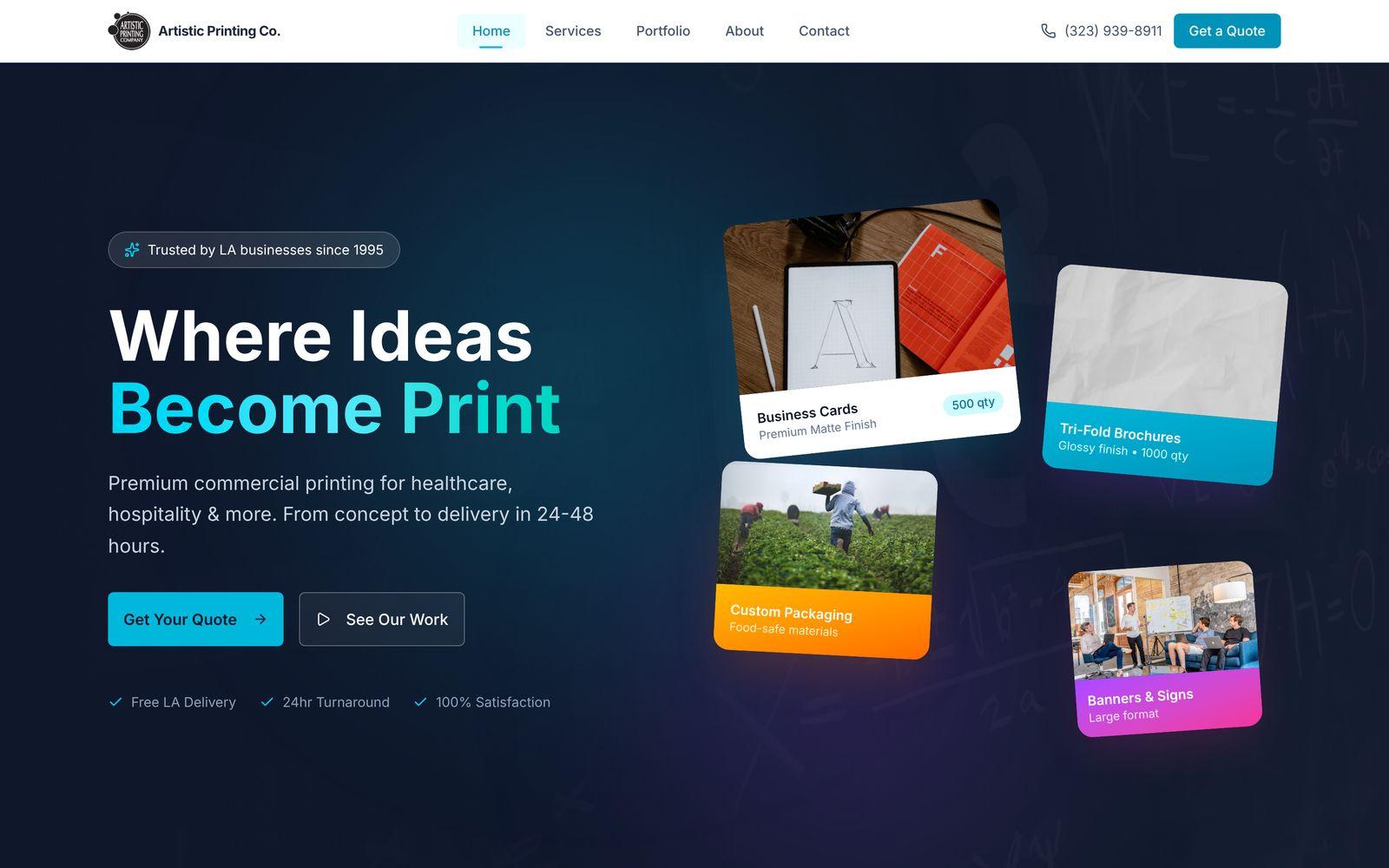
For Artistic Printing, a commercial printer in Los Angeles, the site leads with a short brand line and puts the main action, getting a quote, right beside it, because a quote request is what the page exists to produce.
What should go right under the headline?
The line under the headline should add the detail the headline had no room for: who you serve, what makes you different, and one piece of proof.
Think of the headline and subheadline as a pair. If the headline says "Emergency plumbing in Long Beach, same day", the subheadline might say "Licensed plumbers serving Long Beach, Lakewood and Signal Hill. Upfront pricing before any work starts." Now the visitor knows the area in detail and has a reason to trust you on price.
Then put the primary button and, if it helps, a secondary option. "Call now" and "Request a quote" cover the two kinds of visitor: the person who wants to talk immediately and the person who prefers to type at 11pm. Under the buttons, a single trust line works well: a star rating with the review count, a "since 2009", or the logos of the insurance plans you accept.
Keep this block short. I go through the full order of sections in "What to put on a service business homepage, in order", so here I will stay focused on the words.
How do I write a service page that sells?
Write each service page as a set of answers to the questions customers ask on the phone, in the order they ask them.
Before writing, list the ten questions you hear most about that service. For most businesses they cluster into the same groups, which gives you a reliable page structure:
- What exactly is included, and what is not.
- Who it is for, and when someone needs it.
- How the process works, step by step, from first contact to finished job.
- What it costs, or at least a starting price or the factors that change the price.
- How long it takes.
- Proof: photos, a short example job, a review that mentions this specific service.
- Common questions, answered in one or two sentences each.
- The next step, with a button.
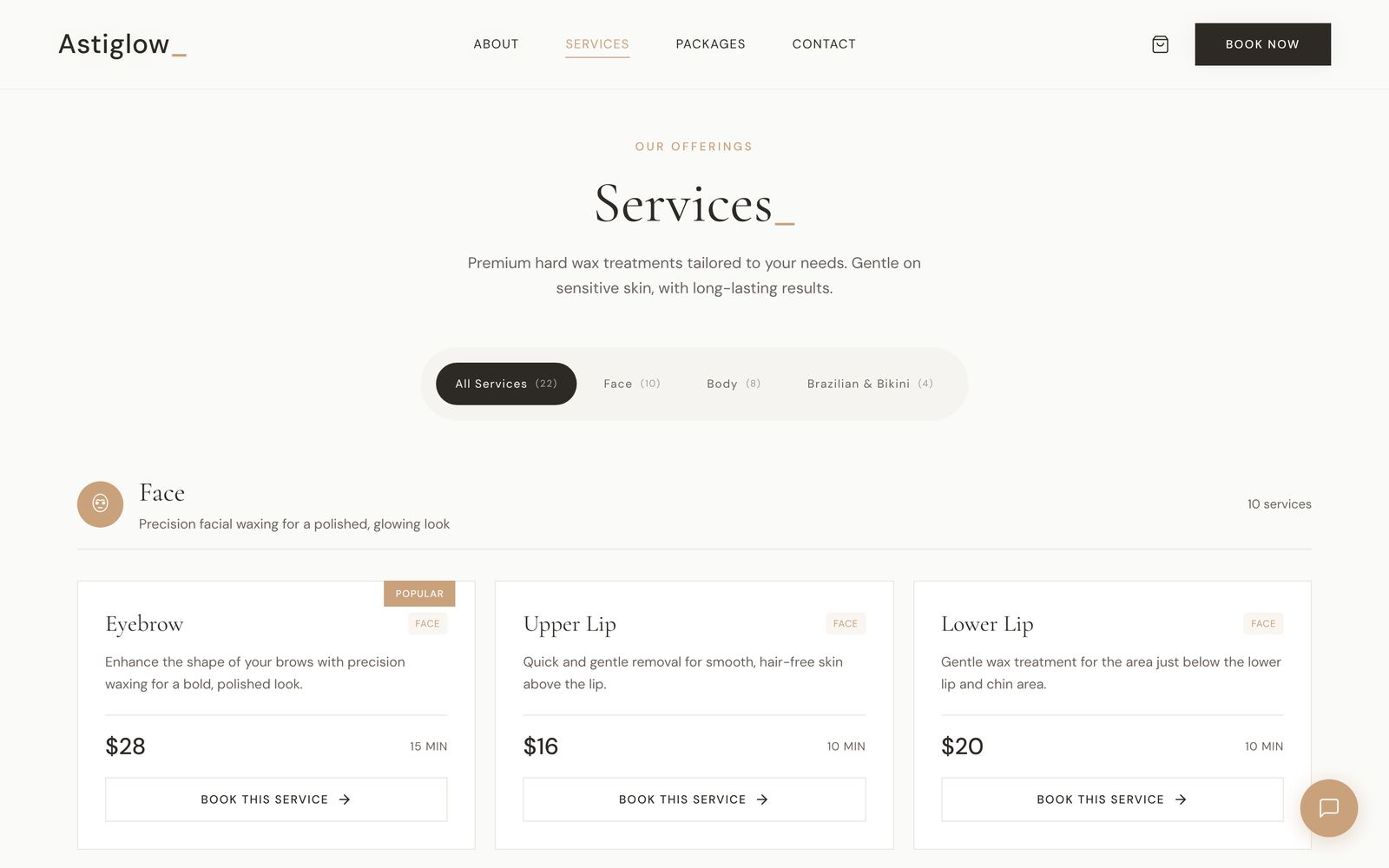
Pricing is where most owners hesitate. You do not need a full price list, but a starting price or a typical range does two useful things: it filters out people who were never going to buy, and it makes the people who stay more confident. Astiglow, a waxing studio I built a site for, lists every service with its price and duration, so a client can choose before they ever reach the booking step.
Give each service its own page when you offer several distinct services. A page called "Water heater repair in Long Beach" can rank for that search and answer that buyer precisely, while a single "Services" page with eight bullets cannot.
How do I write calls to action people actually click?
A good call to action names the next step and what the visitor gets from it, and it appears more than once on the page.
"Submit", "Learn more" and "Contact us" are the three weakest buttons on the web. They describe an action without a reason. Compare them with these:
- "Get my free estimate" instead of "Submit".
- "See prices and packages" instead of "Learn more".
- "Book a consultation" instead of "Contact us".
- "Check availability" instead of "Book now", when the visitor is not yet ready to commit.
Add a short line next to the button that removes the fear of clicking. "No obligation, we reply within one business day." "Takes about two minutes." "You will see open times before you enter any details." Those small promises answer the question every visitor has: what happens if I press this?
Repeat the main call to action at the top of the page, after the services or proof section, and at the very end. Someone who has read the whole page is your warmest visitor, and the worst thing you can do is leave them at the bottom with nowhere to go. Keep the wording consistent so it is obvious that every button leads to the same next step.
What does a before and after rewrite look like?
Here is a full rewrite of a weak homepage for an illustrative business, a made-up house cleaning company called Brightside Cleaning in Pasadena.
Before
Headline: "Welcome to Brightside Cleaning."
Subheadline: "We are a family owned business committed to providing quality cleaning services with integrity and excellence."
Button: "Learn more."
Services section: "We offer a wide range of residential and commercial solutions tailored to your needs."
After
Headline: "House cleaning in Pasadena, booked online in two minutes."
Subheadline: "Insured, background checked cleaners serving Pasadena, Altadena and South Pasadena. Standard cleans from $140, deep cleans from $260."
Buttons: "See open times" and "Call (626) 555 0100".
Trust line: "4.9 stars from 212 Google reviews." (In a real build this comes from the business's actual profile, never an invented number.)
Services section: three cards titled "Standard clean", "Deep clean" and "Move out clean", each with what is included, how long it takes and the starting price.
Why the changes work
The headline now names the service, the city and the ease of booking. The subheadline replaces adjectives with checkable facts: insured, background checked, three named areas, two starting prices. The button tells the visitor exactly what they will see next. The services section turns "a wide range of solutions" into three choices a visitor can compare. Nothing in the new version is clever. All of it is specific, which is the whole point.
How should copy be formatted for people who scan?
Format for scanning: short paragraphs, descriptive headings, bullets for lists, and the important words at the start of each line.
Eyetracking research from Nielsen Norman Group found that people often read web pages in an F-shaped pattern: they read across the top, then a shorter line further down, then scan down the left side. The practical takeaway is that the first two or three words of each heading and paragraph carry most of the weight.
Some habits that follow from that:
- Make headings informative. "Pricing" is fine, "What does a deep clean cost?" is better because it matches the question in the reader's head.
- Keep paragraphs to two to four sentences on the web, shorter on mobile.
- Front-load sentences. "Same day appointments are available" beats "If you need us quickly, we can often offer same day appointments".
- Use bullets for anything that is genuinely a list: services, inclusions, service areas, steps.
What mistakes make small business copy weak?
The most common mistakes are writing about yourself instead of the customer, hiding the price, and using vague words where specific ones exist.
- Leading with history. "Founded in 1998" can be a strong trust line, but it is a weak opening. Lead with what you do for the customer, and put your story on the About page.
- Words with no information. "Quality", "excellence", "solutions", "tailored" and "passionate" appear on nearly every competitor's site. Replace each one with a fact.
- No service area. Local customers need to know you cover their neighbourhood, and Google needs to know too. Say it in the subheadline and on each service page.
- No price signal at all. Even "most projects fall between $X and $Y" builds more confidence than silence.
- Copy pasted from a template or an AI tool without editing. Visitors notice, and so does anyone comparing you with a competitor that used the same template.
Should I write it myself, use AI, or hire help?
Write the raw material yourself, use AI for alternatives if you like, and get a second person to edit for clarity and structure.
You are the only person who knows your prices, your process, your service area and the questions customers ask. That raw material is the hard part, and it cannot be outsourced. A quick way to collect it is to record yourself answering your ten most common customer questions out loud, then transcribe it. That transcript is usually better source material than anything you would type.
AI tools are useful for headline options and tightening paragraphs, but not for inventing facts.
Then hand it to someone who did not write it. A developer or designer who builds the page will notice where the copy and the layout fight each other. When I build a Business Site, from $450 with up to five pages and a booking or quote form, I take the owner's answers and shape them into headlines, service pages and calls to action that fit the layout. If you are gathering material before a project, "What to send a web developer before your project starts" lists exactly what helps.
The bottom line
Small business website copy is not about sounding impressive. It is about answering the visitor's questions faster than your competitors do. Name the service and the place in the headline, back it with specific facts underneath, build each service page around real customer questions, and give every page one clear call to action that says what happens next. Then cut every word that does not carry information. If the copy passes the "could a competitor say exactly this?" test, you are done.
Questions, answered in one line
How long should the copy on a small business homepage be?
Long enough to answer what you do, who it is for, why choose you and how to start, which for most service businesses is 300 to 700 words split into short sections.
Should I use AI to write my website copy?
AI is useful for a first draft or alternative headlines, but the facts, prices, process details and customer language have to come from you or the copy will sound like every competitor.
What is the best call to action for a service business website?
The best one names the next step and what the visitor gets, for example "Book a free estimate" or "Get your quote", and it appears at the top, middle and end of the page.
Does website copy affect SEO?
Yes, because the words on the page tell search engines what you offer and where, so naming your services and service area plainly helps people find you.
Can a web developer write my website copy?
Thomas Osayi structures and edits the copy on every Business Site build, from $450, using the facts and answers you provide about your services, prices and process.
Sources
- F-Shaped Pattern For Reading Web Content Nielsen Norman Group
- Creating helpful, reliable, people-first content Google Search Central
Related articles
- How much does a restaurant website cost in 2026?
- How to take restaurant orders online without third-party fees
- Toast vs Squarespace vs a custom website for restaurants
- Google Business Profile vs website: do you need both?
Custom Next.js websites for businesses
Custom Next.js websites for small businesses, clinics, restaurants and startups. Fast, SEO-ready, built from scratch with booking, ordering or quote tools. Based in Los Angeles.
See the service