November 22, 2026 · 8 min read · Thomas Osayi
Product analytics for an MVP: PostHog vs Mixpanel vs GA4 vs Amplitude, and what to track
Which product analytics tool fits an MVP, current free tiers for PostHog, Mixpanel, GA4 and Amplitude, and the short list of events worth tracking from day one.
Two weeks after launch, every founder asks the same thing: are people actually using it? Page views will not tell you. Sign-ups will not tell you either. What you need to know is whether people who sign up reach the moment your product is built for, and whether they come back. That is product analytics, and it is cheap to set up right and expensive to set up late.
Here is how the four most commonly compared tools stack up for an MVP, what their free tiers include at the time of writing, and the short event list I would ship on day one.
Do you need product analytics in an MVP?
Yes, because an MVP exists to answer whether people use and pay for the product, and without events you are guessing from anecdotes.
The goal is not dashboards. It is three or four questions you can answer with numbers in your first month:
- Of the people who sign up, how many finish onboarding?
- How many reach activation, the first real value?
- How many of those come back in week two?
- How many pay, and how many cancel?
Those answers decide what you build next. If 80% of sign-ups never finish onboarding, the next sprint is onboarding, not the feature on your roadmap. If activated users retain well but few activate, the problem is the path to value.
You do not need a data warehouse, a tracking plan spreadsheet with 200 rows, or custom dashboards for each team. You need one tool, a handful of events, and the discipline to look at a funnel every week.
How do PostHog, Mixpanel, GA4 and Amplitude compare?
All four can track events and build funnels, but they differ in what they are built around, what is free and how much else comes in the box.
PostHog
Best for: technical founders who want analytics, session replay and feature flags in one tool.
Cost range: at the time of writing, free each month for 1 million analytics events, 5,000 session recordings and 1 million feature flag requests, then usage-based pricing with billing limits you can set.
Pros: many products in one SDK, generous free tier, open source roots, SQL access for custom questions, and spending caps that drop events instead of charging you.
Cons: the breadth can be overwhelming, and the interface assumes some comfort with technical concepts.
Mixpanel
Best for: founders who want clean funnels, retention and user-level reports with little setup.
Cost range: at the time of writing, free up to 1 million events and 10,000 session replays a month; the Growth plan's lowest paid tier is 1.5 million events for $140 a month billed monthly, or $100 a month billed annually.
Pros: fast, approachable reports that non-technical teammates can read; strong funnels and cohorts.
Cons: fewer extra products than PostHog, and cost rises with event volume once you pass the free tier.
Google Analytics 4
Best for: marketing sites, acquisition reporting and anything tied to Google Ads.
Cost range: free for standard properties.
Pros: free, already familiar, best-in-class ties to Google Ads and Search Console.
Cons: built around sessions and traffic more than individual users; at the time of writing, standard properties allow 25 parameters per event, 50 event-scoped custom dimensions and data retention of up to 14 months; in-app funnels and retention take more work.
Amplitude
Best for: teams that expect deep behavioral analysis and plan to grow into a larger analytics practice.
Cost range: at the time of writing, the free Starter plan includes up to 2 million events a month and 10,000 monthly session replays.
Pros: largest free event allowance of the four, powerful analysis, mature cohort and journey tools.
Cons: more concepts to learn up front, and the paid tiers are aimed at larger teams.
Which tool should you choose?
For most MVPs I would choose PostHog or Mixpanel and keep GA4 on the marketing site, and Amplitude if your team already knows it.
- Technical founder who also wants session replay and feature flags: PostHog. One SDK, one bill, and replays are often the fastest way to see why users drop off.
- Founder who wants the simplest funnel and retention reports for a non-technical cofounder: Mixpanel.
- Product with a big marketing site and paid ads: GA4 on the public pages for acquisition, plus PostHog or Mixpanel inside the app.
- Team with analytics experience and plans for heavy analysis: Amplitude.
Running GA4 alongside a product tool is normal. GA4 answers where visitors came from. The product tool answers what users did after they signed in. I covered the marketing side in "How to track website leads with Google Analytics 4: forms, calls and UTMs".
What events should an MVP track?
Track the steps of your main funnel, your activation moment, your core repeated action and every money event, which usually comes to ten to fifteen events.
A starting list for a typical B2B SaaS, adapted to your product:
- signed_up, with the sign-up method and the UTM source if known.
- onboarding_step_completed, with the step name and number.
- onboarding_completed.
- your activation event, such as project_created or first_report_generated.
- your core repeated action, such as invoice_sent or booking_created.
- teammate_invited and invite_accepted, if the product is multi-user.
- paywall_viewed and checkout_started.
- subscription_started, subscription_upgraded and subscription_canceled, with plan and amount.
- an error event for failures that matter, such as import_failed.
Add properties instead of new events. One onboarding_step_completed event with a step property is easier to analyze than eight separate step events. Write the list in a short tracking doc, with each event's name, when it fires and its properties, before anyone writes code.
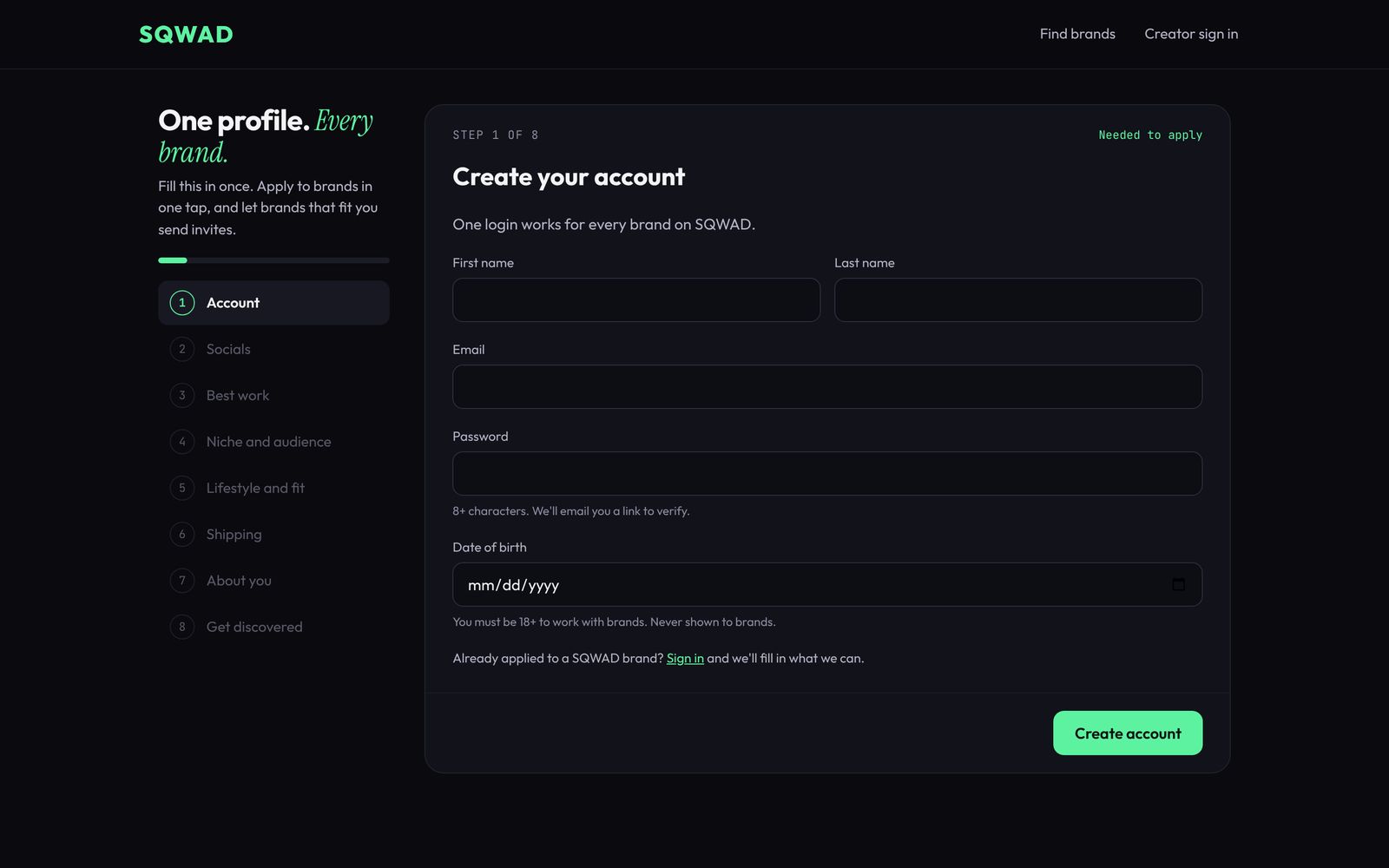
Multi-step forms are where step events earn their keep. SQWAD's creator sign-up runs eight steps, and with a form like that you want to see which step people abandon, not just whether they finished.
How do you define activation?
Activation is the first moment a new user gets the value your product promises, defined as one specific event, usually within a time window after sign-up.
For a scheduling tool it might be booking_created within seven days of sign-up. For a reporting tool, first_report_generated. For a team product, a second teammate joining. It should be something a user cannot do by accident and something that predicts they will stay.
Start with your best guess, then test it. After a few weeks, compare week-four retention for users who hit the event against those who did not. If the gap is large, you picked well. If not, try another candidate. A good activation event gives your whole team one number to push, and your onboarding becomes the shortest path to it.
Should events come from the browser or the server?
Send user-interface events from the browser and anything involving money or important state changes from the server, because browser events are lost to ad blockers, closed tabs and flaky networks.
Browser SDKs are easy and capture context like page, device and referrer. But a meaningful share of users block analytics scripts, and a user who closes the tab right after paying never fires the event. So:
- Browser: page views, clicks, onboarding steps, feature usage.
- Server: signed_up after the account is actually created, subscription events from Stripe webhooks, anything your billing depends on.
Most tools support a reverse proxy, serving the analytics script and endpoint from your own domain, which reduces blocking. Also call identify after sign-in with your own user ID, so anonymous browsing and signed-in activity join into one person. For B2B, use the tool's group or account feature so you can analyze companies, not just individuals. If you are wiring up payments now, "Setting up Stripe subscriptions for a SaaS MVP: what you actually need" covers the webhook side.
What about privacy and consent?
Collect only what you need, keep personal data out of event properties, and check the consent rules that apply where your users are; this is general information, not legal advice.
Practical defaults:
- Use your internal user ID, not email addresses, as the identifier in events.
- Never put passwords, payment details, health information or free-text fields in event properties.
- Turn on masking in session replay for inputs, and review what is recorded before launch.
- Choose the data region that fits your users if the tool offers one.
- Mention analytics in your privacy policy, and use a consent banner where the law where your users live requires it.
"Do I need a privacy policy and cookie banner on my website?" walks through the basics. For anything health-related, get proper advice before tracking anything inside the app.
A worked example
Here is an illustration with a made-up product, not a real client. A founder launches a booking tool for tutors, with PostHog in the app and GA4 on the marketing site.
Week one: 140 sign-ups, 92 finished onboarding, 31 created a first booking within seven days. The funnel shows a cliff at the onboarding step that asks tutors to connect a calendar. Session replays show tutors hitting a permissions screen they did not expect and leaving. The founder makes the calendar step optional and moves it after the first booking.
Three weeks later, 58% of sign-ups finish onboarding and the share who create a first booking has nearly doubled. Payment events, sent from Stripe webhooks, show that tutors who make three bookings in their first week are the ones who subscribe. That becomes the activation goal. None of it needed more than fourteen events.
What does it cost to set up?
The tools themselves are free at MVP scale on all four options at the time of writing, so the real cost is the few hours to design events and wire them in properly.
Tracking fits inside the normal scope of a build. A SaaS MVP from $1,200 with auth, dashboard, database and payments has natural places for the core events, and the server-side money events sit right next to the Stripe webhook handling. For an existing app, adding a tracking plan is a small, contained job.
The bottom line
Product analytics for an MVP is a short list of events, not a big project. Pick PostHog or Mixpanel for in-app behavior, keep GA4 on the marketing site, define one activation event, send money events from the server, and look at the funnel every week. The free tiers cover you well past launch, and the answers you get in month one are worth more than any feature you could have built instead.
Questions, answered in one line
Is GA4 enough for a SaaS MVP?
GA4 is enough for marketing pages and acquisition, but tools like PostHog or Mixpanel are easier for in-app funnels, retention and per-user histories.
Which analytics tool has the best free tier for an MVP?
At the time of writing, Amplitude includes 2 million events a month free, while PostHog and Mixpanel include 1 million, which covers most MVPs comfortably.
How many events should an MVP track?
Ten to fifteen well-named events covering sign-up, onboarding, activation, core actions, payment and cancellation are enough to answer the questions an early product faces.
Do I need cookie consent for product analytics?
It depends on where your users are and how the tool stores identifiers, so check the rules that apply to you; this is general information, not legal advice.
Can analytics be set up as part of an MVP build?
Thomas Osayi includes event tracking where it fits in SaaS MVP builds, which start from $1,200 for auth, dashboard, database and payments.
Sources
- PostHog pricing PostHog
- Mixpanel pricing Mixpanel
- Amplitude pricing Amplitude
- [GA4] Google Analytics 360 (Google Analytics 4 Properties) Google Analytics Help
Related articles
- How to scope an MVP: one workflow, three lists and the cuts that matter
- Multi-tenant SaaS with Firestore: data layout, security rules and custom claims
- Web app vs mobile app for your MVP: which to build first
- PWA vs native app in 2026: what a web app can do on iPhone now
SaaS MVP and full-stack web app development
I build SaaS MVPs and full-stack web apps in Next.js, TypeScript and Firebase or Postgres: auth, dashboards, payments, roles and admin tools. Founder of SQWAD.
See the service