November 22, 2026 · 9 min read · Thomas Osayi
How to scope an MVP: one workflow, three lists and the cuts that matter
A practical way to scope an MVP: pick one core workflow, sort features into must, should and later, write user stories a developer can build from, and cut safely.
Most MVPs that go over budget were never really scoped. They were described. A founder writes a page of features, a developer estimates the page, and three weeks in everyone discovers that "user accounts" meant teams, invitations, roles and billing, while "reports" meant six charts and a CSV export.
Scoping is the step that prevents that. It is not about building less for the sake of it. It is about deciding which single job the first version must do perfectly, and writing it down so precisely that nobody can quietly add to it. Here is the process I use, with a worked example and the cuts I will and will not make.
What does it actually mean to scope an MVP?
Scoping an MVP means choosing one workflow, defining exactly what done looks like for it, and agreeing in writing what is out.
The word MVP gets stretched to cover everything from a clickable mockup to a half-built version of the full product. Neither is useful. A mockup cannot prove anyone will use the product, and a thin slice of ten features usually means ten things that half work. The version that teaches you something is a product where one complete path works from start to finish for a real user: they sign up, they do the thing, they get the result.
That path is the scope. Everything outside it goes on a list with a name, so it is parked rather than forgotten. A good scope document is short. It names the user, the workflow, the screens the workflow touches, the data it creates, and the conditions under which you will call it finished. If you cannot fit it on two pages, you are probably still describing the whole product.
How do I find the one core workflow?
The core workflow is the one that produces the answer or outcome your customer cannot get anywhere else.
A useful test: if this workflow worked perfectly and nothing else existed, would at least a few customers still use it, or pay for it? If yes, that is your core. If they would also need three other features before it is worth anything, you have picked something too small, or something that is not really the point.
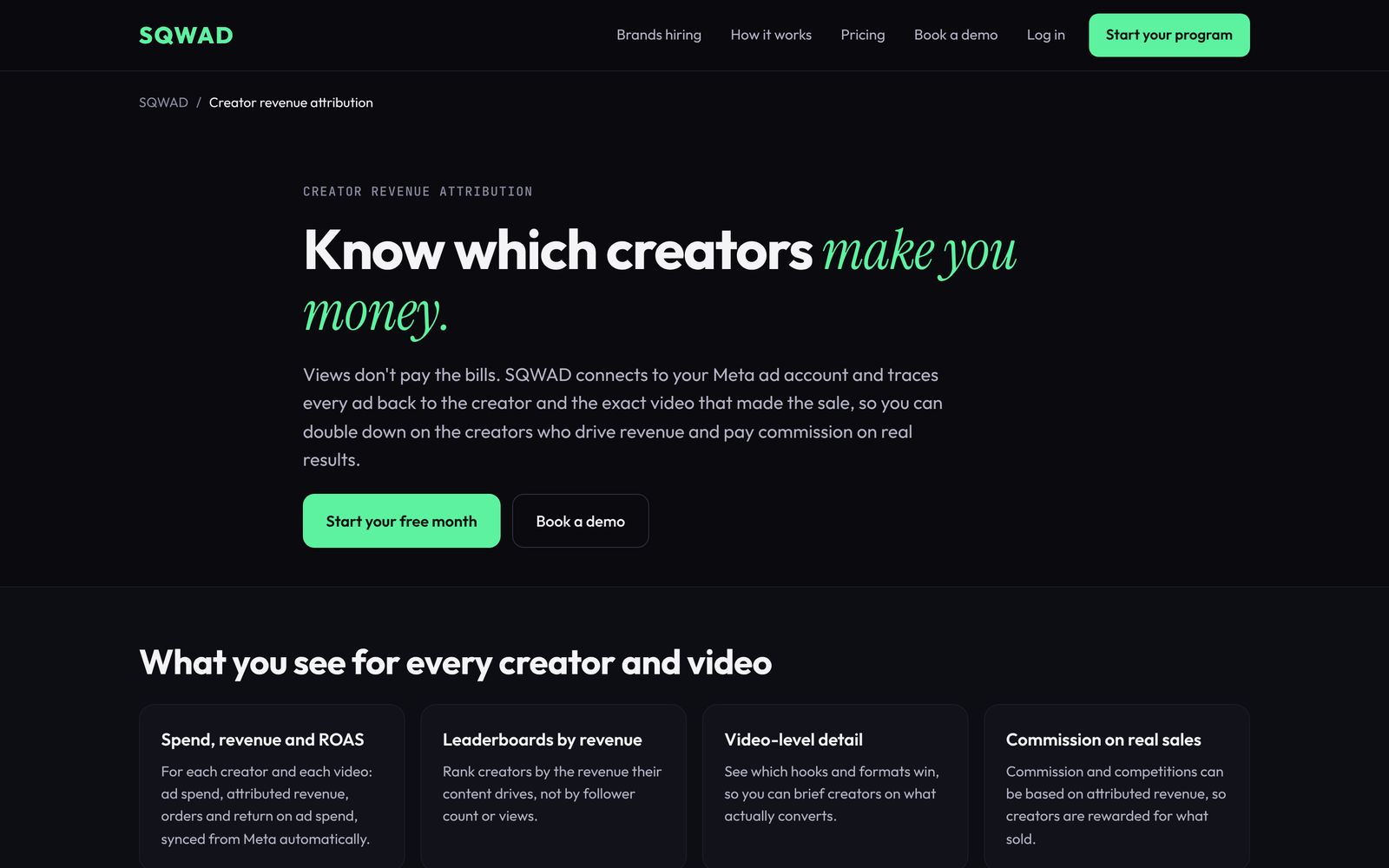
When I built SQWAD, the first version did one thing: let a brand see which creator drove a sale. Applications, shipping, content review, competitions and payouts are all real jobs in a creator program, and SQWAD does them now. But a brand can limp along on spreadsheets for those. What a spreadsheet cannot tell them is which creator's video sold product. So attribution came first, and the operational features were added around it one workflow at a time.
To find yours, write down the moment your customer gets value. Then walk backwards: what did they have to do just before that, and before that, until you reach sign-up. That chain is the workflow.
How do I sort features into must, should and later?
Put every idea on one of three lists: must (the workflow breaks without it), should (painful to lose but there is a workaround) and later (everything else).
This is a simplified version of MoSCoW, the prioritization method from the Agile Business Consortium. Their guidance is that must have work should stay at or below about 60 percent of the total effort, with around 20 percent held as could have contingency. For an MVP that ratio is a good sanity check: if your must list already fills the whole budget, nothing can go wrong without the launch slipping.
Must
Only what the core workflow needs end to end. Sign-in, the screens in the chain you mapped, the data those screens create, and whatever makes the outcome trustworthy.
Should
Things users will ask for in week one but can survive without: a nicer empty state, editing a record after saving it, an email notification instead of checking the dashboard. These are the first things you add after launch, and the first things you drop if time is short.
Later
Settings pages, team invites, integrations, dark mode, admin analytics, a mobile app. Writing them down matters, because a parked idea stops coming back as a mid-build request.
How do I write user stories a developer can build from?
Write each must item as a user story in the form "As a [user], I want to [action], so that [outcome]," and attach acceptance criteria that say exactly when it is done.
Atlassian's guide describes the same template and treats the acceptance criteria as the confirmation step, the part that makes a story testable. That is the part founders skip and the part that saves money. "Users can upload files" is not buildable. This is:
- As a salon manager, I want to upload a price list as a PDF, so that clients see current prices on the booking page.
- Done when: PDFs up to 10 MB upload from desktop and phone, other file types show a clear error, the newest upload replaces the old one, and only managers of that salon can upload.
Notice what the criteria quietly decide: file size, file type, who can do it, and what happens to the old file. Each of those is a question a developer would otherwise answer on their own, and every answer costs time. Ten to twenty stories like this usually describe an MVP completely. If you have fifty, go back to the three lists.
What can I safely cut, and what should I never cut?
Cut anything a user can work around; never cut the things that are expensive or dangerous to fix after real data exists.
Safe to cut
- Polish: animations, custom illustrations, a marketing site beyond one page.
- Self-serve settings: you can change a customer's plan or name by hand for the first twenty customers.
- Admin dashboards: a database console and a few saved queries will do at first.
- Edge cases that have not happened yet, as long as the app fails clearly rather than silently.
Never cut
- Access rules. Who can read and change which record has to be enforced where the data lives from day one. I covered this in "Roles and permissions in a SaaS app: a practical guide for founders."
- The data model. If the product will have teams later, design an organization concept now, even if every organization has one person in it.
- Payment correctness. If you charge, the webhook that activates a plan must be reliable. A missed webhook means a customer paid and got nothing.
- Backups. Losing a pilot customer's data ends the pilot.
Worked example: scoping a booking tool for a grooming business
Here is an illustration with a made-up business: Paws on Pico, a dog grooming business with three groomers that takes bookings by text and loses track of them.
The owner's wish list had 22 items, including a client app, loyalty points, SMS reminders, groomer payroll and an inventory tracker. The moment of value was simple: a client books a slot that is actually free, and the groomer sees it. Walking backwards gave the core workflow: client picks a service, picks a groomer and time, enters contact and dog details, confirms; the groomer sees the booking on a day view; the owner can cancel or move it.
- Must: service list, availability per groomer, booking form, confirmation email, groomer day view, owner cancel and move, sign-in for staff only.
- Should: reminder email the day before, client rebooking link, blocking off holidays.
- Later: loyalty points, SMS, payroll, inventory, client accounts, a native app.
That is about twelve user stories. It fits a short build, and within a month the owner knows whether clients actually book online, which is the only question that mattered. If you are weighing a ready-made tool against a custom build for this kind of job, "Online booking for your website: embed a tool or build it custom?" walks through that decision.
How much does a well-scoped MVP cost and how long does it take?
A single, tightly scoped workflow can be built in about a week, and a launchable SaaS MVP with accounts, a dashboard, a database and payments takes around three weeks.
Those are the shapes of my own packages: the MVP Starter from $250 over about 7 days covers a working first version of one workflow, the SaaS MVP from $1,200 over about 21 days adds auth, a dashboard, a database and payments, and the Full SaaS Platform from $3,000 over about 45 days is for multiple roles, admin tools and integrations. Agencies and other developers price differently, but the pattern holds everywhere: cost follows the number of workflows and roles, not the number of screens.
Scope is the lever you control. Moving four items from must to later often moves a project down a whole tier. Adding a second user type, for example clients and staff who each need their own view, often moves it up one. For a fuller breakdown of what drives price, see "How much does an MVP cost? SaaS MVP prices and what drives them."
What scoping mistakes push MVPs over budget?
The expensive mistakes are vague nouns, hidden roles and late additions, not the size of the original list.
- Vague nouns. "Reports," "notifications" and "profiles" can each mean a day or a month. Every noun needs acceptance criteria.
- Hidden roles. If someone other than the main user needs to log in, such as an admin, a client or a reviewer, that is a second product surface. Count it.
- Integrations treated as checkboxes. "Connect to QuickBooks" involves auth, data mapping and failure handling. Put integrations on the later list unless the workflow is impossible without one.
- Designing for scale you do not have. Ten users do not need caching layers or microservices.
- Mid-build additions. Each one feels small. Keep a "later" doc open during the build and put every new idea there, then review it after launch.
- Skipping the end-to-end test. Each screen working alone is not the workflow working. Test the whole path with a real account before you call it done.
When should I bring in a developer for scoping?
Bring a developer in before you commit to a budget, because the hidden costs in a scope are usually technical and a short review finds them.
A founder can do most of the work above alone: the workflow, the three lists and the stories. What a developer adds is spotting the items that look small and are not, such as real-time updates, file processing, calendar sync or anything involving money moving between people, and suggesting cheaper ways to get the same outcome. They will also tell you which items must be designed in now because they are painful to add later, like organizations and roles.
If you already built a prototype in Lovable, Bolt or a similar tool, the prototype is a great scoping document, because it shows the workflow you imagine. Bring it along. "What to send a web developer before your project starts" lists the other things that make a first conversation productive.
The bottom line
Pick the one workflow your customer cannot get done anywhere else, build exactly what it needs from sign-up to result, and write everything else on a later list. Turn each must item into a user story with acceptance criteria, cut polish and settings freely, and never cut access rules, the data model or payment correctness. SQWAD started as attribution and nothing else. A first version that does one job well teaches you more than one that does ten jobs halfway, and it costs a fraction as much.
Questions, answered in one line
What is the difference between an MVP and a prototype?
A prototype shows how a product might work, while an MVP is a working product real users can sign up for and use to get one job done.
How many features should an MVP have?
An MVP should have as many features as one core workflow needs to work end to end, which is usually far fewer than founders expect.
Should an MVP include payments?
Include payments if charging is part of what you are testing, and skip them for a free pilot where you only need to prove that people use the workflow.
What is MoSCoW prioritization?
MoSCoW sorts requirements into must have, should have, could have and will not have this time, so a team agrees in advance what gets cut if time runs short.
How much does a tightly scoped MVP cost?
Thomas Osayi builds a working first version of one workflow from $250 in about 7 days, and a launchable SaaS MVP with auth, dashboard, database and payments from $1,200.
Sources
- MoSCoW Prioritisation Agile Business Consortium
- User stories with examples and a template Atlassian
Related articles
- Multi-tenant SaaS with Firestore: data layout, security rules and custom claims
- Web app vs mobile app for your MVP: which to build first
- PWA vs native app in 2026: what a web app can do on iPhone now
- How to build a marketplace MVP: solve the chicken-and-egg problem first
SaaS MVP and full-stack web app development
I build SaaS MVPs and full-stack web apps in Next.js, TypeScript and Firebase or Postgres: auth, dashboards, payments, roles and admin tools. Founder of SQWAD.
See the service