November 17, 2026 · Updated November 22, 2026 · 9 min read · Thomas Osayi
How much does an MVP cost? SaaS MVP prices and what drives them
How much it costs to build an MVP or SaaS MVP, from a $250 single workflow to a $3,000 multi-role platform, what drives the price, and what to leave out of version one.
MVP pricing is mostly a scoping question. The same idea can cost three times as much depending on how much goes into version one, and most of the quotes that shock founders are quotes for a product that is much larger than an MVP.
I built my own SaaS, SQWAD, so I price these the way I would want one priced for me: by what version one has to do, not by how big the long-term vision is. This article walks through the real numbers, what moves them, and how to scope your idea before you ask anyone for a quote.
How much does a SaaS MVP cost with a freelance developer?
With me, a SaaS MVP costs from $250 to $3,000 and up, depending on which of three levels your version one falls into.
- MVP Starter, one working workflow: from $250, about 7 days
- SaaS MVP with auth, dashboard, database and payments: from $1,200, about 21 days
- Full SaaS platform with multiple roles, admin tools and integrations: from $3,000, about 45 days
What each level means in practice
The Starter is a clickable, working version of the single thing your product does. It runs on real code and a real database, so you can put it in front of users, but it skips billing and most account management. It answers one question: do people want this?
The SaaS MVP is the smallest thing you can charge for. Users sign up, log in, use the core workflow from a dashboard, and pay through Stripe. You get a production deploy on your own accounts.
The Full SaaS Platform is for products where more than one kind of user logs in, such as a brand and its creators, or a practice and its clients, plus admin tools and outside integrations. The "from" in each price matters. A build with two roles and one integration sits near the bottom of the range; five roles and three integrations does not.
What actually drives the price of an MVP?
Three things drive the price: the number of user roles, the number of integrations, and how much custom logic the core workflow needs.
User roles
Every role is close to a separate app. A role needs its own screens, its own navigation, its own permissions and its own test pass, because you have to prove that one role cannot see or change another role's data. Guardian MindCare, a therapy practice platform I built, has five roles: therapists, supervisors, trainees, clients and admins. The permission work on a product like that is a large share of the build.

Integrations
Stripe, Shopify, Meta, a calendar or an email provider each need account setup, API keys, error handling for when the other service is slow or down, and testing against their sandbox. The happy path of an integration is quick. The failure paths are where the hours go: a webhook that arrives twice, a token that expires, a rate limit.
Custom logic
Matching, scoring, scheduling and attribution rules are the parts no library gives you. Standard features like forms, tables and login are quick to build. A rule such as "match a client to therapists who take their insurance and have openings" has to be designed, written and tested against edge cases.
What should version one include, and what should you cut?
Version one should include sign-up, the one workflow people pay for, billing, and a basic admin view, and it should cut almost everything else.
Keep these:
- Sign-up, login and password reset
- The core workflow, complete from start to finish
- Stripe checkout with one plan
- An admin view where you can look up a customer and see what they see
- Transactional email for the moments that matter, such as a receipt or an invite
Cut these until a paying customer asks:
- Team accounts and invitations
- Multiple pricing tiers, coupons and annual plans
- A settings page with more than a handful of options
- A native mobile app; a responsive web app covers phones at this stage
- Analytics dashboards, exports and notification preferences
- Onboarding tours and anything that exists to look finished
The admin view is the one item founders try to cut and should not. In the first weeks you will be doing support by hand, and you cannot help a customer whose account you cannot see.
How do you scope an MVP before asking for a quote?
You scope an MVP by writing the core workflow as a short list of steps, then counting the roles and integrations it touches.
Start with the workflow. Write it as plain steps a single user takes, from arriving to getting the result they came for. If you need more than eight or ten steps, you are probably describing two workflows, and one of them is version two.
Then answer four questions:
- Who logs in? Count each distinct kind of user as a role.
- What outside services must it talk to on day one? Payments usually, and at most one or two others.
- What does the product decide or calculate? That is your custom logic.
- What do you need to see as the owner? That is your admin view.
Send a developer those answers with two or three reference products and you will get a real number, usually within a day. Vague briefs get padded quotes, because the developer has to price in the risk that the scope is bigger than it sounds.
What does this look like for a real idea?
Take a made-up example: a scheduling tool for mobile dog groomers, where the groomer sets availability and pet owners book and pay online.
Scoped as a Starter, from $250, it is the booking workflow alone. The groomer sets open slots, a customer picks one from a public link, and both get a confirmation email. No accounts for customers, no payments. That is enough to hand to three groomers and watch whether their customers actually book through it.
Scoped as a SaaS MVP, from $1,200, groomers sign up and log in, manage their calendar from a dashboard, and pay a monthly subscription through Stripe. Customers still book through a link without an account. This is a product you can sell.
Scoped as a Full SaaS Platform, from $3,000, it adds a second role with logins for pet owners, payments from owners to groomers, calendar sync, SMS reminders and an admin panel for you. Every item is reasonable. Together they are a different project with a different timeline, about 45 days instead of 21.
Same idea, three budgets. The right one depends on what you already know. If nobody has confirmed they would use it, start at the first level.
Should you build in stages or all at once?
Build in stages: the workflow first, then real users, then billing and polish.
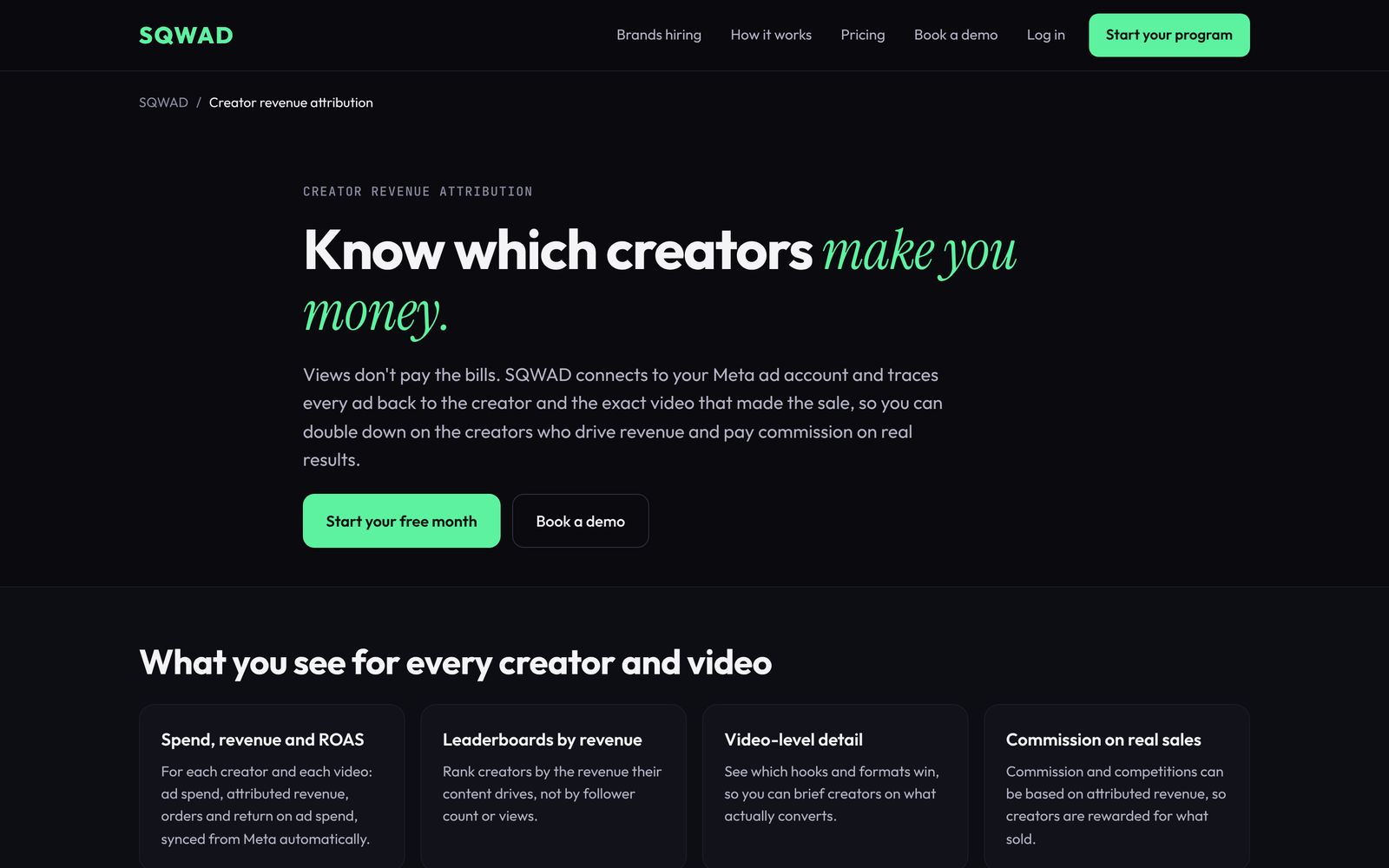
Staging protects you from the most expensive mistake in software, which is building the full product around a workflow that turns out to be wrong. When I built SQWAD, the first version did one thing: let a brand see which creator drove a sale. Everything else came later, including creator applications, product shipping, competitions and payouts. Today SQWAD's published TheHoopGang case study reports more than $500K in revenue attributed to creator videos, and the feature list grew from what brands asked for after they used that first workflow.
A staged build also spreads the cost. You pay for the Starter, learn from it, and put the next budget into the things users actually tripped over. The code carries forward, as long as the first stage is built on the stack the product will stay on. I use Next.js and TypeScript with Firebase or Postgres for this reason: the prototype and the production app are the same codebase.
The case for building everything at once is narrow. It fits when you have already sold the product, for example a signed pilot customer with a fixed list of requirements.
What ongoing costs come after the build?
After launch you pay for hosting, a database, email sending, a domain and payment processing, and at MVP scale the total is usually small.
- Hosting: Vercel has a free tier for personal projects, and its Pro plan for commercial apps is $20 per seat per month at the time of writing
- Database: Firebase bills by usage on its pay-as-you-go plan, and Supabase Pro is $25 per month at the time of writing; both have free tiers that cover early testing
- Email: providers that send receipts and invites have free tiers at low volume and charge as you grow
- Domain: a yearly renewal
- Payments: Stripe's standard US pricing is 2.9 percent plus 30 cents per successful card charge
Two costs catch people out. The first is usage-based pricing that grows with a badly written query, such as a dashboard that reads a whole collection on every page load. Good data design keeps this flat. The second is paid tiers of third-party tools that you only discover when you hit a limit. List every service the app depends on, with its free limit and its next price step, before you launch.
Can an AI builder or no-code tool make it cheaper?
Yes, an AI builder can get a first version on screen for very little, and it is a fair way to start if you plan for the gap at the end.
Tools like Lovable, Bolt and v0 are good at screens and basic flows. Where they struggle is the part customers never see: database security rules, payment webhooks, and builds that pass on a production host. Many of the apps people bring me are at this point, with a product that demos well and cannot safely take real users.
That is a legitimate route as long as you budget for it. My fix work is priced separately: a single bug from $60, several fixes plus a feature from $200, and taking a stuck app to a production launch from $600. For a simple product, an AI-built first version plus a Finish and Launch pass can cost less than a build from scratch. For a product with several roles or heavy custom logic, starting from clean code usually costs less than untangling generated code.
What mistakes make an MVP cost more than it should?
The costly mistakes are almost all scope and ownership mistakes, not technical ones.
- Changing the core workflow mid-build. Small changes are normal; a new workflow is a new project.
- Designing for scale you do not have. You do not need microservices or a queue for your first 50 users.
- Building for every kind of customer. Pick one customer type and make the product fit them.
- Skipping the admin view, then paying for emergency support work.
- Letting the developer hold the accounts. The code should be in your GitHub and the app in your own cloud and Stripe accounts from day one.
- Treating launch as the finish. Keep some budget for the first month of fixes and requests, when real usage shows what the plan missed.
The bottom line
A SaaS MVP costs what its first version asks for. One workflow is from $250 and about a week. A launchable product with auth, a dashboard and payments is from $1,200 and about three weeks. A multi-role platform with admin tools and integrations is from $3,000 and about 45 days. Decide which one you are building by writing down the workflow, counting the roles and integrations, and cutting whatever no customer has asked for yet. If you send me that page, I can tell you which level it is and what it would take.
Questions, answered in one line
What should a SaaS MVP include?
One core workflow done well, plus sign-up, login, billing and the minimum admin you need to support the first customers.
Why do MVP quotes vary so much?
Every extra user role, integration and workflow adds design, logic and testing, so scope drives price more than anything else.
Can I start smaller than an MVP?
Yes. A clickable working version of one workflow, from about $250, is enough to test the idea with real users.
How long does it take to build a SaaS MVP?
A single working workflow takes about 7 days, a launchable MVP with auth, a dashboard and payments about 21 days, and a multi-role platform about 45 days.
What ongoing costs does a SaaS MVP have after launch?
Hosting, a database plan, email sending, a domain and payment processing fees; most of these are free or small until you have real usage.
Who owns the code when a freelancer builds my MVP?
You should: the code belongs in your GitHub account and the app in your own cloud and Stripe accounts, which is how Thomas Osayi sets up every build.
Sources
- Vercel Pricing: Hobby, Pro, and Enterprise plans Vercel
- Supabase Pricing Supabase
- Firebase Pricing Firebase
- Pricing & Fees Stripe
Related articles
- How to scope an MVP: one workflow, three lists and the cuts that matter
- Multi-tenant SaaS with Firestore: data layout, security rules and custom claims
- Web app vs mobile app for your MVP: which to build first
- PWA vs native app in 2026: what a web app can do on iPhone now
SaaS MVP and full-stack web app development
I build SaaS MVPs and full-stack web apps in Next.js, TypeScript and Firebase or Postgres: auth, dashboards, payments, roles and admin tools. Founder of SQWAD.
See the service