November 17, 2026 · Updated November 22, 2026 · 10 min read · Thomas Osayi
Firebase vs Supabase for your MVP: how to choose
A founder-friendly comparison of Firebase and Supabase for an MVP: data model, auth, security rules, realtime, pricing behavior and lock-in.
Both are good choices, and the wrong one rarely kills a startup. The right one saves weeks.
I use both. Which one I reach for depends on a ten-minute exercise I do before writing any code: list the things the product stores, draw the lines between them, and note which screens need to update live. This article walks through the same exercise so you can do it for your own MVP.
What is the short answer?
Choose Firebase when your data is document-shaped, you want realtime updates and the fastest start. Choose Supabase when your data is relational, you need SQL reporting, or you want a standard Postgres database you can move later.
Both give you the same four building blocks, so you are not choosing between feature lists.
- Auth: sign-up, login and sessions
- Database: Firestore in Firebase, Postgres in Supabase
- Storage: file uploads such as photos and documents
- Functions: server code that runs on demand, for things like webhooks and scheduled jobs
The database is the real decision. Everything else follows from it, and it is the hardest part to change once you have users.
How do the data models differ?
Firestore stores documents and Supabase stores rows in related tables. Firebase's Firestore stores documents in collections. It shines when each screen reads one document or a simple list. Supabase is Postgres, a relational database with tables, joins and SQL. If your product has many entities pointing at each other and you will want reports across them, Postgres fits better.
The same feature in both
Take a creator program with brands, creators, content submissions and payouts.
In Firestore, you would likely have a brands collection, with each brand holding subcollections for its creators and their submissions. Loading one creator's page is a single fast read. Asking a question across the whole dataset is harder. To show total payouts per brand for last month, you either keep a running total up to date on every write or read many documents and add them up in code. Firestore has no joins, so related data is often copied into more than one document and has to be kept in sync.
In Postgres, each of those is a table with foreign keys between them. The monthly payout report is one SQL query with a join and a GROUP BY. The cost is more planning up front: you design the schema, write migrations when it changes and think about indexes.
A quick test
Write down the five questions you will want to ask your data in six months. If they sound like "show me this user's stuff", either database works. If they sound like "compare, total, rank or filter across everything", lean toward Postgres.
How do auth and security compare?
Auth is close to a tie, and security is where MVPs get hurt on both. Both include auth with email, magic links and social logins. Both also need security rules written by hand. In Firebase that means Firestore security rules; in Supabase it means row level security policies on each table. AI app builders often leave these open, so check them before launch.
Why this matters more than on a normal backend
In both products, the browser or phone talks to the database directly using a public key. That key is meant to be public. The rules are the only thing deciding who can read or change each record.
What open looks like in Firebase
A Firestore database created in test mode starts with a rule that allows all reads and writes until a date about 30 days out. The other common mistake is a rule that reads: allow read, write: if true. Either one lets anyone with your project ID download or overwrite everything. A correct rule checks request.auth.uid against an owner field on the document.
What open looks like in Supabase
A table with row level security turned off is readable and writable by anyone holding the anon key, which ships inside your frontend code. The fix is to enable RLS on every table and add policies, usually comparing auth.uid() to a user_id column. A second mistake is putting the service_role key in client code. That key bypasses every policy and belongs only on the server.
Which is better for realtime?
Firebase is better when live updates are central to the product. Firestore listeners make live dashboards and chat simple. Supabase has realtime too, but Firebase's version is more mature for apps where many screens update live.
How each one does it
In Firestore you attach a listener to a document or a query, and your code receives the new data whenever it changes. The same SDK caches data on the device, so a mobile app keeps working with a weak connection and syncs when it returns. That offline behavior comes built in and is a large reason Firebase is popular for mobile.
Supabase Realtime streams database changes over a websocket. You subscribe to inserts, updates and deletes on a table, and it also offers broadcast and presence channels for things like typing indicators. It works well. It takes more care to combine with row level security, and there is no built-in offline cache.
A mobile example
NOM is a food discovery app I built in React Native, Expo and Firebase. People post restaurant reviews with photos, ratings and comments into a social feed. A feed like that, on phones, with uploads from the camera, is the kind of product where Firebase saves the most time.
How does pricing behave as you grow?
The two bill for different things, so the same app can be cheap on one and costly on the other. Firestore bills per read and write, so a page that reads thousands of documents on every visit can get expensive. Supabase bills mostly by database size and compute, which is easier to predict for read-heavy apps.
Firebase
The free Spark plan includes a daily allowance of document reads, writes and deletes. Past that you move to the pay-as-you-go Blaze plan and pay per operation, plus storage and bandwidth. The bill follows usage closely. That is good when usage is low, and a surprise when one badly written screen runs a large query on every load, or a listener sits on a collection that changes constantly.
Supabase
The free plan covers a small database, and at the time of writing it pauses projects that go unused for about a week, which matters for a demo you only show now and then. Paid plans are a flat monthly fee per project plus usage beyond the included amounts. A query that reads ten thousand rows costs the same as one that reads ten, as long as the database can handle it.
What to do about it
On Firestore, paginate lists, avoid reading whole collections and store counts on a parent document so you do not have to count children. On Supabase, add indexes for the columns you filter by and keep an eye on database size. On both, set a budget alert on the first day.
How far does each free tier go for a real MVP?
Further than most founders expect, as long as screens read only what they show. At the time of writing, Firebase's free Spark plan includes 50,000 Firestore document reads, 20,000 writes and 20,000 deletes per day, with 1 GiB of stored data. Supabase's free plan covers a small Postgres database and pauses a project after one week of inactivity, and its Pro plan starts at $25 a month.
Here is a worked example. Picture a booking tool with 200 active users a day. Each opens a dashboard that lists their 20 most recent bookings and makes two changes.
- On Firestore, that is about 4,000 reads and 400 writes a day, well inside the free allowance.
- Now suppose the dashboard was written to load all 5,000 bookings in the collection and filter them in the browser. The same 200 visits cost about a million reads a day. The free allowance runs out after about ten visits, and from then on the app either stops reading data for the day or, on Blaze, pays for every read.
- On Supabase, both versions of the dashboard cost the same in money, because billing follows database size and compute. The badly written one is simply slower.
The lesson cuts both ways. Firestore punishes careless queries with a bill, which at least makes them visible. Postgres hides them until the database runs slowly. Either way, paginate from day one and check usage weekly during the first month.
How hard is it to leave?
Supabase is easier to leave. Supabase is standard Postgres, so you can move the database almost anywhere. Firestore is proprietary.
With Supabase, a pg_dump of your database restores on any Postgres host, whether that is a cloud provider's managed Postgres or your own server. Your SQL, your schema and most of your application queries carry over. The pieces that are specific to Supabase are auth, storage and its realtime layer, and those would need replacements.
With Firestore, you can export your data, but there is nowhere to import it that behaves the same way. Moving means designing tables, writing a script to reshape documents into rows and rewriting every query in the app. It is doable, and it is weeks of work on a real product.
I would not let lock-in decide the choice alone. Most MVPs never migrate, and a product that fits Firebase well will get to market faster on it. It should weigh more if you expect to need heavy reporting, or if a future buyer or enterprise customer may ask where and how the data is hosted.
Which should you pick for your MVP?
Pick by the shape of your data and where the app runs, and use the lists below as a tiebreaker.
Lean toward Firebase when
- The app is mobile-first, or needs to work offline
- Many screens update live: chat, feeds, live dashboards, collaboration
- Each screen mostly reads one user's own data
- You want the fewest decisions between idea and first user
Lean toward Supabase when
- The data is a web of related things: orders, customers, products, invoices
- You will want reports, exports or an admin view that filters across everything
- You or your developer already know SQL
- You want the option to move the database later
What I use
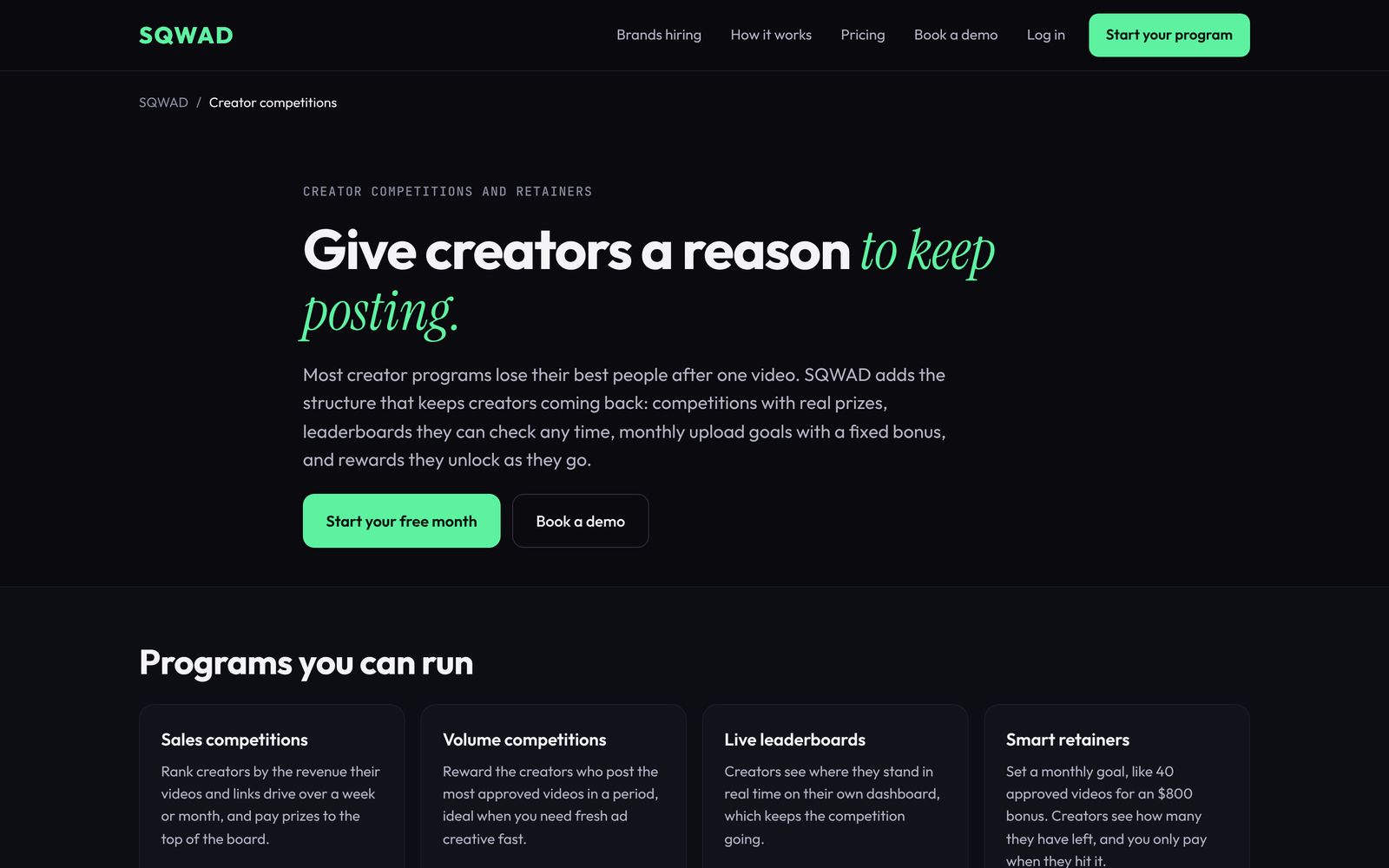
I built SQWAD on Firebase because creator portals need realtime updates, and TheHoopGang's portal on Postgres because its data is relational.
TheHoopGang's portal tracks creators, the gear they claim, the content they submit and the refunds that follow, and the brand's team needs to filter and total across all of it. That is relational data, so it runs on Postgres with Prisma.
When should you get help?
Get help at two points: before you commit to a data model, and before real users sign up. An hour spent on the schema or document structure up front prevents the kind of rework that costs weeks later. A review of rules and policies before launch prevents the worst outcome an MVP can have, which is leaking user data.
Signs that it is time to bring in a developer:
- The app works for you but you have never tested it as a second user
- You see "Missing or insufficient permissions" in Firebase, or empty results in Supabase after turning on RLS, and the fix you found was to open the rules
- Your Firebase bill jumped and you cannot tell which screen caused it
- An AI builder generated the backend and you are not sure what it set up
I build MVPs on both stacks, with a launchable SaaS MVP including auth, a dashboard, a database and payments from $1,200 in about 21 days. If the app already exists and needs its rules, payments or deploy fixed, single fixes start from $60.
The bottom line
Firebase gets a realtime or mobile-first product in front of users fastest. Supabase gives relational data, SQL and a database you can take with you. Both are safe only after someone writes the access rules properly. Pick by the shape of your data, not by which is trending.
Questions, answered in one line
Is Supabase a Firebase alternative?
Yes. Both provide auth, a database, storage and serverless functions; Supabase is built on Postgres while Firestore is a NoSQL document database.
Which is easier to secure?
Both need explicit rules: Firestore security rules in Firebase and row level security policies in Supabase. Leaving either open is the most common MVP security bug.
Can I switch later?
Moving from Supabase is easier because it is standard Postgres; moving off Firestore means reshaping documents into tables.
Which is cheaper for an MVP?
Both have free tiers that cover a small MVP; later, Firestore cost follows the number of document reads and writes while Supabase cost follows database size and compute.
Which is better for a mobile app?
Firebase has the edge for mobile apps that need offline support and live updates, because its SDKs cache data on the device and sync when the connection returns.
Do I need a backend developer to use either one?
You can start without one, but someone has to write the security rules or row level security policies correctly before real users sign up.
Sources
- Firebase Pricing Firebase
- Supabase Pricing Supabase
- Row Level Security Supabase Docs
- Access data offline Firebase
- Realtime Supabase Docs
Related articles
- How to scope an MVP: one workflow, three lists and the cuts that matter
- Multi-tenant SaaS with Firestore: data layout, security rules and custom claims
- Web app vs mobile app for your MVP: which to build first
- PWA vs native app in 2026: what a web app can do on iPhone now
SaaS MVP and full-stack web app development
I build SaaS MVPs and full-stack web apps in Next.js, TypeScript and Firebase or Postgres: auth, dashboards, payments, roles and admin tools. Founder of SQWAD.
See the service