November 23, 2026 · 10 min read · Thomas Osayi
Clerk vs Supabase Auth vs Firebase Auth for a SaaS MVP: cost, trade-offs and picks
Clerk vs Supabase Auth vs Firebase Authentication (plus Auth.js and Better Auth) for a SaaS MVP: free tiers, per-user pricing, team features, lock-in and picks.
Sign-in is the first screen every SaaS user touches and the last part of the app a founder wants to rebuild. Pick the wrong auth provider and you usually find out months later, when you need team accounts, an unbranded login page, or a bill that grows with every person who signed up once and never came back.
I set up authentication on every MVP I build, so I have working opinions about Clerk, Supabase Auth and Firebase Authentication, plus the self-hosted route through Auth.js or Better Auth. This post compares them for a SaaS MVP specifically. If you have already chosen Firebase and want the implementation details, "Firebase Authentication in the Next.js App Router: how to do it properly" covers that. If you are still choosing a whole backend, "Firebase vs Supabase for your MVP: how to choose" is the broader comparison. This one is only about auth.
Clerk vs Supabase Auth: which is better for a SaaS MVP?
Clerk is better when you want finished sign-in screens, user management and team accounts without building them, while Supabase Auth is better when your data already lives in Supabase and you want auth tied directly to your database rules.
That is the core trade. Clerk is an auth product first. You drop in its components and get sign-in, sign-up, profile management and organizations for B2B apps. Your database can be anything, which is both the appeal and the catch: you end up copying users from Clerk into your own tables with webhooks so you can join them to your data.
Supabase Auth is part of a database platform. Users live in the same Postgres project as everything else, and a row level security policy can compare a column to auth.uid() to decide who sees a row. There is nothing to sync. The cost is that you build more of the interface yourself, and teams or organizations are tables you design.
What does each option cost at the time of writing?
All four start free, and the differences only show up once you pass tens of thousands of users or need paid features such as multi-factor authentication or SAML single sign-on.
These numbers come from each vendor's pricing page at the time of writing. They change, so check before you commit.
- Clerk: the free Hobby plan includes 50,000 monthly retained users per app. Pro is $25 a month ($20 billed annually) with the same 50,000 included, then $0.02 per user from 50,001 to 100,000 and lower rates above that. Multi-factor authentication and removing Clerk branding need Pro.
- Supabase: the Free plan includes 50,000 monthly active users, and free projects pause after a week of inactivity. Pro starts at $25 a month with 100,000 monthly active users included, then $0.00325 per user. SAML single sign-on users cost $0.015 each after 50 included on Pro.
- Firebase Authentication: email, phone, anonymous and social sign-in are free up to 50,000 monthly active users, then $0.0055 per user between 50,000 and 100,000, falling at higher tiers. SAML and OIDC providers are free for 50 users, then $0.015 each. Phone sign-in is billed per SMS, $0.01 in the US and Canada.
- Auth.js and Better Auth: open source with no per-user fee. You pay for the database and email service you already run.
Clerk counts retained users, not active ones. Its definition is a user who comes back at least a day after signing up, so someone who signs up once and leaves is never billed. For consumer products with lots of drive-by sign-ups, that difference matters more than the headline price.
Clerk and Supabase Auth, option by option
Both are hosted services that remove most of the auth plumbing, but they sit in very different places in your stack.
Clerk
- Best for: B2B SaaS that needs team accounts, invitations and roles early, and founders who want sign-in screens that look finished on day one.
- Cost range: free up to 50,000 monthly retained users per app; $25 a month on Pro once you need multi-factor authentication or unbranded screens.
- Pros: prebuilt sign-in, sign-up and profile components; basic organizations included at no cost (100 monthly retained organizations per app and up to 20 members each); works with any database and any hosting.
- Cons: user records live in Clerk, so you sync them into your own tables; unlimited members, custom roles and verified domains need the Enhanced B2B add-on at $100 a month ($85 billed annually); per-user pricing above 50,000 retained users is higher than the database-bundled options.
Supabase Auth
- Best for: apps already built on Supabase, which includes most projects that started in Lovable or Bolt.
- Cost range: free up to 50,000 monthly active users; $25 a month on Pro, which also covers the database.
- Pros: users sit in the same Postgres database as your data; row level security can check the user directly; email, magic links, OAuth and phone sign-in in one place; one bill.
- Cons: you build more of the interface; organizations and roles are your own tables; redirect settings trip people up across localhost, previews and production (I wrote "Supabase auth redirect URL not working?" about exactly that); free projects pause when idle.
Firebase Authentication and Auth.js, option by option
Firebase is the pick when your app already runs on Google's stack, and a self-hosted library is the pick when you want no vendor lock-in and are willing to own the details.
Firebase Authentication
- Best for: apps on Firestore, and products with both a mobile app and a web dashboard, because the same user can sign in from React Native and from Next.js.
- Cost range: free up to 50,000 monthly active users for standard providers; SMS and SAML cost extra.
- Pros: mature SDKs for web, iOS and Android; security rules read the user from request.auth; custom claims for roles; a generous free tier.
- Cons: server-side sessions in the Next.js App Router need deliberate setup with session cookies and the Admin SDK; every new domain needs adding to the authorized list or you get auth/unauthorized-domain; phone sign-in is not available on the free Spark plan.
Auth.js or Better Auth
- Best for: developers who want users in their own Postgres database with no per-user fees, and products where vendor independence matters.
- Cost range: free software; you pay for hosting, the database and a transactional email service.
- Pros: no lock-in; every table is yours; works with Prisma or Drizzle; nothing to sync.
- Cons: you own password resets, email delivery, sign-in rate limiting and library upgrades. The project's direction has also changed: in September 2025 Auth.js (formerly NextAuth.js) moved under the Better Auth team, which still ships security patches for Auth.js but recommends Better Auth for new projects.
NOM, the React Native food discovery app I built at LMU Tech & Digital Ventures, runs on Firebase. A mobile-first product like that is where Firebase earns its place, because the client SDKs do so much of the work on the phone.
Does your auth provider lock you into a database?
Only Supabase Auth and Firebase Authentication tie auth to a specific database; Clerk and the self-hosted libraries work with whatever database you pick, which matters if you might move later.
The lock-in is less about where the user rows live and more about where your access rules are written. In Supabase, a rule like "a user can read rows where owner_id matches their ID" is a policy inside Postgres. In Firestore, the same rule lives in firestore.rules. Leave either platform and you rewrite those rules as application code.
With Clerk, the access checks live in your server code from the start. Each route handler or server action reads the Clerk session, then queries your database with that user ID.
Every option lets you get users out. The hard part is password hashes. If the new provider cannot verify the old hashes, every user gets a reset email on migration day.
What about teams, roles and B2B features?
If your customers are companies with several users each, Clerk gives you organizations out of the box, while the other options expect you to model teams in your own data.
That modelling is not hard, but it has to be right. A typical layout is an organizations table, a memberships table that links users to organizations with a role, and every business record carrying an organization ID. "Multi-tenant SaaS with Firestore: data layout, security rules and custom claims" walks through the Firestore version, and "Roles and permissions in a SaaS app: a practical guide for founders" covers how to think about roles.
Guardian MindCare, the therapy practice platform I built, has five roles: therapists, supervisors, trainees, clients and admins. A project like that is a reminder that roles are a data problem first and an auth problem second. The sign-in provider tells you who someone is. Your own tables decide what they can see.
Wherever roles live, store them somewhere the user cannot edit: Clerk organization roles or private metadata, Firebase custom claims set with the Admin SDK, or a memberships table protected by row level security in Supabase.
How should auth work in the Next.js App Router?
Check the session on the server for every request that reads or changes data, not only in a redirect that hides pages from signed-out visitors.
Every provider here has a way to read the current user on the server. The pattern I use is the same regardless of provider:
- Read the session inside each route handler, server action and server component that touches private data.
- Derive the user ID and organization from the verified session, never from a value the browser sends.
- Check the role before writing anything, and return a 403 when it fails.
- Keep service keys, such as a Supabase service role key or Firebase Admin credentials, in server-only environment variables.
- Add every production and preview domain to the provider's allowed redirect or authorized domain list before launch.
The most common hole I find in AI-built apps is a protected page with an unprotected API route behind it. "API key exposed in your frontend? Which keys are safe and how to fix the rest" covers the key side of that problem.
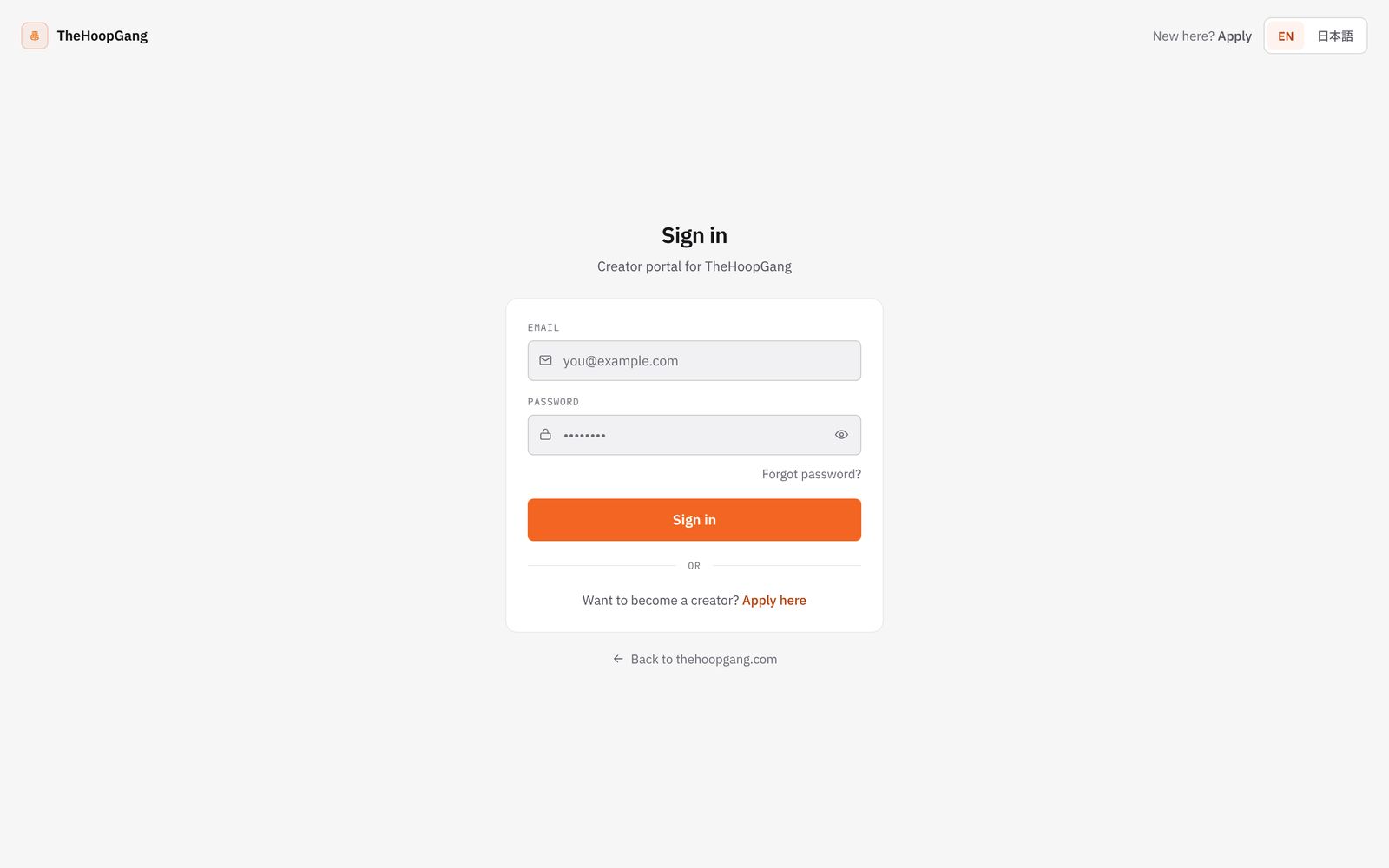
A sign-in screen like the one on TheHoopGang creator portal is the visible part. The checks behind every request are the part that keeps 50+ creators' data separate.
A worked example: choosing auth for a scheduling tool
As an illustration, imagine a founder building a shift scheduling tool for small clinics. Each clinic has a manager and five to thirty staff, and the founder expects about 2,000 users in the first year.
- Users: comfortably inside every free tier above, so cost is not the deciding factor.
- Teams: each clinic is an organization with managers and staff, so organizations matter on day one.
- Database: not chosen yet; the founder is leaning towards Postgres.
- Mobile: staff check shifts on their phones, but a responsive web app is enough for version one.
With those facts, Clerk is the fastest route: organizations, invitations and roles are already there, and Postgres can be anything. If the founder had already built on Supabase, I would keep Supabase Auth and add a memberships table instead of introducing a second vendor. That leaves one fewer system to keep in sync.
Which auth provider should you pick?
The right pick depends more on what you have already built than on the feature lists.
- Founder with a Lovable or Bolt app on Supabase: keep Supabase Auth and fix the redirect settings and row level security.
- B2B SaaS where companies invite their teams: Clerk, unless your data is already in Supabase or Firestore.
- Product with a mobile app, or already on Firestore: Firebase Authentication.
- Developer who wants full control and no per-user fees: Better Auth for new work, or stay on Auth.js if it already runs well.
- Consumer app expecting lots of one-time sign-ups: compare Clerk's retained-user counting against the active-user counting elsewhere before you assume the free tiers are equal.
The bottom line
At the time of writing, Clerk, Supabase Auth and Firebase Authentication all start free up to 50,000 users a month, so cost rarely decides an MVP. Choose Clerk for fast, polished B2B sign-in on any database, Supabase Auth when your data is already in Supabase, Firebase Authentication for Firestore and mobile, and Better Auth when you want everything in your own database. Then check the session on the server for every request, and your choice of provider matters much less than how you use it. If you want it built for you, my SaaS MVP package from $1,200 includes auth, and the Quick Fix from $60 covers one broken sign-in bug.
Questions, answered in one line
Is Clerk free for a SaaS MVP?
At the time of writing Clerk's Hobby plan is free for up to 50,000 monthly retained users per app, and Pro costs $25 a month when you need multi-factor authentication or want to remove Clerk branding.
Can I use Clerk with Supabase?
Yes, Clerk can handle sign-in while Supabase stores your data, but you then need to pass the Clerk session to Supabase and keep user records in sync instead of relying on Supabase's built-in auth tables.
Is Firebase Authentication free?
Firebase Authentication with email, social, phone and anonymous providers is free up to 50,000 monthly active users at the time of writing, while phone SMS and SAML or OIDC users above the free allowance are billed.
Should I use Auth.js or Better Auth for a new project?
Auth.js is now maintained by the Better Auth team, which keeps shipping security fixes for it but recommends Better Auth for new projects unless you need a feature only Auth.js has.
Which auth provider is easiest to migrate away from?
Self-hosted libraries are easiest because users already sit in your database, while moving off any hosted provider depends on whether the new system can verify the old password hashes.
Can Thomas Osayi set up authentication for my SaaS?
Thomas Osayi's SaaS MVP package, from $1,200 in about 21 days, includes authentication, a dashboard, a database and payments, built on whichever provider fits your product.
Sources
- Clerk pricing Clerk
- Supabase pricing Supabase
- Identity Platform pricing Google Cloud
- Auth.js is now part of Better Auth Better Auth
Related articles
- How to scope an MVP: one workflow, three lists and the cuts that matter
- Multi-tenant SaaS with Firestore: data layout, security rules and custom claims
- Web app vs mobile app for your MVP: which to build first
- PWA vs native app in 2026: what a web app can do on iPhone now
SaaS MVP and full-stack web app development
I build SaaS MVPs and full-stack web apps in Next.js, TypeScript and Firebase or Postgres: auth, dashboards, payments, roles and admin tools. Founder of SQWAD.
See the service