November 17, 2026 · Updated November 22, 2026 · 10 min read · Thomas Osayi
Build or buy: software for running a brand creator program
When a brand should use existing creator program software, when to build a custom creator portal, and what each needs to do well.
I have been on both sides of this decision. I have built custom creator portals for brands, including TheHoopGang, and then I built SQWAD, a SaaS platform that Shopify brands use to run creator programs. So I sell one of the "buy" options and I also get paid to build the alternative. Take that as a disclosure, and as the reason I have a clear view of where each one fits.
The short version is that most brands should buy, and a few should build.
What does a creator program need software to do?
It needs to cover five jobs: applications, product seeding, content collection, payment and attribution.
- Applications and approvals: creators apply with their handles and details, and someone on your team accepts or declines
- Product seeding: getting product to each creator and knowing what was sent, when, and whether it arrived
- Content submission and review: collecting the posts, links and files, and checking them against the brief
- Payouts: flat fees, commissions, refunds or store credit, paid on time with a record
- Attribution: which creator's content led to which sales
Around those sit the smaller needs: a brief creators can find, reminders for people who have not posted, usage rights for the content, and a way for creators to see their own status without messaging you.
Programs differ mostly in the reward model. Some pay per post. Some pay commission through codes or links. Some gift product. Some refund the creator's purchase once they post. The reward model decides how hard the software problem is, because money moving in unusual ways is what standard tools handle least well.
When are spreadsheets and DMs enough?
For the first handful of creators, a spreadsheet, a form and your DMs are the right tools.
At that size the work is relationships, not process. You are learning which creators fit, what brief works and what reward people respond to. Software would only formalize guesses.
A workable manual setup:
- A form for applications
- A sheet with one row per creator: handle, address, product sent, tracking number, post link, amount owed, paid or not
- Discount codes created by hand in your store, one per creator
- Payments by whatever method you already use, logged in the sheet
Signs you have outgrown it
- Shipments go out twice or not at all
- Creators message to ask whether you received their post or when they will be paid
- You cannot say which posts sold anything
- One person holds the whole program in their head, and it stalls when they are away
- Approving, shipping and paying each take longer than the conversation that started them
The number varies by program, but the breaking point tends to arrive once you are tracking dozens of creators, each with a shipment, a post and a payment.
When should a brand buy existing software?
Buy when your program follows a common pattern, which most do.
If creators apply, receive product, post, and are paid a fee or commission, that workflow exists in off-the-shelf tools today. Buying gets you:
- A launch in days, not weeks
- A vendor who maintains integrations when Shopify, Meta or TikTok change something
- Features you would not think to build until you needed them
- Support, documentation and a product that improves without your involvement
- A monthly cost you can stop if the program does not work out
What to check before signing up
- Does it connect to your store platform natively?
- Does it support your reward model without a workaround?
- How does it attribute sales: codes, links, or ad-level tracking?
- Do creators get their own login and a clear view of their status?
- Is the creator-facing side branded as you or as the vendor?
- How are creators paid, and who handles tax forms?
- Is pricing flat, per creator, or a share of sales?
- Can you export your creators, content and history if you leave?
The last question matters more than it seems. Your creator relationships and content library are assets. Make sure they can leave with you.
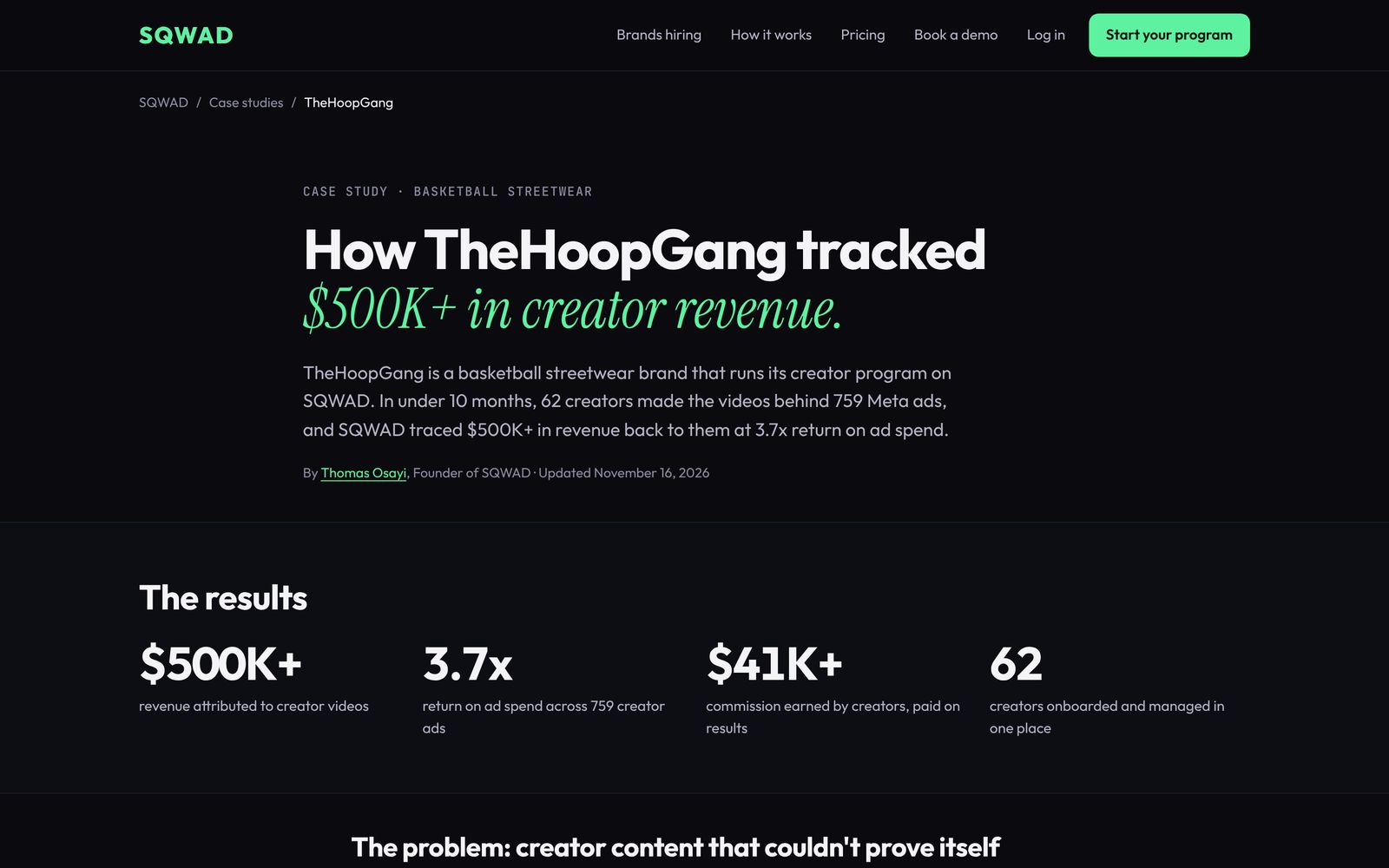
SQWAD is the tool I built for this. It gives each Shopify brand a branded portal where creators apply, receive product, submit content, join competitions and get paid, and it traces Meta ads back to the creator whose content made the sale. SQWAD's published TheHoopGang case study reports $500K+ in revenue attributed to creator videos and a 3.7x return on ad spend across 759 creator ads.
When is a custom creator portal worth building?
Build when your rewards or approvals are unusual, when the program has to connect deeply to your own systems, or when the creator experience is central to the brand.
- Reward rules no tool supports well, such as refunds tied to posting or gear claims
- A store or internal data that standard tools cannot connect to
- Approval steps specific to your team, with several people signing off
- A program that is itself part of what makes the brand distinctive
- A scale where per-creator or percentage pricing costs more each year than owning the software
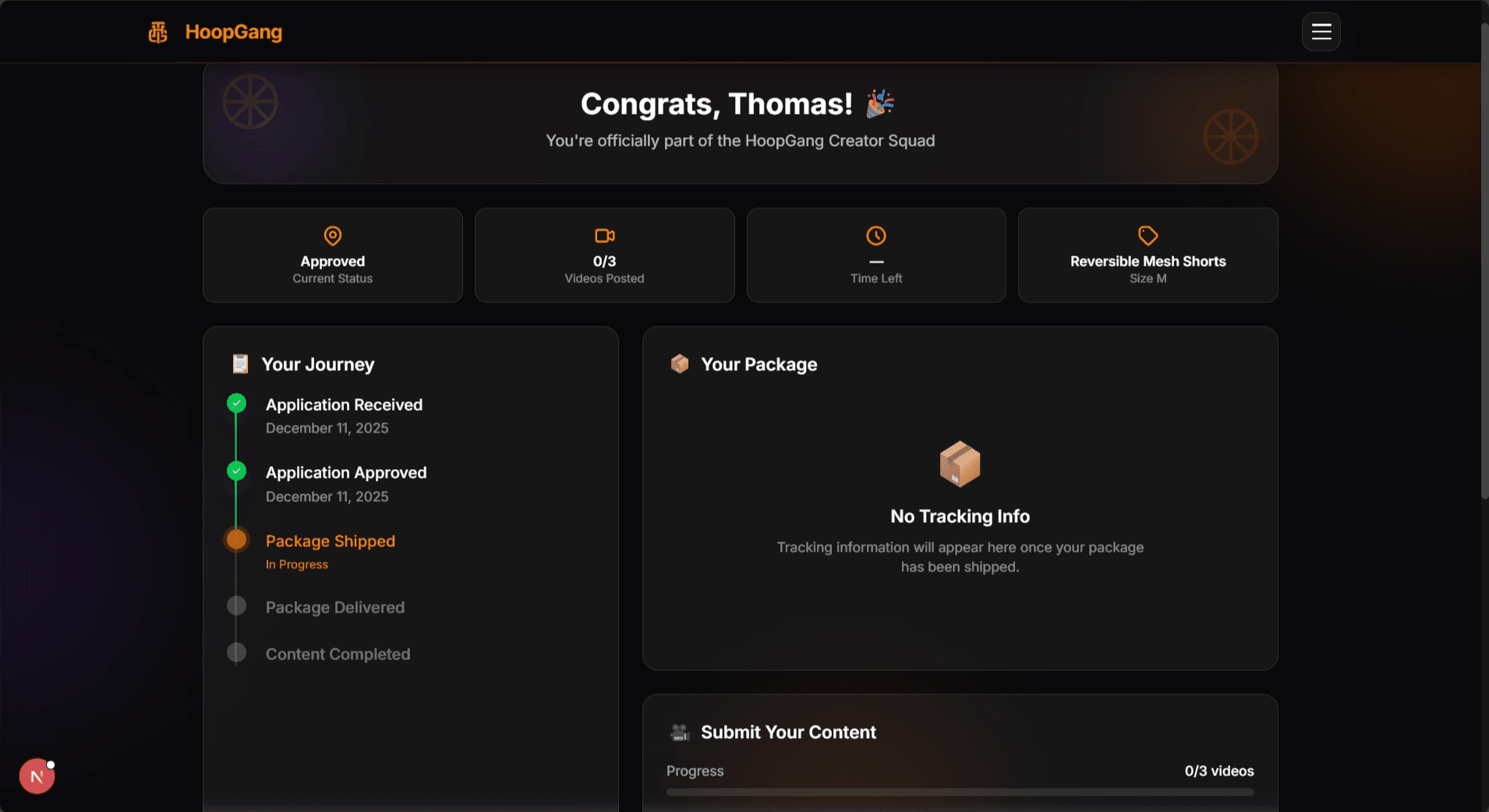
TheHoopGang is the clearest example from my work. The brand was gifting gear to dozens of creators with no reliable way to track who posted, what they posted and whether the gift paid off. Its program runs on refundable gifting: creators sign up, claim gear, submit their content and are refunded once they post. I built the portal around that flow, and it now manages 50+ active creators in one place.
SCOPRO, a coaching board brand I built a creator portal for, has a similar shape: buy the product, post one video, get refunded, then earn on sales. Again, the program is defined by its own reward rule.
Notice what these have in common. Neither is custom for the sake of being custom. Each has a specific rule about money at the center of the program, and the portal is built around that rule.
What does each option cost?
Spreadsheets cost time, software costs a monthly fee, and a custom portal costs a build up front plus upkeep.
- Spreadsheets: no fee. The cost is staff hours, and errors that grow with every creator added.
- Existing software: a subscription. Pricing models vary: flat tiers, per active creator, or a percentage of attributed sales. Work out the yearly figure at your expected size, not at today's.
- Custom portal: a one-time build and ongoing maintenance. For reference, my SaaS MVP package, from $1,200 and about 21 days, covers auth, a dashboard, a database and payments. A multi-role platform with admin tools and integrations is the Full SaaS Platform, from $3,000 and about 45 days. A creator portal with creator and admin sides and a store integration sits toward that second package.
The costs people forget
- Maintenance: platform APIs change, and someone has to update the integration
- Hosting, email sending and payment processing fees
- Your team's time specifying, testing and learning the tool
- The cost of waiting: weeks of building are weeks the program runs by hand
A simple comparison is three years of subscription at your expected scale against the build plus three years of upkeep. For most brands the subscription wins. For a large program on percentage pricing, or one doing manual work every week to bend a tool into shape, the build can win clearly.
Why are attribution and payouts the hard parts?
Because they involve other companies' systems and real money, and both punish mistakes.
Attribution
There are three common ways to connect a sale to a creator, in rising order of difficulty:
- Discount codes: simple and visible, but codes leak to coupon sites and miss buyers who did not use one
- Tracked links: more precise, but they lose the trail when someone sees a video and buys days later on another device
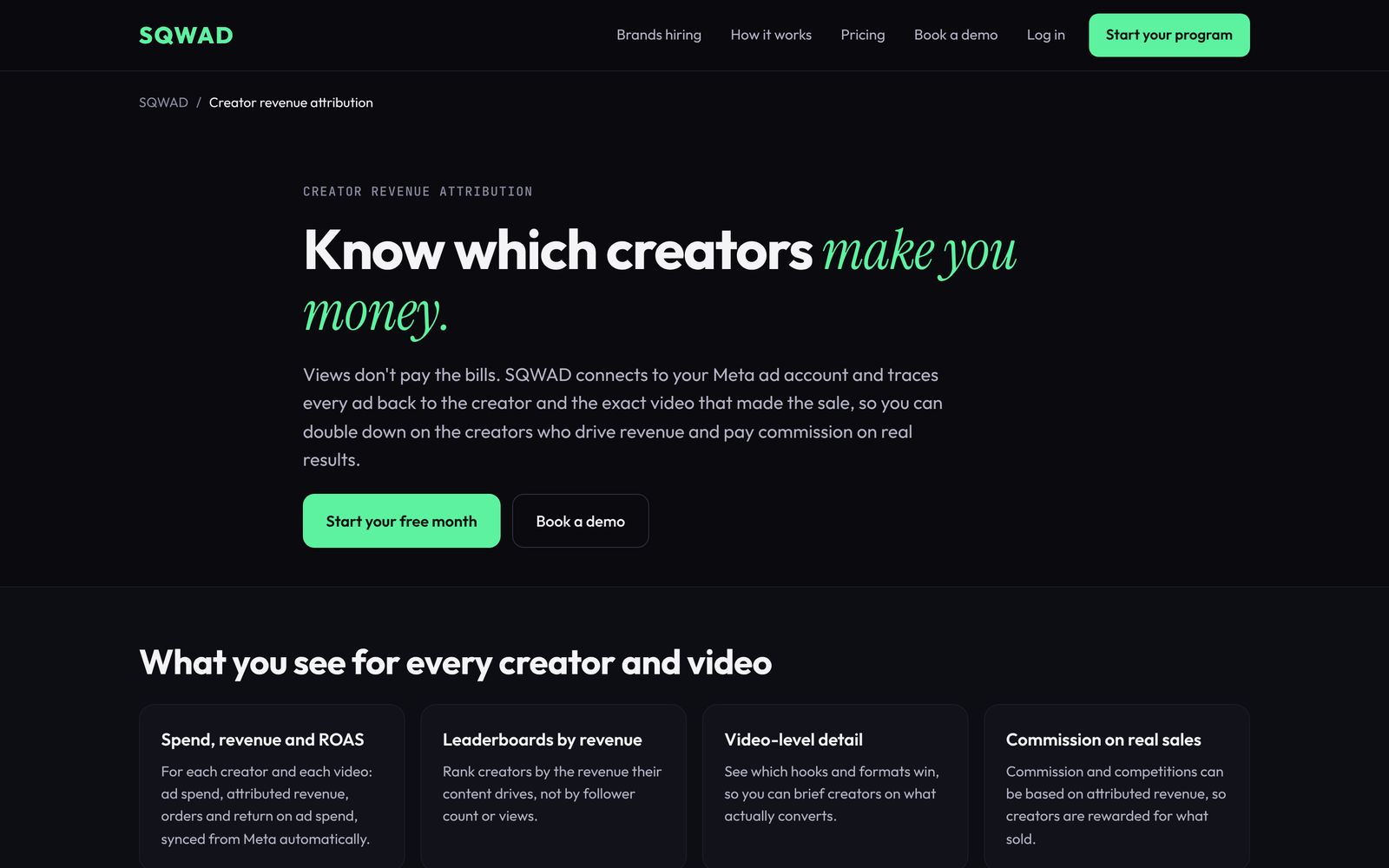
- Ad-level tracking: when creator content runs as paid ads, tying each ad's sales back to the creator who made it
The third matters most for brands that run creator content as ads, and it is the hardest to build, since it means working with an ads API and matching each ad to a person. It is the problem SQWAD was built around: every Meta ad traced back to the creator whose content made the sale.
Payouts
Paying dozens of people involves approvals, records, failed payments, and tax paperwork that depends on where you and your creators are. Refund-based rewards add their own cases: partial refunds, returned items, a post deleted after the refund.
If you build custom, these are the two areas to scope most carefully, and the two where relying on an existing service, such as a payments provider, beats writing your own.
Can I start with software and build later?
Yes, and it is usually the best order, because running the program teaches you what you need.
A staged path:
- Run the first creators by hand to learn the brief and the reward
- Move to software when tracking starts to slip
- Note every workaround: the steps your team does outside the tool, every week
- If the list stays short, stay where you are
- If one workflow is clearly custom, build only that piece and connect it to the rest
The hybrid is underrated. A brand can keep a standard tool for the common steps and build a small portal for the one unusual flow, such as gear claims. That is a much smaller project than replacing everything.
When you do build, the months on software were not wasted. You now have real requirements instead of guesses: the fields you use, the reports you open, the questions creators ask. A portal specified from experience is smaller and better than one specified from imagination.
What goes wrong with custom builds?
Custom portals fail when they try to rebuild a whole platform instead of solving the one problem that justified building.
- Scope creep: starting with a claim flow and ending with a half-finished copy of a full product
- No owner: nobody on the brand's team is responsible for the portal after launch
- No admin side: a good creator experience, with the team still working from spreadsheets behind it
- Fragile integrations: store or social connections built once and never monitored
- Skipping the creator's view: creators who cannot see their status go back to messaging you, and the portal has saved nothing
- Weak access control: creators able to see each other's details, or admin pages reachable by anyone with the link
The builds that work start narrow. The first version handles one flow end to end for both sides: the creator signs up, does what the program asks and sees their status, and the team sees everyone in one admin view. Everything else is added once that loop is in use.
Does the software need to handle disclosure rules?
Yes, at least by reminding creators, because in the US a creator who gets free product or payment from a brand is expected to disclose it.
The Federal Trade Commission's guide for influencers says a "material connection" to a brand, which includes payment, free or discounted products and personal ties, must be disclosed clearly and where people will notice it. Gifted gear counts, so a refundable gifting program counts too.
Whatever you buy or build, the program should make this easy to get right:
- Put the disclosure rule in the brief creators read before they post
- Add a checkbox in the content submission step confirming the post is disclosed
- Have the review step check for it before a post is approved or a refund or payout is released
- Keep the brief version and approval record with each post, so you can show what you asked for
This is general information, not legal advice. Brands with large programs or creators in other countries should check the rules that apply to them.
The bottom line
Use spreadsheets for the first handful of creators, buy software when tracking starts to slip, and build custom only for the parts of your program that tools cannot do, usually an unusual reward rule or a deep integration. If you are a Shopify brand with a standard program, a tool like SQWAD will get you live faster than any build. If your rules are your own, a focused portal is worth it.
Questions, answered in one line
What should creator program software do?
Handle applications, shipping product to creators, collecting content, paying creators and showing which creators drove sales.
When is a custom creator portal worth it?
When your rewards, approvals or integrations are unusual enough that standard tools force workarounds.
Can I run a creator program in spreadsheets?
For a handful of creators, yes; it breaks down once you track dozens of shipments, posts and payouts.
How much does a custom creator portal cost to build?
A creator portal with creator and admin sides falls between Thomas Osayi's SaaS MVP package, from $1,200, and the Full SaaS Platform, from $3,000, depending on roles and integrations.
What is the hardest part of creator program software to build?
Attribution and payouts, because they depend on other companies' systems and involve real money.
Can a brand use existing software and a custom portal together?
Yes, a brand can keep a standard tool for the common steps and build a small portal only for the one workflow the tool cannot handle.
Sources
- TheHoopGang Case Study SQWAD
- Disclosures 101 for Social Media Influencers Federal Trade Commission
Related articles
- How to scope an MVP: one workflow, three lists and the cuts that matter
- Multi-tenant SaaS with Firestore: data layout, security rules and custom claims
- Web app vs mobile app for your MVP: which to build first
- PWA vs native app in 2026: what a web app can do on iPhone now
SaaS MVP and full-stack web app development
I build SaaS MVPs and full-stack web apps in Next.js, TypeScript and Firebase or Postgres: auth, dashboards, payments, roles and admin tools. Founder of SQWAD.
See the service